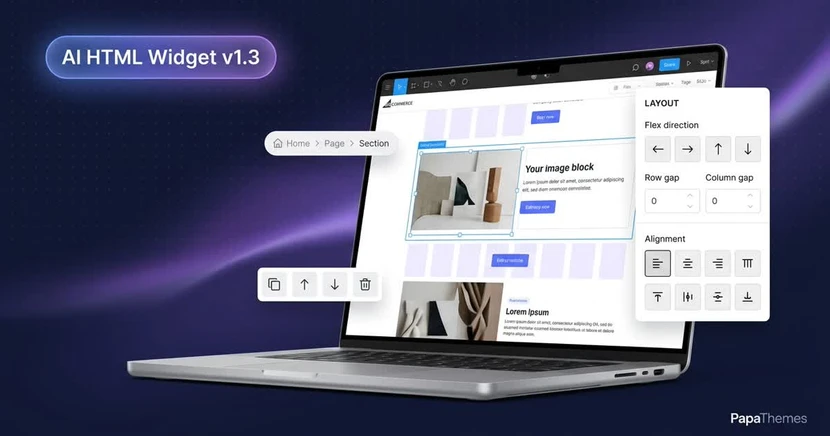
AI HTML Widget v1.3: Flex & Grid Layout Control + Structural Editing
What's New in v1.3
v1.2 gave you a visual editor for colors, spacing, and typography. v1.3 adds what was missing: real layout controls for flex and grid, structural editing on the canvas, and automatic saving.
Click to Edit — No Mode Switch
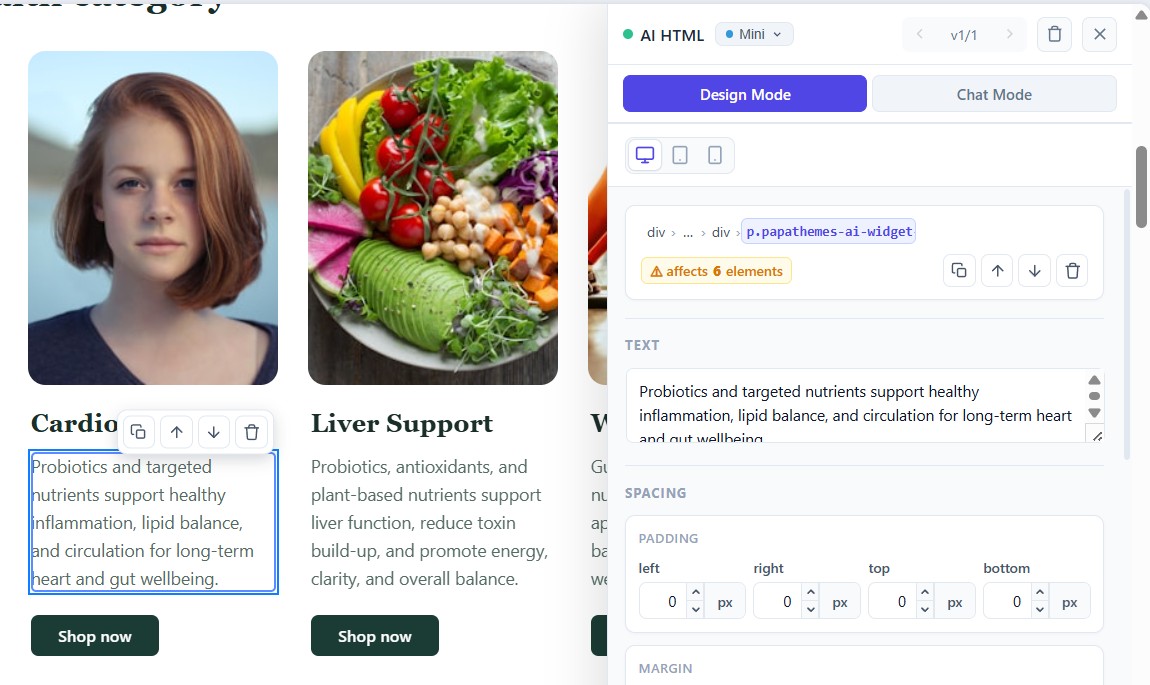 Click any element; its Design panel opens right away.
Click any element in your section and its Design panel opens immediately — no Design Mode toggle first. Links and buttons still work normally.
Structural Actions on the Canvas
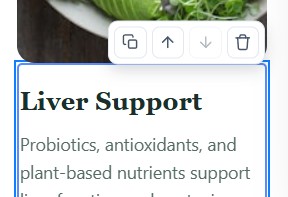 Duplicate, reorder, or delete an element straight from the canvas.
A floating toolbar on the selected element lets you Duplicate, Move up / down, or Delete it — no chat, no digging through markup. Duplicates get fresh IDs automatically, so copies stay valid.
Automatic Saving + Restore
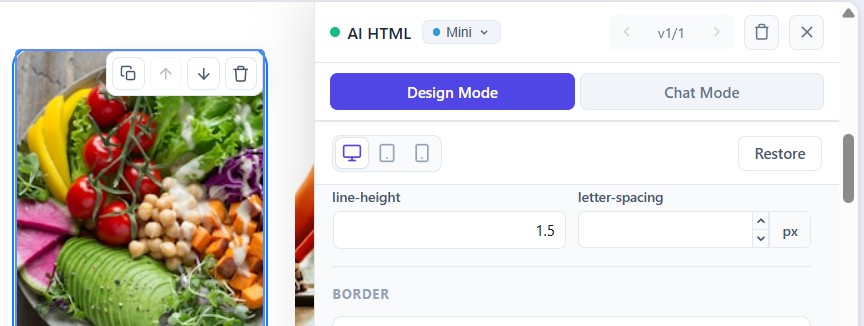 Every change saves itself; Restore rolls everything back to the AI original.
The Save and Discard buttons are gone. Every panel edit saves automatically, and text edits commit when you click away. A Restore button appears after your first change and reverts all design-panel edits to the current AI version's original.
Element-Path Breadcrumb
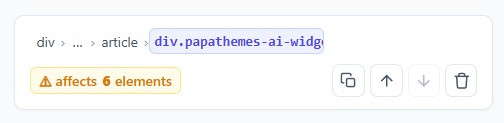 Jump to any parent element from the path in the panel header.
The panel header shows the selected element's ancestor path. Click any parent to select it — handy for jumping from a flex item up to its container. Long paths collapse behind an expandable "…".
Layout Controls for Flex & Grid
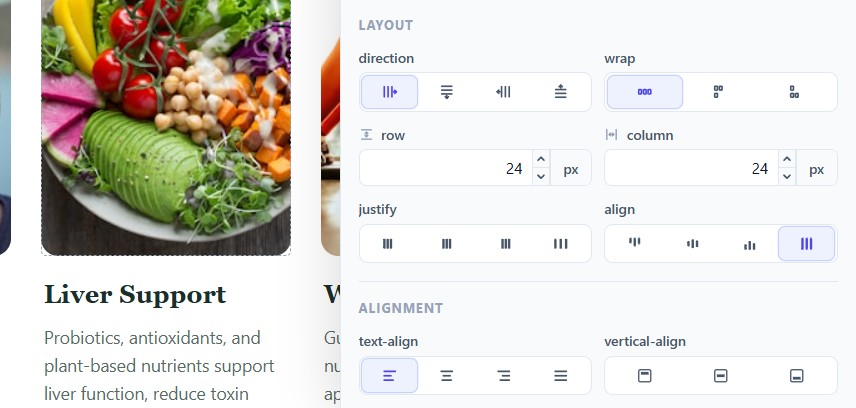 Icon-based controls for direction, wrap, gaps, and alignment — set per device.
When the selected element is a flex or grid container, a new Layout section appears:
- Gap (row & column) — flex and grid
- Direction — row, column, or reversed (flex)
- Wrap — nowrap, wrap, wrap-reverse (flex)
- Justify (main axis) and Align (cross axis) — flex
Set each per device — Desktop, Tablet, Mobile — so a 3-column row on desktop can stack on mobile.
Cleaner Multi-Widget Pages
With more than one AI HTML widget on a page, selecting an element in one now closes the other's panel, so they no longer overlap.
v1.2 → v1.3 at a Glance
| v1.2 | v1.3 | |
|---|---|---|
| Open the panel | Toggle Design Mode | Click the element |
| Duplicate / move / delete | Chat only | Canvas toolbar |
| Saving | Save / Discard buttons | Automatic + Restore |
| Flex / grid layout | Not available | Visual controls, per device |
| Navigation | — | Ancestor breadcrumb |
Try It Today
v1.3 is live on every AI HTML Widget install — no migration, no toggle. And everything in this release is free to use: the visual editor, layout controls, structural editing, and breadcrumb don't cost a thing. You only spend credits when the AI generates a section or image — and new accounts start with free credits.

Get AI HTML Widget → · Full changelog
About AI HTML Widget
AI HTML Widget (listed as AI HTML Generator | PapaThemes in Page Builder) is an AI section builder for BigCommerce. Describe a section in plain English — hero banner, feature grid, countdown, signup form — and it generates the HTML and places it on your page. Chat to refine it, paste an image for reference or generate one, or start from a template gallery. Then fine-tune everything in the built-in visual editor — colors, typography, spacing, borders, and flex/grid layout — per breakpoint, no code. It works on every BigCommerce theme and installs straight into Page Builder. The visual editor and all manual editing are free; only AI generation (sections and images) uses credits, and new accounts start with free ones.
Free to use — credits only for AI generation · AI HTML Widget docs · Changelog
Questions? contact@papathemes.com — or find us on Facebook and YouTube.