Parts Diagram by PapaThemes — Now Live on the Shopify App Store
New Shopify App — Available Now
Turn Product Diagrams Into Shoppable Hotspots
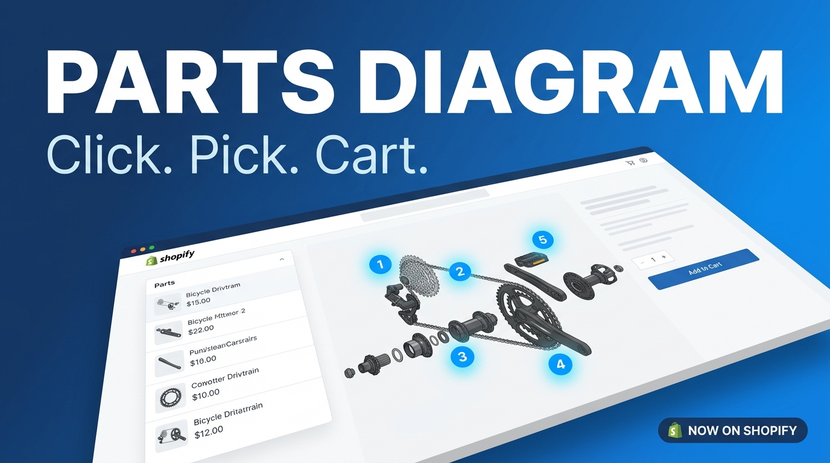
Click any part on an exploded view, schematic, or assembly diagram — add it straight to cart. No theme code required.
Install Free on Shopify →PapaThemes today announced the public launch of Parts Diagram, a Shopify app that turns product images into interactive hotspot diagrams with inline cart functionality. The app is now available on the Shopify App Store with a free plan for every Shopify merchant.
What Parts Diagram Does
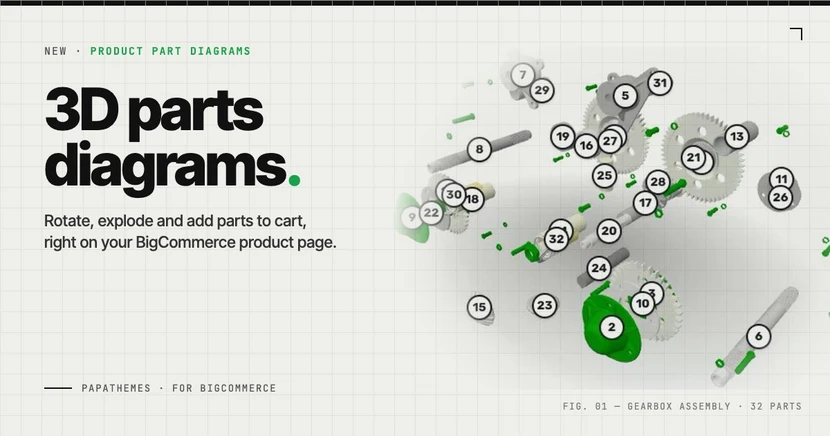
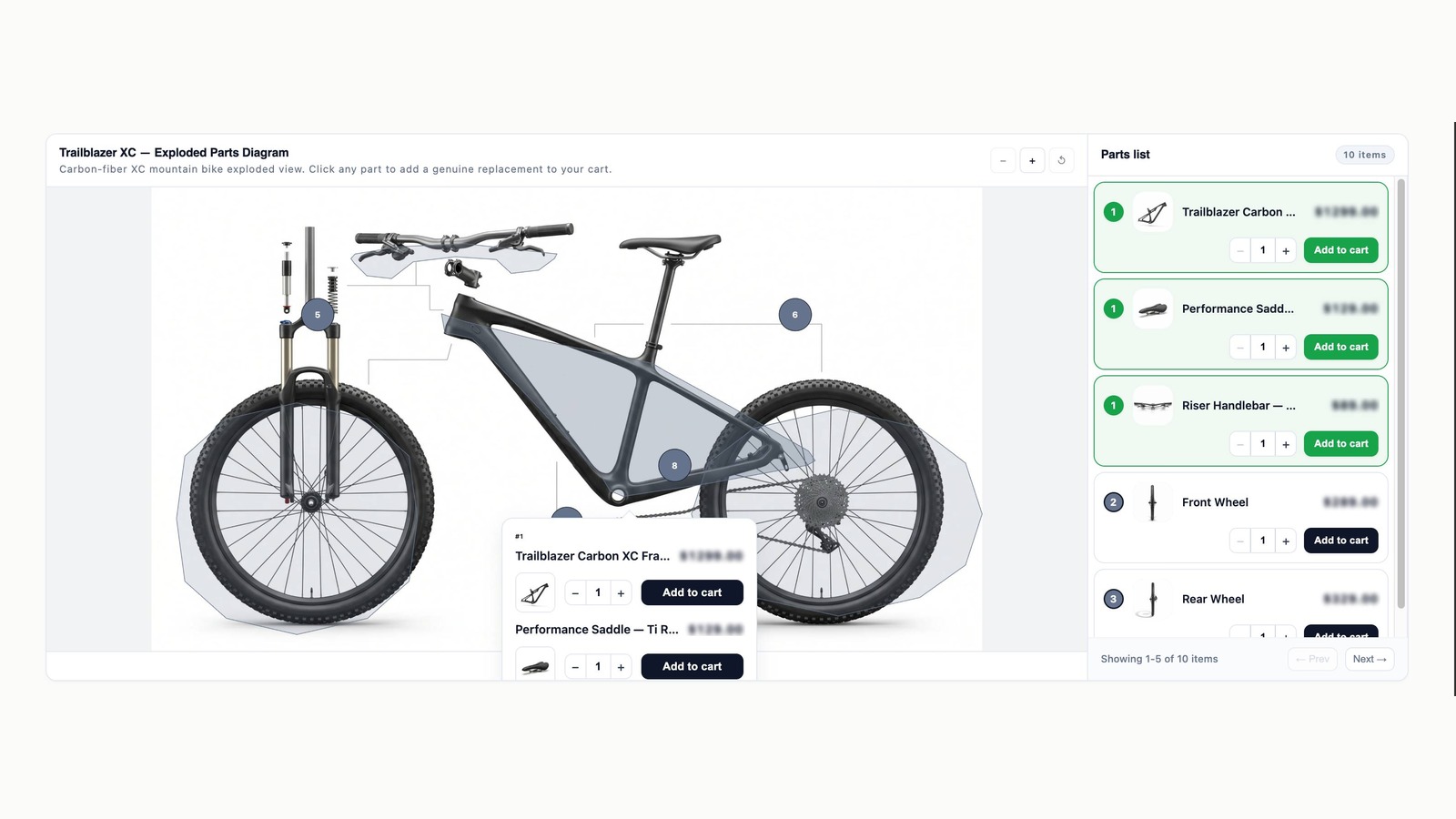
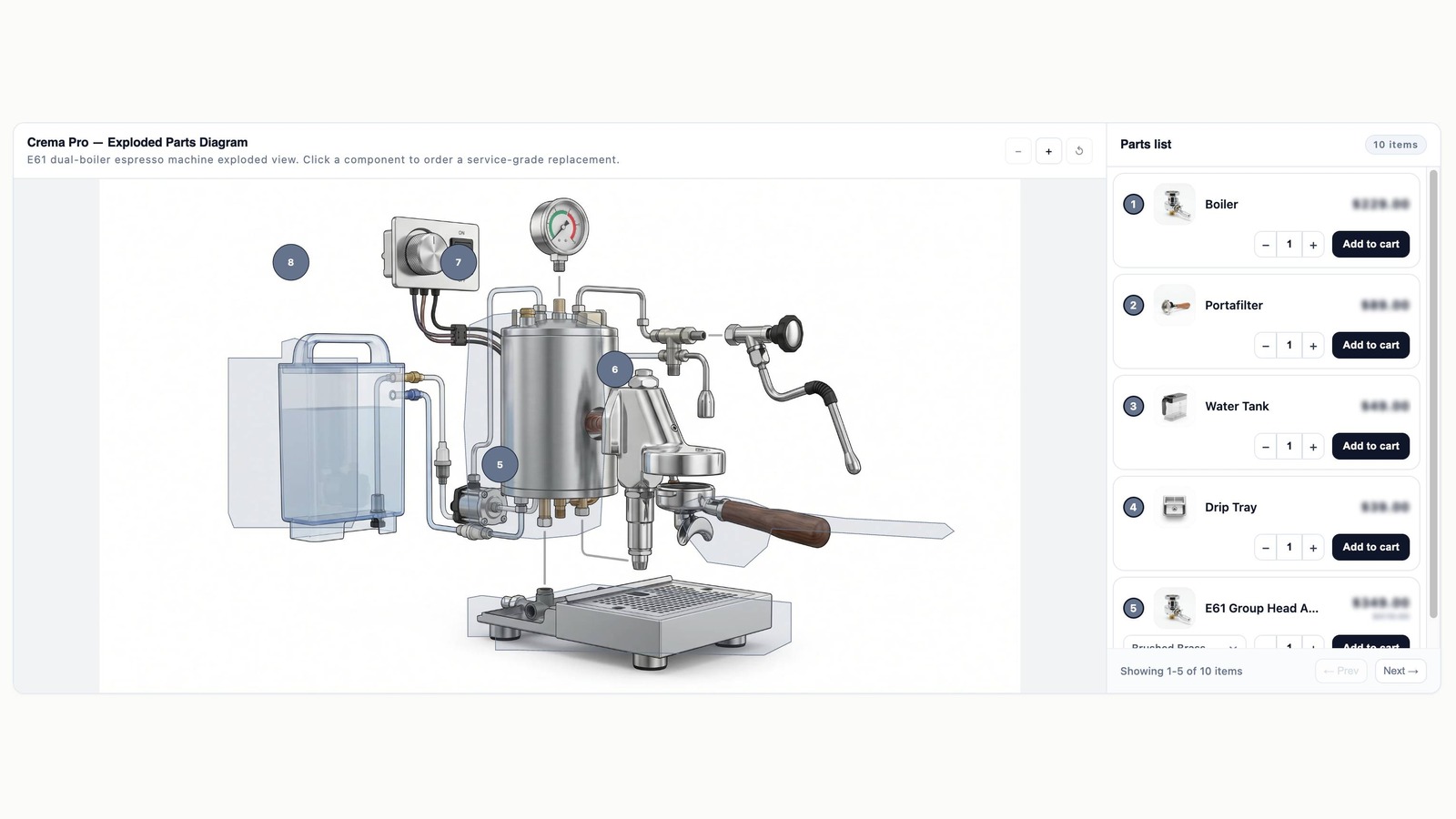
Parts Diagram lets shoppers click on any part of an exploded view, schematic, or assembly diagram — and add that part to cart in a single interaction. No more scrolling through long parts lists or matching SKUs to small thumbnails.
For merchants selling automotive parts, bicycle components, electronics, furniture, industrial equipment, or sports gear, Parts Diagram replaces the typical list-driven catalog page with a visual, click-to-buy experience.
"We built Parts Diagram after seeing the same pattern in our theme support tickets year after year: shoppers ordering the wrong part because they couldn't tell two near-identical SKUs apart in a thumbnail. A diagram solves that immediately — shoppers see context, click the right part, and check out faster. We're excited to make this available to every Shopify merchant." — PapaThemes team
Key Features at Launch
For Shoppers (Storefront)
- Click pinpoint or polygon hotspots on any product image
- Inline variant picker — size, color, option — without leaving the page
- Live price and stock sync, pulled directly from Shopify products
- Sale price detection with automatic strikethrough on regular prices
- Three storefront layouts: side panel, overlay, or popup
- Full keyboard navigation and WCAG 2.1 AA accessibility compliance
For Merchants (Admin)
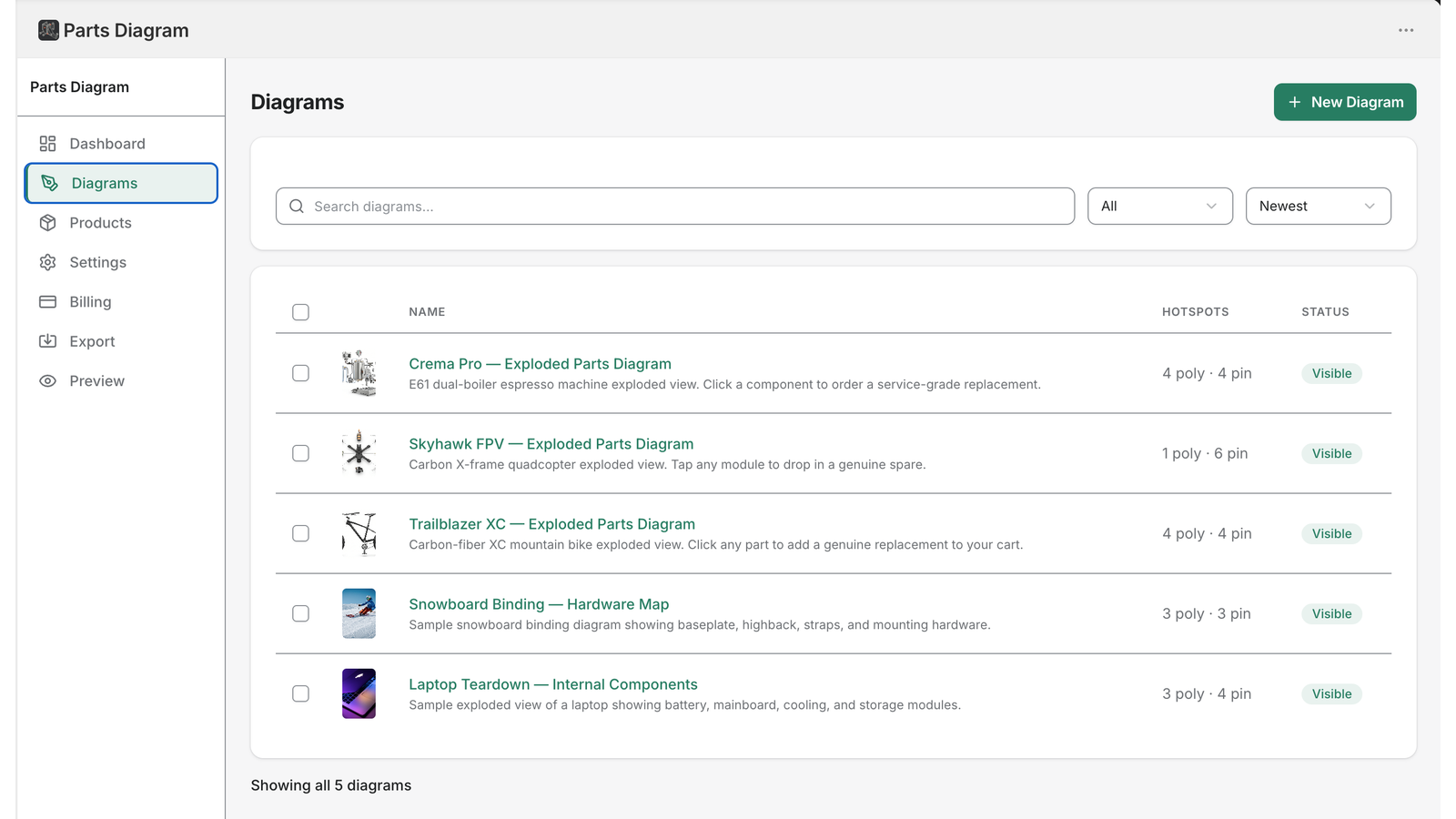
- Drag-and-drop image upload (PNG or JPG)
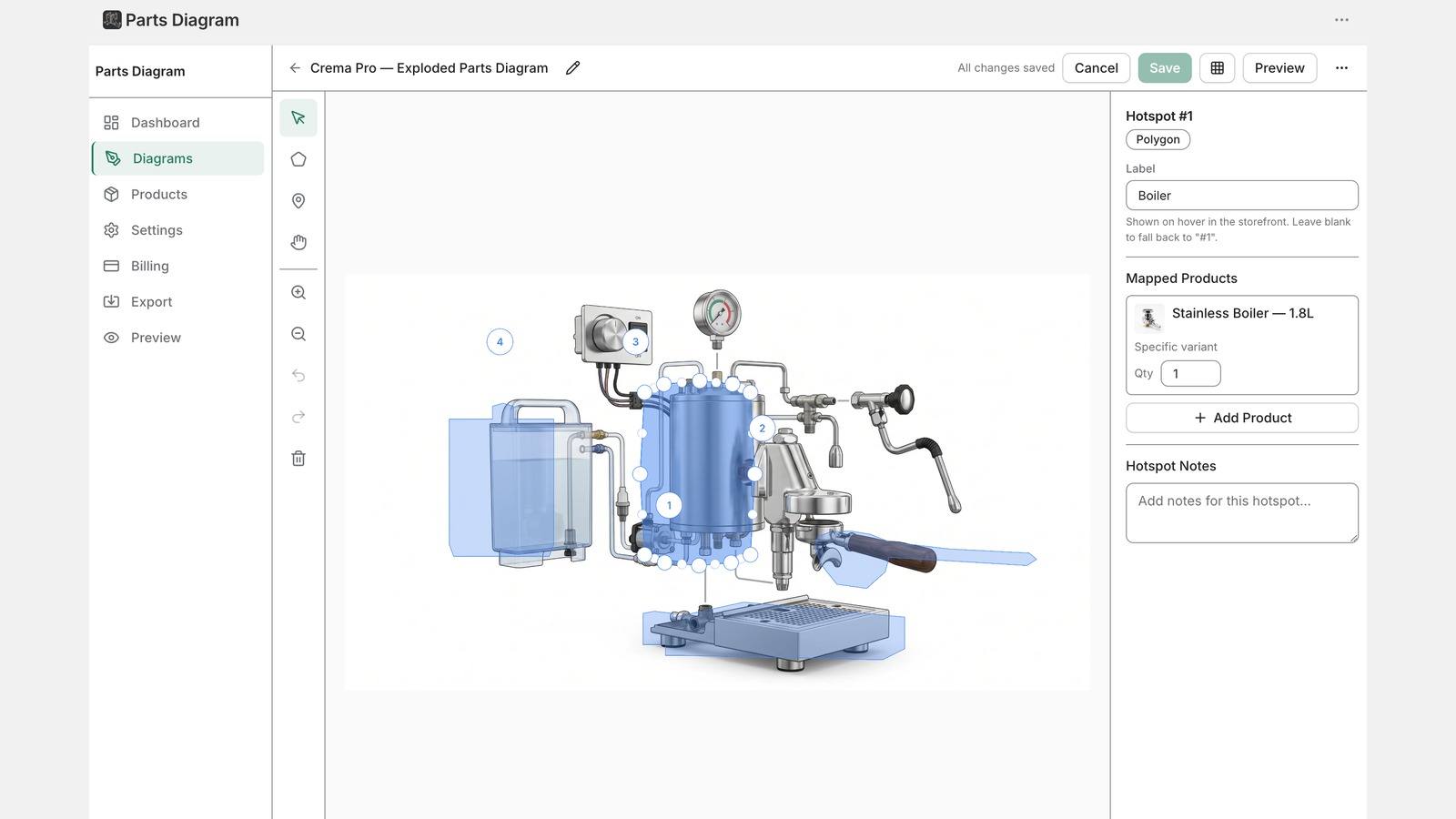
- Pinpoint and polygon drawing tools for precise hotspot placement
- Live product search and variant linking
- Storefront preview before publishing — no broken diagrams ever go live
- Hotspot-level analytics: impressions, clicks, add-to-cart conversion
- JSON import/export for moving diagrams between staging and production stores
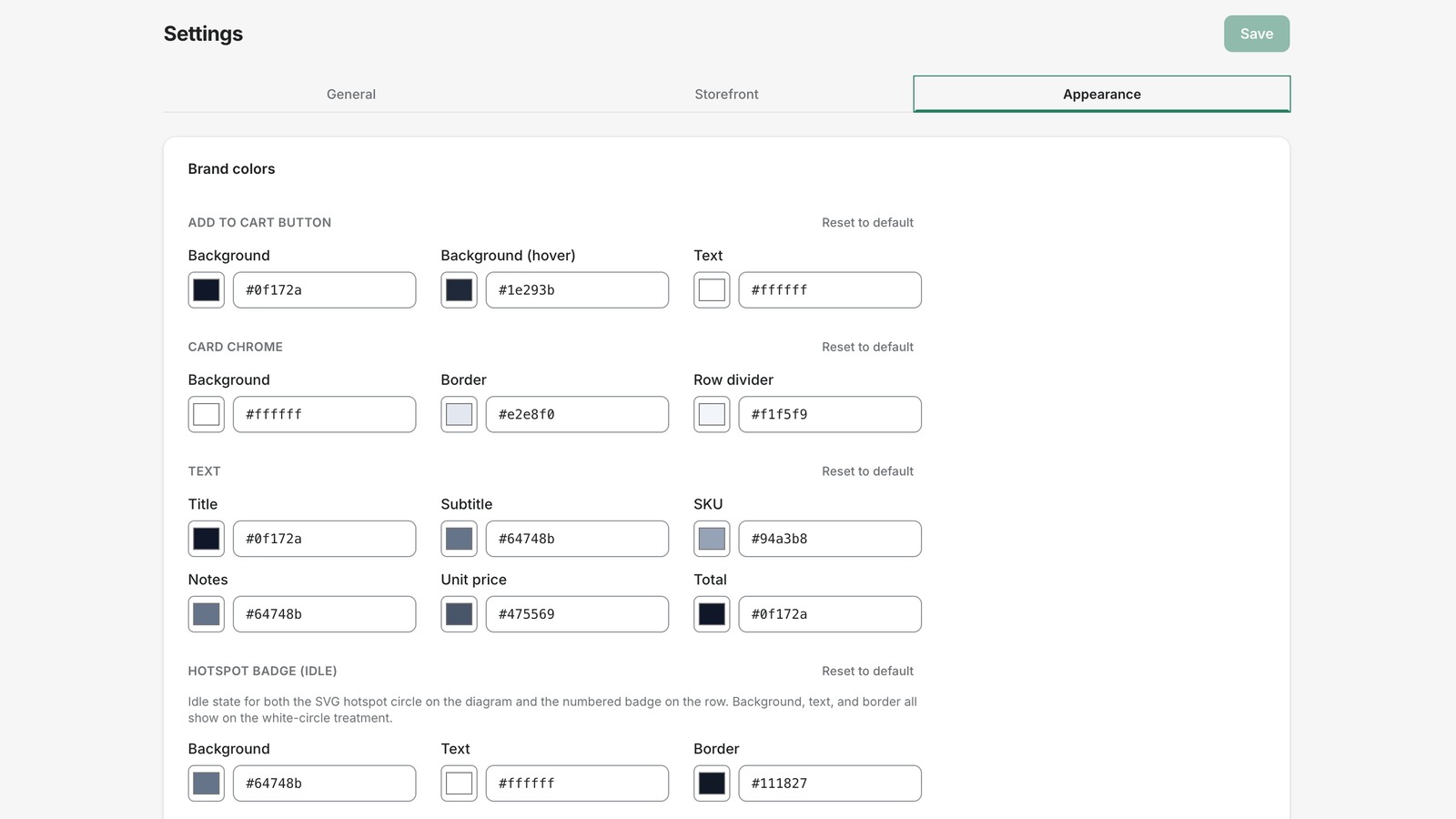
- Storefront layout settings, pricing display, SKU visibility — all configurable
For Developers and Themers
- Theme App Extension — works with every Online Store 2.0 theme
- Zero theme code modifications required
- App Proxy backed by HMAC-signed requests
- Multi-currency billing: USD canonical, with native EUR and JPY price points
Pricing — Free Plan, Then $7.99 to Start
| Plan | Monthly | Diagrams | Hotspots Each |
|---|---|---|---|
| Free | $0 | 2 | 5 |
| Starter | $7.99 | 10 | 20 |
| Professional | $14.99 | 100 | 100 |
| Business | $49.99 | 500 | 500 |
Annual billing is available at a 17% discount across all paid plans. The Free plan adds a small "Powered by Parts Diagram" link to the storefront, which paid tiers remove.
"We wanted the free plan to be genuinely useful — not just a teaser. Two full diagrams and five hotspots each is enough for many small catalogs to test the experience in production. When merchants outgrow the free tier, the paid plans scale proportionally to their needs." — PapaThemes team
How Merchants Experience It
- Install — Free install on the Shopify App Store
- Upload — Drag any diagram image into the editor
- Map — Draw hotspots and link them to existing Shopify products
- Preview — Test the live storefront experience from the admin
- Publish — Toggle live, and the block appears on the product page
First-time setup takes under five minutes. No theme code changes are required.
Built for Shopify Online Store 2.0
Parts Diagram is built as a Theme App Extension, the modern Shopify integration pattern introduced with Online Store 2.0. This means:
- Merchants add the storefront block through their theme editor — never editing theme code directly
- Updates to the app deploy through Shopify's standard extension pipeline
- The block participates in Shopify's performance budget, with measured Lighthouse impact under five points on every supported theme
Availability and Roadmap
Parts Diagram is available immediately to every Shopify store at apps.shopify.com/parts-diagram.
In active development for the next quarters:
- Multi-image diagrams — multiple views per product (front, side, exploded)
- Conditional logic — different diagrams per variant
- Bulk CSV import — for catalogs with hundreds of diagrams
- Storefront translations — extending beyond admin-only multi-language
- Public API — for advanced integrations and custom workflows
Install Parts Diagram Free
Available now on the Shopify App Store. No credit card. Free plan included.
Install on Shopify →About PapaThemes
PapaThemes builds Shopify and BigCommerce e-commerce themes used by merchants worldwide. Founded with a focus on high-quality, code-clean themes that pass strict QA, the company has shipped dozens of themes across product categories ranging from automotive parts to fashion. Parts Diagram is PapaThemes's first standalone Shopify app — built on lessons learned across years of theme development and merchant support.
Press contact: contact@papathemes.com Web: papathemes.com Documentation: sp-parts-diagram-docs.papathemes.com