PapaThemes AI Widgets 2026 Update: 300+ Templates, Smarter AI & Image Generation
300+ Ready-to-Use Template Blocks — Completely Free
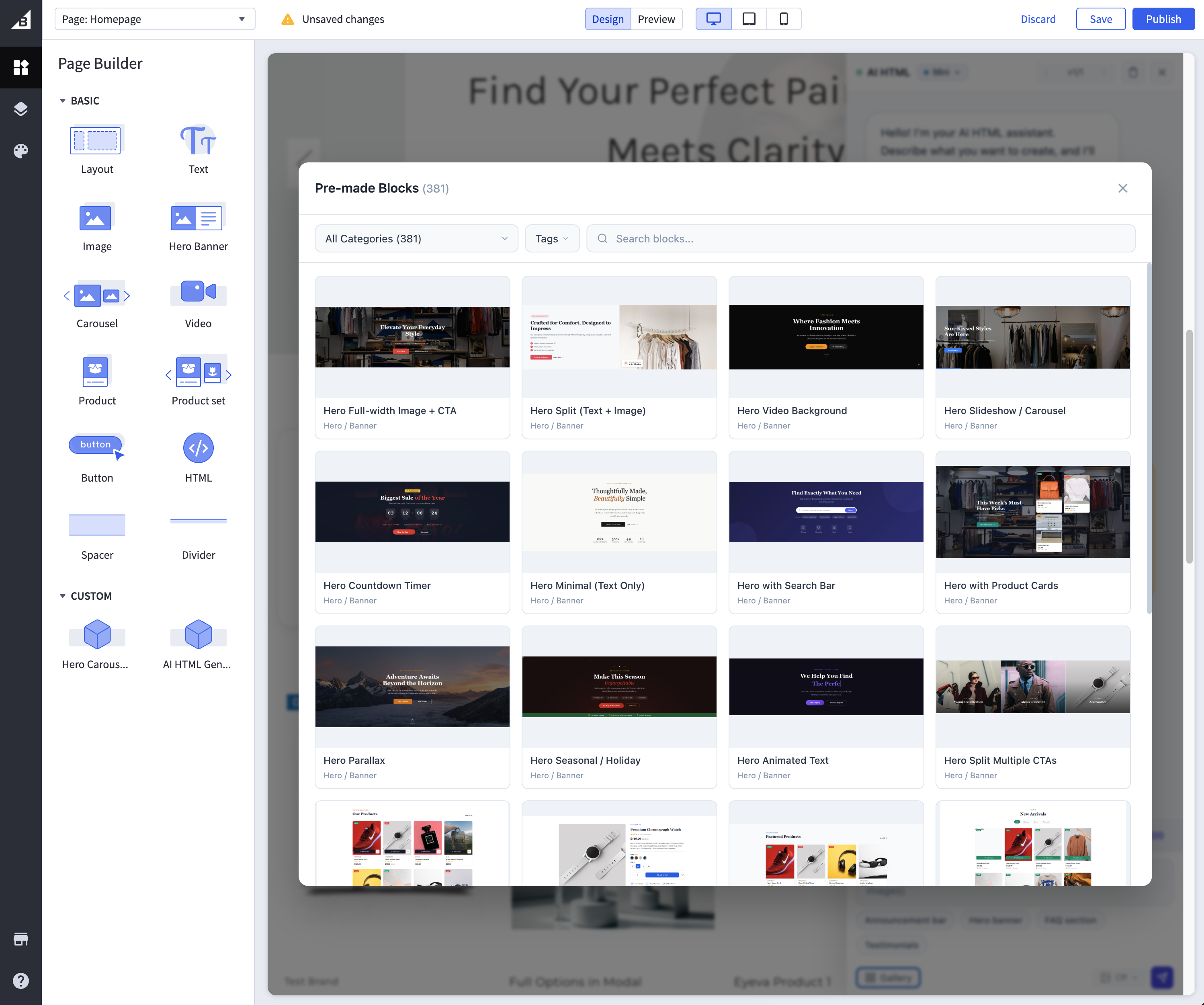
The centerpiece of this update is the all-new Template Gallery — a curated library of over 300 professionally designed, conversion-optimized blocks that you can drop into your BigCommerce store with a single click.
What is in the Template Gallery?
The gallery spans every section a modern ecommerce store needs:
- Hero banners and sliders — Eye-catching above-the-fold sections with countdown timers, video backgrounds, and parallax effects
- Product showcases — Grid layouts, carousels, featured product spotlights, and comparison tables
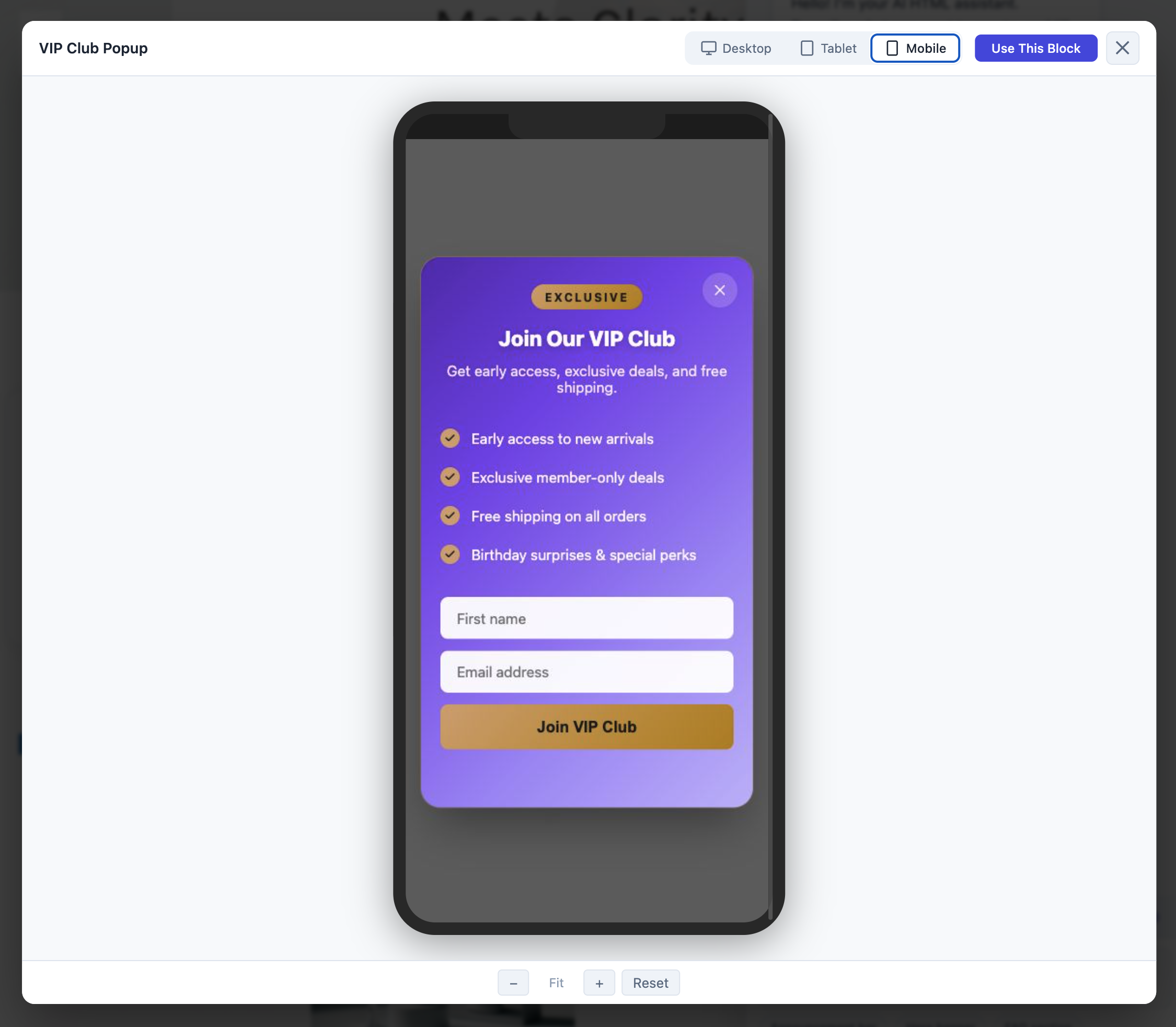
- Popup templates — 22+ popup types including welcome discounts, exit-intent offers, spin-to-win wheels, flash sale countdowns, cookie consent banners, and cart reminders
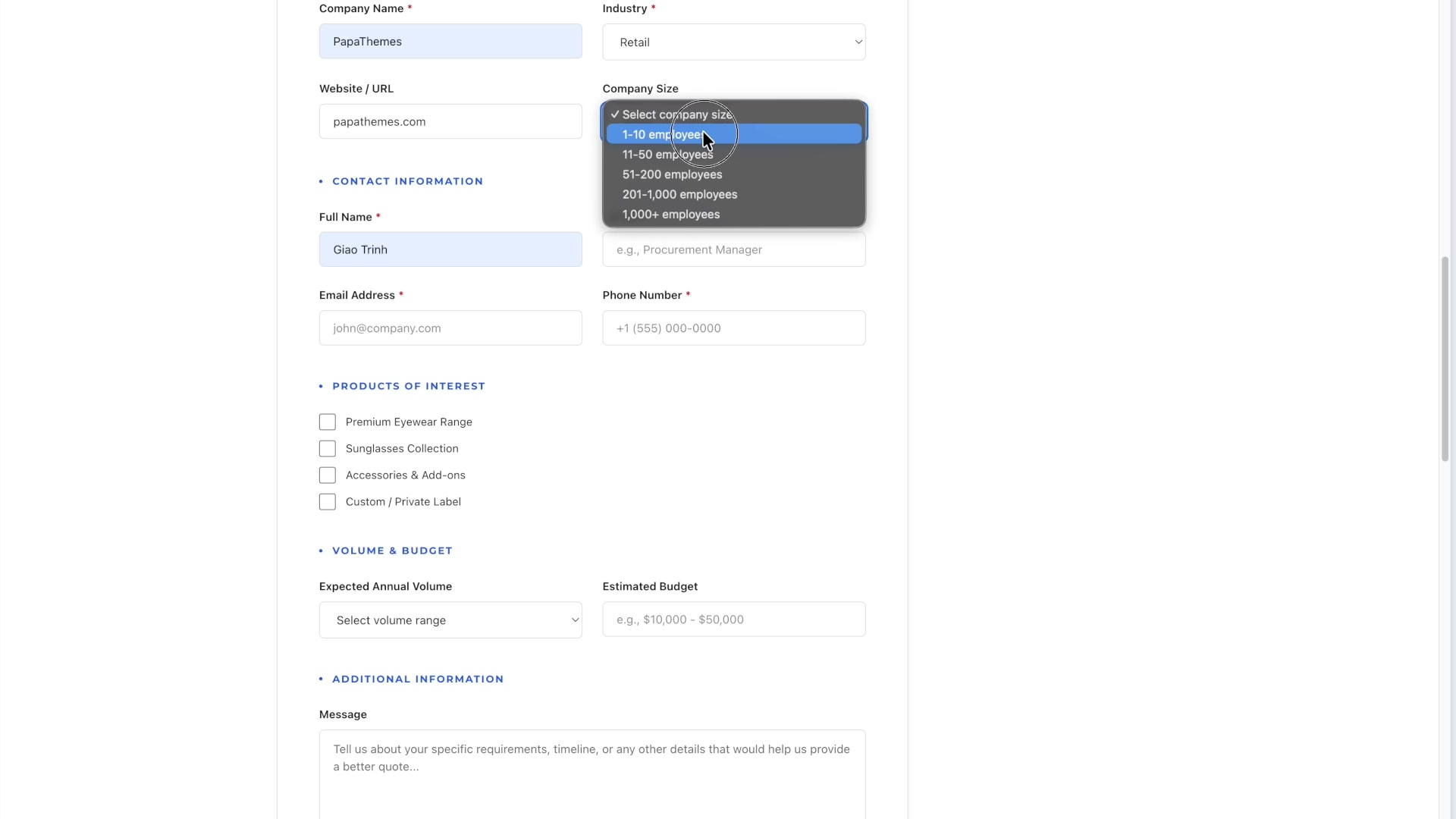
- Form templates — Contact forms, survey forms, quote request forms, warranty registration, and multi-step wizards
- Content sections — Testimonials, FAQ accordions, team profiles, timelines, pricing tables, and statistics counters
- Navigation elements — Mega menus, sidebar filters, breadcrumbs, and sticky headers
- Footer sections — Multi-column footers, newsletter signup bars, social media links, and trust badges
How It Works
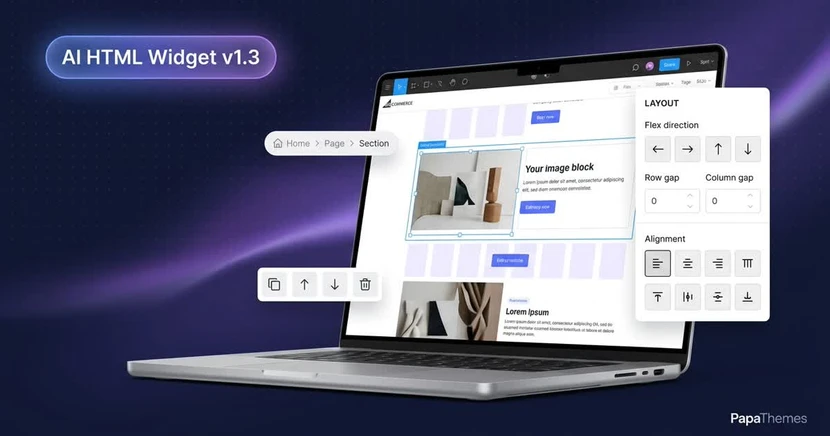
- Open the AI HTML Widget in BigCommerce Page Builder
- Click Browse Blocks to open the Template Gallery
- Preview any template — see exactly how it looks before applying
- Click Apply to insert the fully functional HTML, CSS, and JavaScript into your widget
- Use the built-in AI Chat to customize colors, text, layout, images, and behavior
Every template is free of charge. No subscription, no credit card, no hidden fees. The only cost is when you use AI Chat to make customizations, which requires AI credits — and even that starts with generous free credits when you install the app.
Why This Matters for Your Store
Hiring a developer to build custom sections costs hundreds to thousands of dollars per component. With the Template Gallery, you get professional designs instantly. Need a flash sale countdown popup for your upcoming promotion? It is one click away. Want a newsletter signup form that actually converts? Pick from multiple proven designs and customize with AI in seconds.
AI Trained for BigCommerce APIs — Accurate, Reliable, Production-Ready
One of the most significant improvements in this update is how deeply we have trained the AI to work with BigCommerce's native APIs. Previous versions could generate HTML and CSS beautifully, but integrating with real store data required manual coding. Not anymore.
What the AI Can Now Do
The AI assistant has been specifically trained to:
- Fetch products — Pull live product data from your BigCommerce catalog using the Storefront API, including prices, images, descriptions, variants, and inventory status
- Manage carts — Add items to cart, update quantities, remove items, and display cart contents — all through proper BigCommerce Cart API calls
- Send contact forms — Submit form data through the BigCommerce GraphQL
submitContactUsmutation, so customer inquiries flow directly into your store's contact management - Access customer data — Read logged-in customer information for personalized experiences
- Query categories and brands — Build dynamic navigation and filtering based on your actual store structure
Real-World Examples
Example 1: Dynamic Product Showcase Ask the AI: "Show my 4 newest products in a grid with prices and Add to Cart buttons" The AI generates a widget that fetches live product data from your catalog, displays it in a responsive grid, and includes functional Add to Cart buttons — no API knowledge required on your part.
Example 2: Smart Contact Form Ask the AI: "Create a contact form that sends to my BigCommerce store" The AI builds a form that uses the native GraphQL mutation to submit contact data, complete with validation, success messages, and error handling.
Example 3: Cart Upsell Widget Ask the AI: "Build a section that shows related products and lets customers add them to cart without leaving the page" The AI creates an AJAX-powered upsell section with real-time cart updates.
This level of API integration means you can build truly dynamic, data-driven store experiences using natural language — something that previously required a BigCommerce developer.
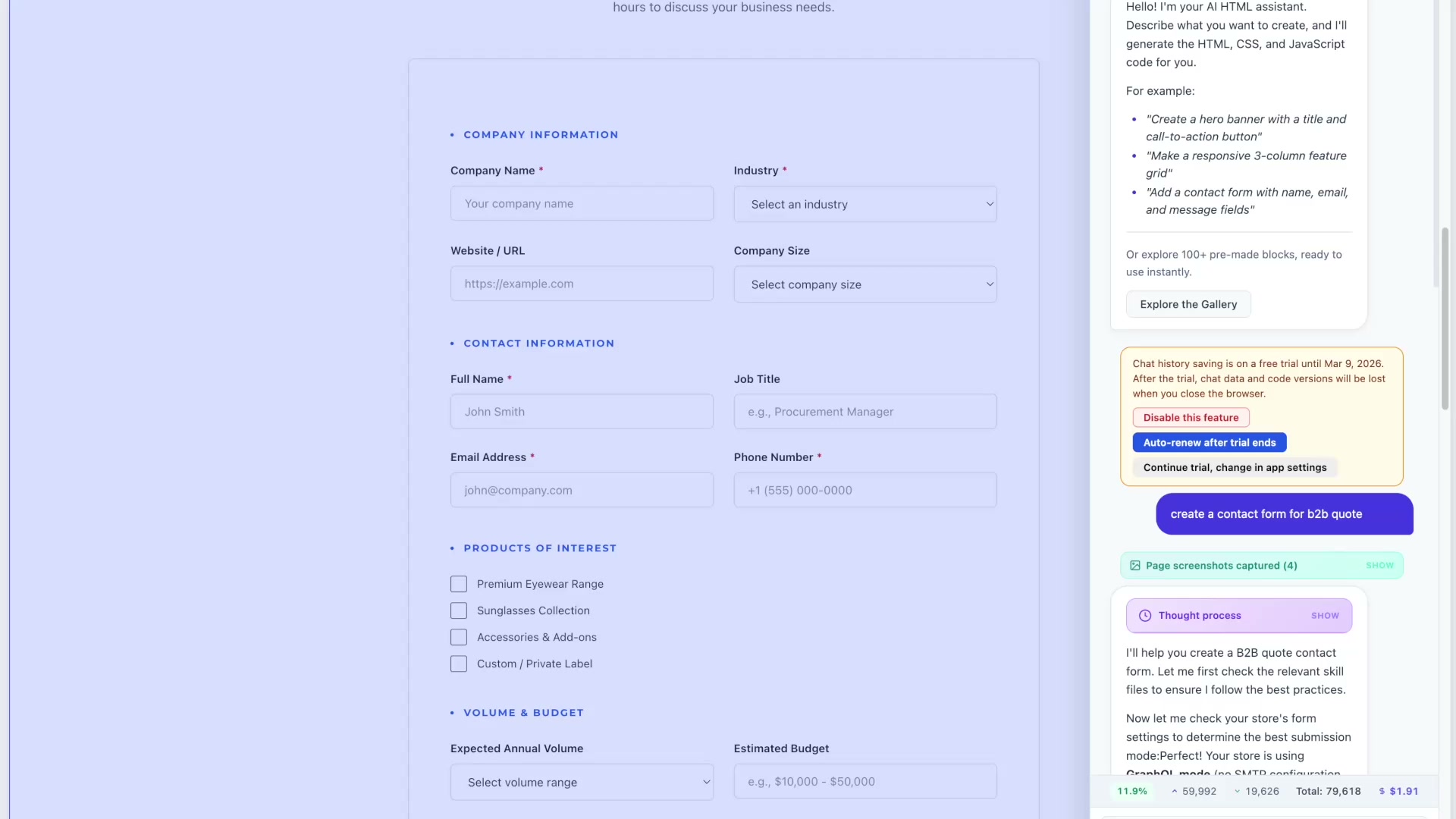
AI-Powered Custom Form Builder
Forms are the backbone of customer interaction, and this update makes creating them effortless.
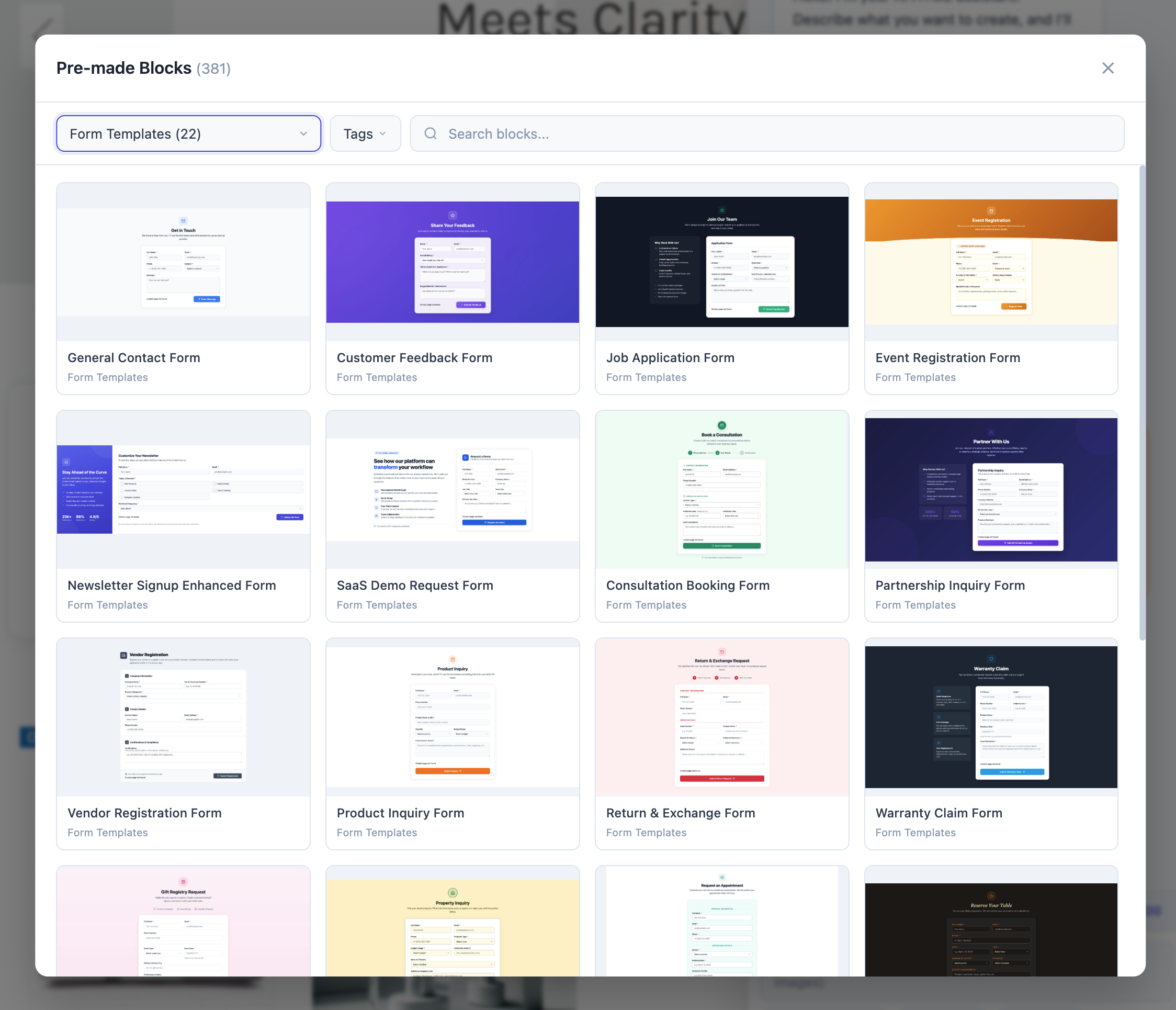
What You Can Build
The AI can now create virtually any form type:
- Contact and inquiry forms with BigCommerce API integration
- Quote request forms for B2B merchants
- Product customization forms (engraving, personalization, custom orders)
- Survey and feedback forms with multiple question types
- Warranty registration forms with file upload support
- Multi-step wizard forms that guide customers through complex processes
- Event registration forms with date pickers and capacity limits
Smart Form Features
Every AI-generated form includes:
- Client-side validation — Required fields, email format, phone patterns, custom rules
- Responsive design — Looks great on desktop, tablet, and mobile
- Accessibility compliance — Proper labels, ARIA attributes, keyboard navigation
- Spam protection — Honeypot fields and rate limiting
- Submission handling — BigCommerce API integration or custom webhook endpoints
Simply describe the form you need in plain English, and the AI builds it complete with styling, validation, and submission logic.
AI Creates Any Popup Type — From Simple Bars to Complex Campaigns
Building on our recent popup template release, the AI is now trained to create any popup type from scratch — not just use existing templates, but generate completely custom popups tailored to your specific needs.
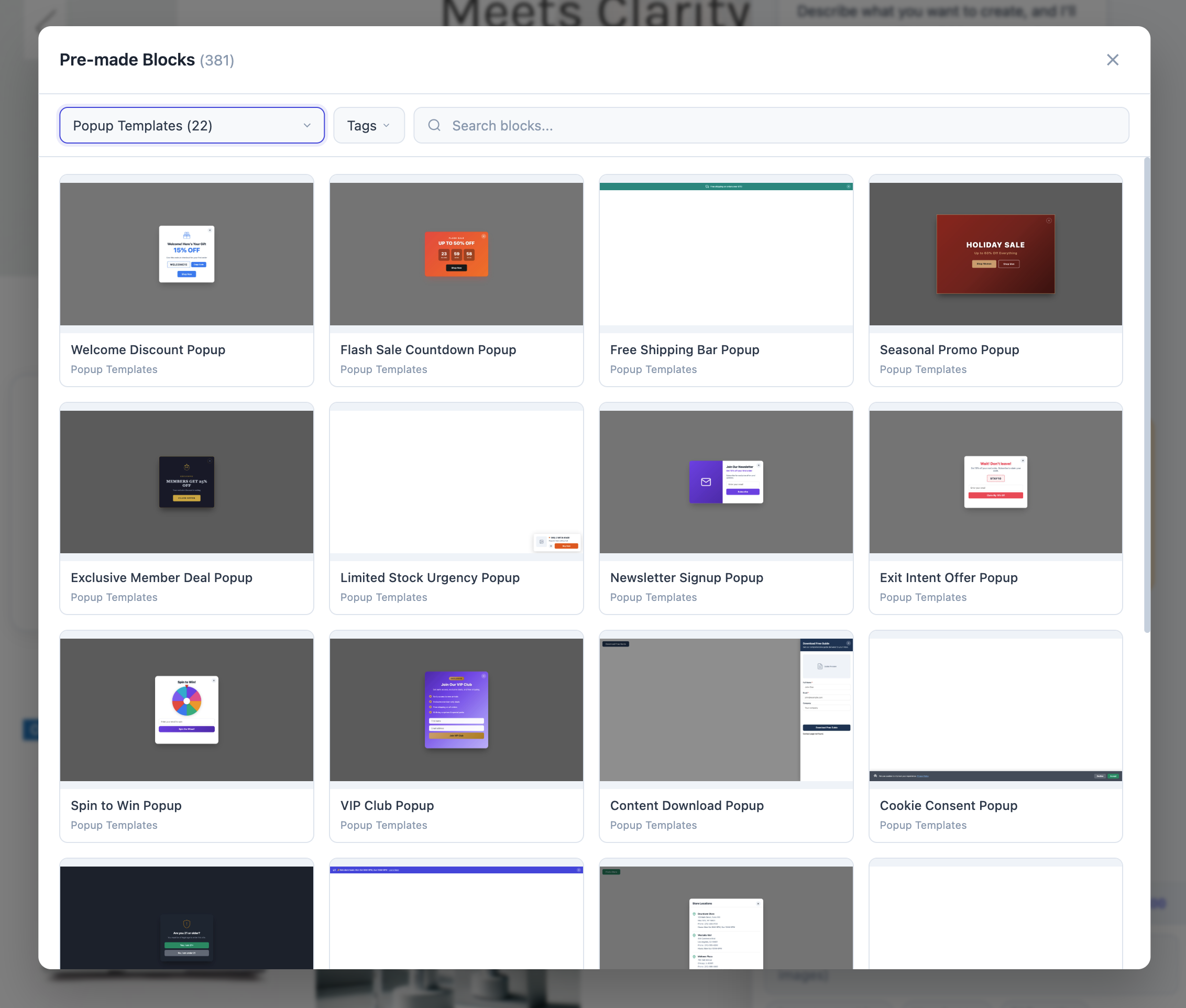
Supported Popup Types
- Modal popups — Centered overlay with backdrop, perfect for announcements and offers
- Slide-in panels — Subtle notifications from corners or edges
- Top and bottom bars — Persistent announcement or cookie consent banners
- Fullscreen takeovers — High-impact seasonal promotions and age verification
- Floating buttons — Chat widgets, scroll-to-top, quick actions
Advanced Trigger Options
The AI understands and implements multiple trigger mechanisms:
- Timer delay — Show popup after X seconds on page
- Exit intent — Detect when a visitor moves to leave and display an offer
- Scroll depth — Trigger after scrolling a percentage of the page
- Click triggers — Open popup when clicking a specific button or link
- Page-specific — Show different popups on different pages
Example Requests
- "Create an exit-intent popup offering ten percent off with an email signup form"
- "Build a cookie consent banner that complies with GDPR"
- "Make a flash sale countdown popup that appears five seconds after the page loads"
- "Design a spin-to-win wheel where customers can win discount codes"
Each popup includes proper close behavior, mobile responsiveness, frequency capping logic, and smooth animations — all generated by the AI in seconds.
Built-In Image Generation — Create and Embed Visuals Instantly
This is a feature we are particularly excited about. The AI Widgets now include built-in image generation powered by three leading AI models:
Available Models
| Model | Strengths | Best For |
|---|---|---|
| Google Seedream | Photorealistic, excellent detail | Product mockups, lifestyle images |
| OpenAI DALL-E | Creative, artistic styles | Illustrations, concept art, banners |
| Google Gemini | Fast, versatile, good text rendering | Marketing graphics, social images |
How It Works
- While editing any widget, ask the AI to generate an image
- Describe what you want: "Generate a hero banner image showing a modern laptop on a clean desk with coffee, warm lighting"
- The AI generates the image using your preferred model
- The image is automatically embedded into your widget code
- No need to download, upload, or manage image files separately
Use Cases
- Hero banner backgrounds — Generate unique, on-brand hero images without stock photo subscriptions
- Product lifestyle shots — Create contextual images showing products in use
- Seasonal graphics — Instantly generate holiday-themed visuals for promotions
- Category banners — Custom illustrations for each product category
- Blog and content images — Generate relevant visuals for content sections
This eliminates the need for separate image generation tools, stock photo subscriptions, or graphic design software. Everything happens right inside the widget editor.
Upgraded to Claude Opus 4.6 Max Thinking — The Most Capable AI Model
Under the hood, we have upgraded the maximum AI model to Claude Opus 4.6 Max Thinking — currently the most capable reasoning model available for code generation tasks.
What This Means for You
- Better code quality — More accurate HTML, CSS, and JavaScript with fewer errors
- Complex logic handling — The AI can now build more sophisticated interactive components, multi-step wizards, and dynamic data-driven widgets
- Deeper understanding — It grasps nuanced requests and edge cases that simpler models miss
- Extended thinking — The "Max Thinking" capability means the AI reasons through complex problems step by step before generating code, resulting in more reliable outputs
- Larger context — It can handle longer conversations and remember more details from your previous requests in the same session
Model Tiers
The AI Widgets offer multiple model tiers to match your needs and budget:
- Standard — Fast responses for simple edits and tweaks
- Advanced — Balanced capability for most widget building tasks
- Max (Claude Opus 4.6) — The ultimate option for complex, multi-component builds
You choose the model tier per request, so you only use premium credits when the task demands it.
Getting Started
Ready to explore these new capabilities? Here is how to get started:
- Install the app — Visit the PapaThemes AI Widgets page and install from the BigCommerce App Marketplace
- Open Page Builder — Go to any page in your BigCommerce admin and click Edit
- Add an AI HTML Widget — Drag the widget onto your page
- Browse Templates — Click Browse Blocks to explore 300+ templates
- Start chatting — Use the AI Chat to customize, create, and generate anything you need
The app is free to install and comes with starter AI credits so you can try everything before committing.
Conclusion
This update represents a fundamental shift in what is possible with BigCommerce Page Builder. With 300+ free template blocks, AI that truly understands BigCommerce APIs, custom form and popup creation, built-in image generation, and the power of Claude Opus 4.6 Max Thinking — PapaThemes AI Widgets puts professional store design in the hands of every merchant.
Happy Lunar New Year from the PapaThemes team! May the Year of the Horse bring prosperity, creativity, and record-breaking sales to your online store.
FAQ
How much does the Template Gallery cost?
The Template Gallery with all 300+ blocks is completely free. You can browse, preview, and apply any template at no charge. AI customization credits are required only when you use the AI Chat to modify templates.
Do I need coding skills to use these features?
No. Every feature in this update is designed for non-technical users. You describe what you want in plain English, and the AI handles the code generation, API integration, and implementation.
Which BigCommerce plans support AI Widgets?
PapaThemes AI Widgets works with all BigCommerce plans — Standard, Plus, Pro, and Enterprise. The app integrates with BigCommerce Page Builder, which is available on every plan.
Is the AI image generation included in the free plan?
Image generation requires AI credits. The app includes starter credits when you install, and additional credits can be purchased as needed. Each image generation typically uses a small number of credits depending on the model selected.
How does the Claude Opus 4.6 Max Thinking model differ from the standard model?
The Max model provides significantly better reasoning for complex tasks — multi-step forms, dynamic API integrations, and intricate layouts. The standard model is faster and more affordable for simple edits. You choose the model per request based on the complexity of your task.