
What's New in PapaSearch v1.2.0: In-Stock Filters & Faster Inventory Sync
PapaSearch v1.2.0 — Free 14-Day Trial
Smarter Search. Cleaner Results. Happier Shoppers.
Default in-stock filter, faster inventory sync, and a flicker-free search popup — already live for every PapaSearch store.
Try PapaSearch Free →PapaSearch v1.2.0 is now live for every BigCommerce store running our AI-powered search and filter app. This release focuses on the two areas merchants ask about most often: showing the right products to shoppers (especially when stock is tight) and keeping the search index in lockstep with your catalog. We also cleaned up a few rough edges around the search popup and shipped a handful of stability fixes.
If you run a BigCommerce store on PapaSearch, the upgrade is automatic — there is nothing to install and nothing to migrate. This post walks through what changed in v1.2.0, why it matters for shoppers and merchants, and where to look in your dashboard if you want to fine-tune the new behavior on day one.
Default In-Stock Filter
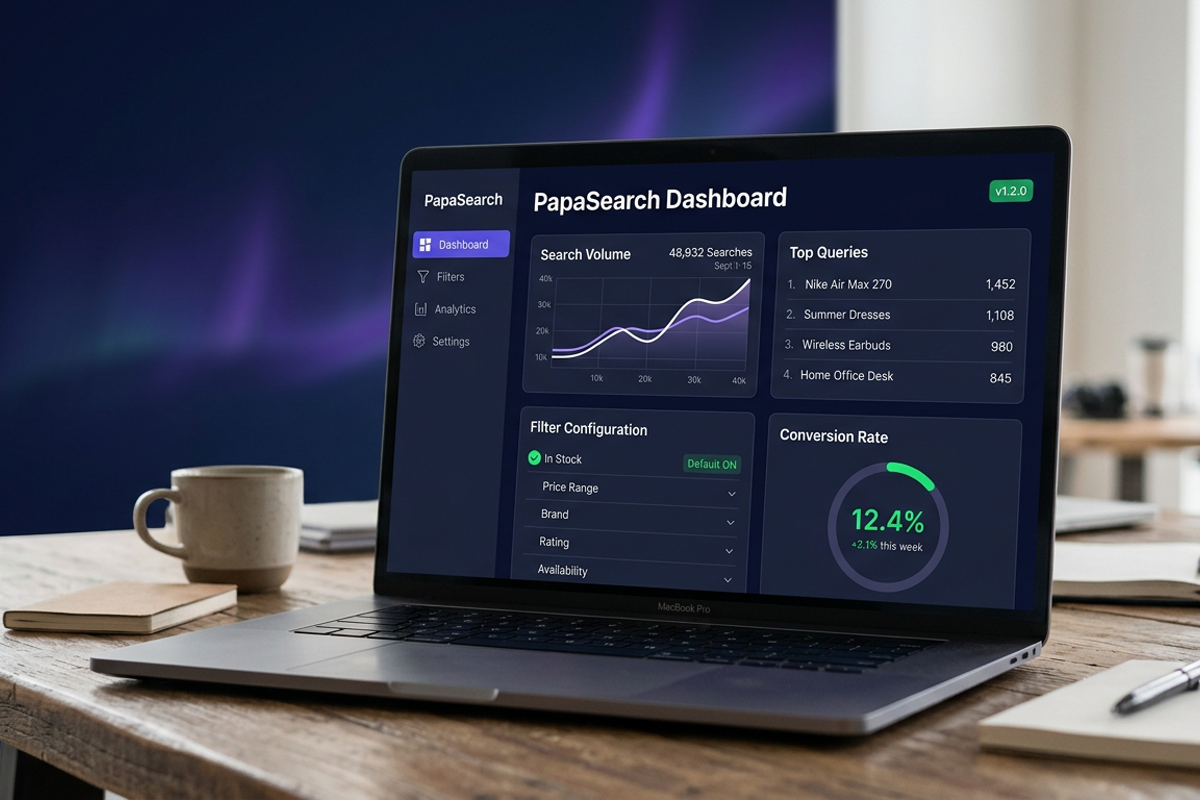
The single biggest change in v1.2.0 is a new option to set a default checked value per filter. The first place this shows up is the stock filter — you can now decide whether the "In Stock" checkbox should be pre-checked the moment a shopper opens the search popup or visits a category page.
Why this matters
When a customer types a query into your search box, the last thing they want to see is a wall of out-of-stock products mixed in with the in-stock ones. Before v1.2.0, the in-stock checkbox was off by default, so every shopper had to find the filter, click it, and wait for the results to refresh. That extra step costs you clicks, especially on mobile where filter sidebars are usually one tap away from being ignored.
With the default checked option enabled, in-stock results lead the experience. Shoppers see what they can actually buy first — and if they want to look at backordered items, the checkbox is right there to uncheck.
How merchants configure it
The setting lives inside your PapaSearch dashboard under filter configuration. Find the stock filter, open its settings panel, and toggle Default Checked on. Save, and the change rolls out to your storefront within a few seconds.
You can layer this with the existing "hide out of stock" option (more on that below) for stores that want the cleanest possible search experience.
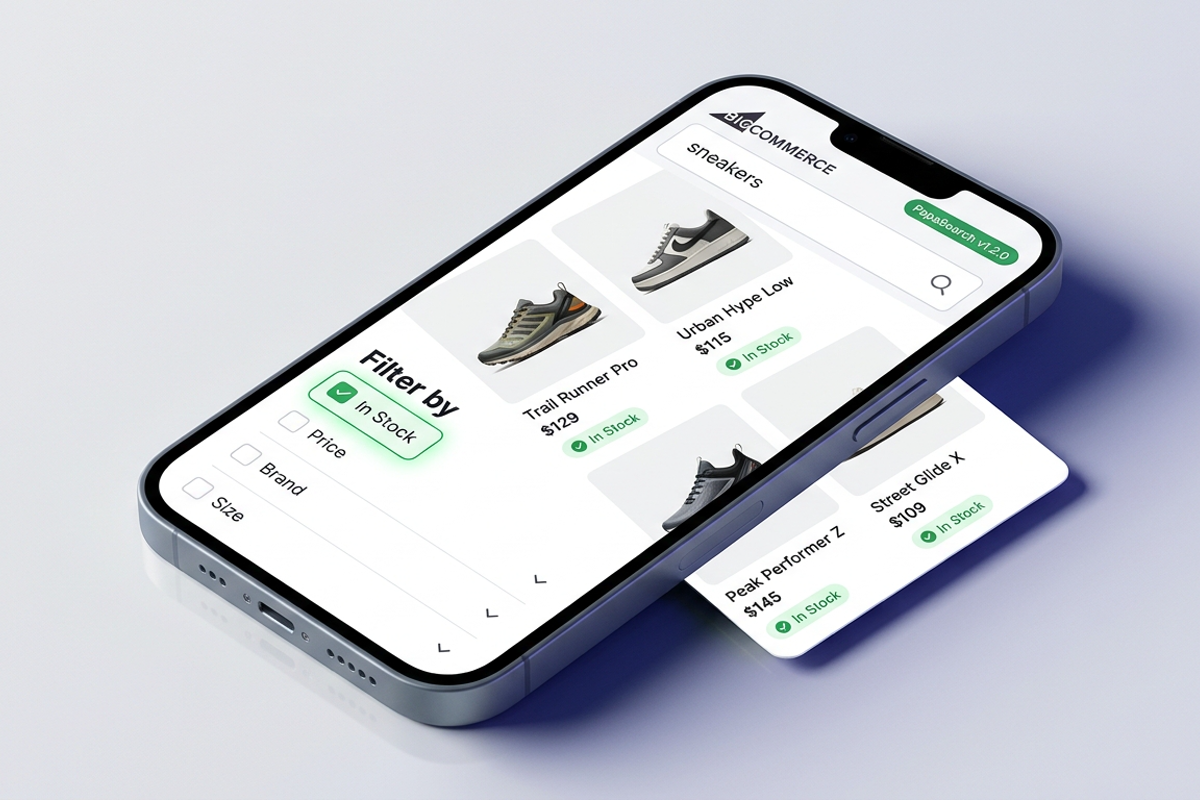
This new "default checked value per filter" framework is also designed to grow. Stock is the first filter to support it because it is the most common use case, but the same pattern will arrive for category, price, brand, and custom attribute filters in upcoming releases.
Faster Inventory Sync
The second headline improvement in v1.2.0 is faster inventory updates. Stores with large catalogs — especially anything past a few thousand SKUs — should notice that stock-level changes propagate to the search index much more quickly than before.
What changed under the hood
PapaSearch keeps a search index that mirrors your BigCommerce catalog. Every time you update inventory in BigCommerce admin, that change has to be reflected in the index so that the right products appear (and the right ones get filtered out). In earlier versions, large catalog updates could occasionally lag behind your store, which meant a recently restocked item might still look out of stock in search results for a brief window — or, on the flip side, a sold-out item could linger in results for a few extra moments.
In v1.2.0 we tuned the way inventory deltas are applied to the index. The result is a faster path from "stock level changed in BigCommerce" to "product filter and search reflect it accurately." This is especially helpful for catalogs in the multi-thousand SKU range, where the gap between "BigCommerce admin" and "what shoppers see in search" used to be most visible.
What you will notice
For most stores the difference is invisible — search just works. But if you run flash sales, restock notifications, or sync inventory from a third-party ERP, you should see fewer moments where a product looks out of stock to your shoppers right after you have already restocked it. The new pacing also means the in-stock filter we just talked about will reflect reality more reliably during high-traffic moments, which is exactly when small lag windows used to be most expensive in lost conversions.
There is also a small but real impact on your dashboard: the inventory-related save and reindex cycles complete more quickly, so when you toggle filter settings or push a bulk inventory update from BigCommerce, you spend less time waiting on the "indexing" indicator before the store reflects your change.
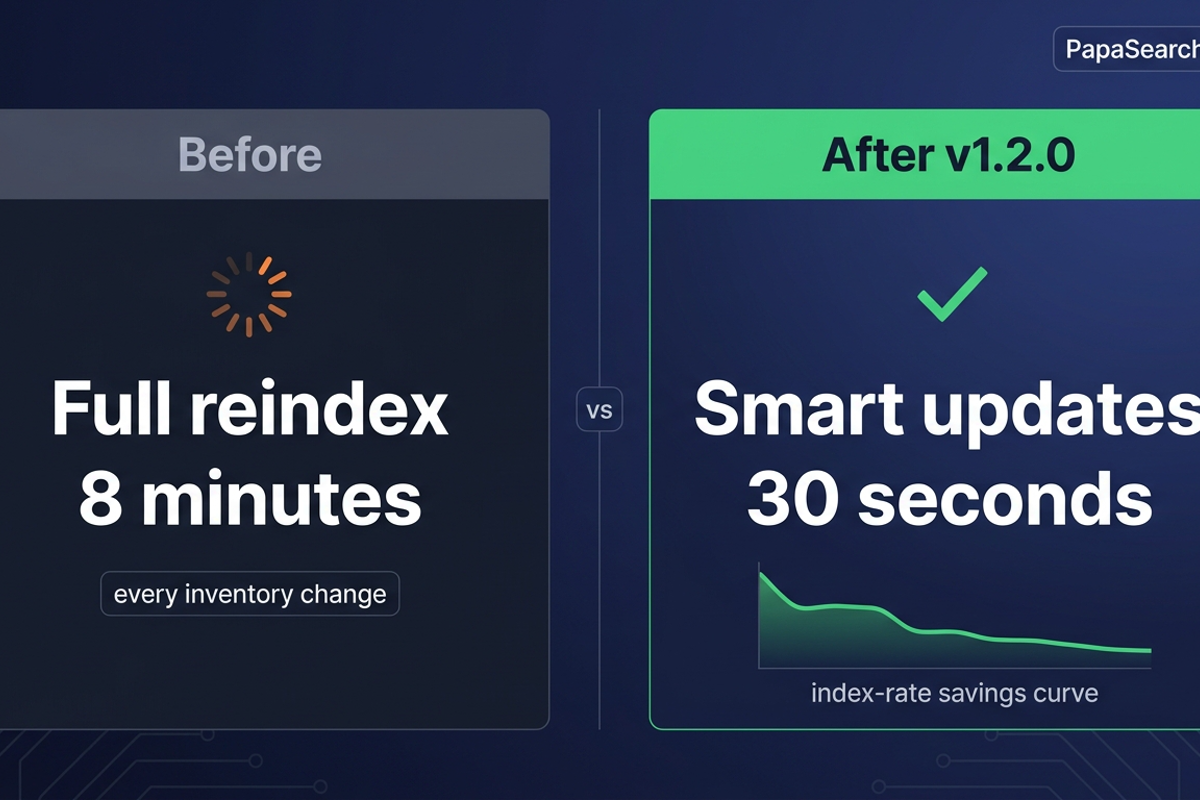
There is no setting to flip — the new sync behavior is the default for every PapaSearch installation.
Cleaner Quick Search Popup
The quick search popup is the dropdown your shoppers see when they start typing in the search box. v1.2.0 includes a UI fix for the zero-state layout — the brief moment when the popup is open but the shopper has not typed anything yet, or has cleared the input.
Before the fix, the empty state could render with awkward spacing on certain themes, leaving an unbalanced gap above suggested results or a caret that sat slightly out of place. It was small, but visible enough that a few merchants flagged it. The popup now lays out cleanly with consistent padding and a clearly defined empty-state region, regardless of which theme you are running.
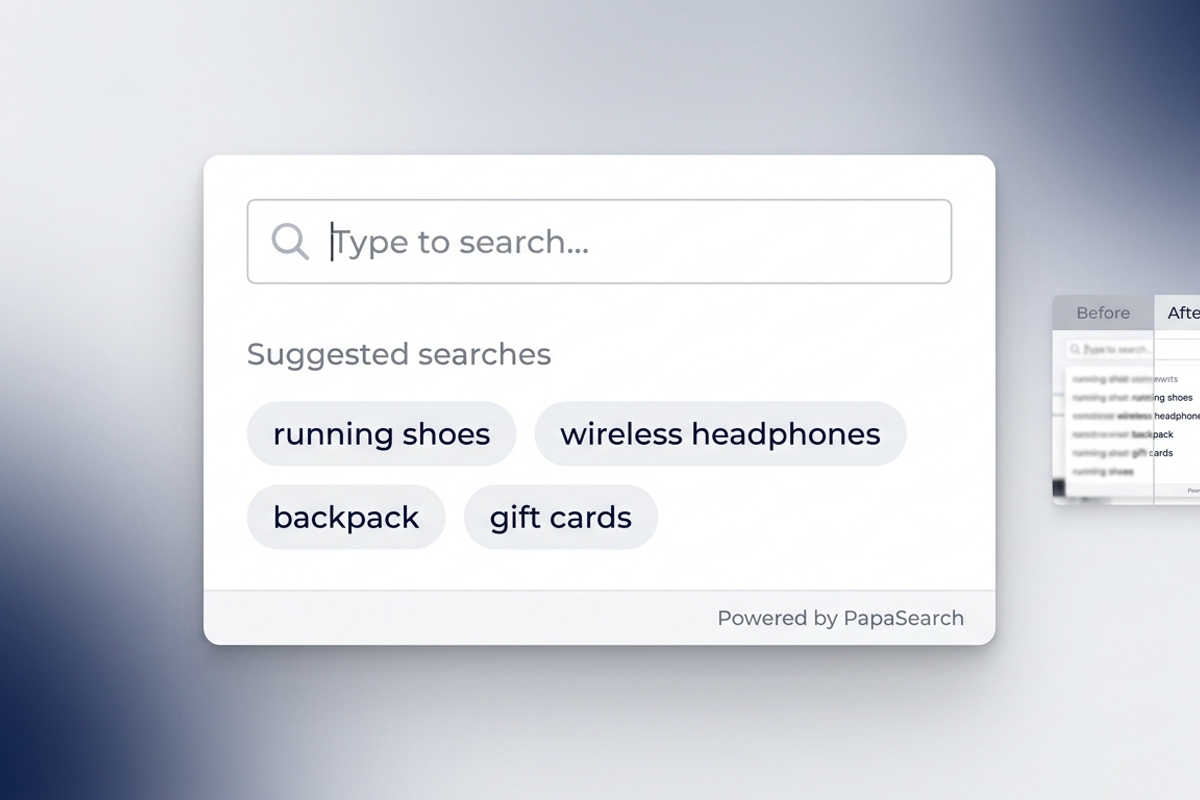
If you have ever opened your own search popup and thought "the spacing here is a little off," that report has been addressed. The fix also makes the popup behave more predictably for shoppers who clear the input and re-type — the layout no longer flickers between empty and populated states, which is a small detail that adds up across thousands of search interactions per day.
Hide Out-of-Stock from Search & Filter
PapaSearch already supports hiding out-of-stock products from search results and filters at the store level. With the new default in-stock filter on top of it, you now have a clean two-layer system to control how much shoppers see:
- Hide entirely — turn on the global "hide out-of-stock" option in PapaSearch settings, and out-of-stock products are removed from search and filter results altogether
- Hide by default, but allow opt-in — leave the global option off and use the new default-checked stock filter instead, so shoppers see in-stock products by default but can uncheck the filter to view everything
The second pattern is the right fit for most stores. It keeps the shopping experience focused on items that ship today, while still giving curious customers a way to find that one backordered SKU they remember from last month. Shoppers feel more in control, your search results page looks tighter, and your conversion path stays clean.
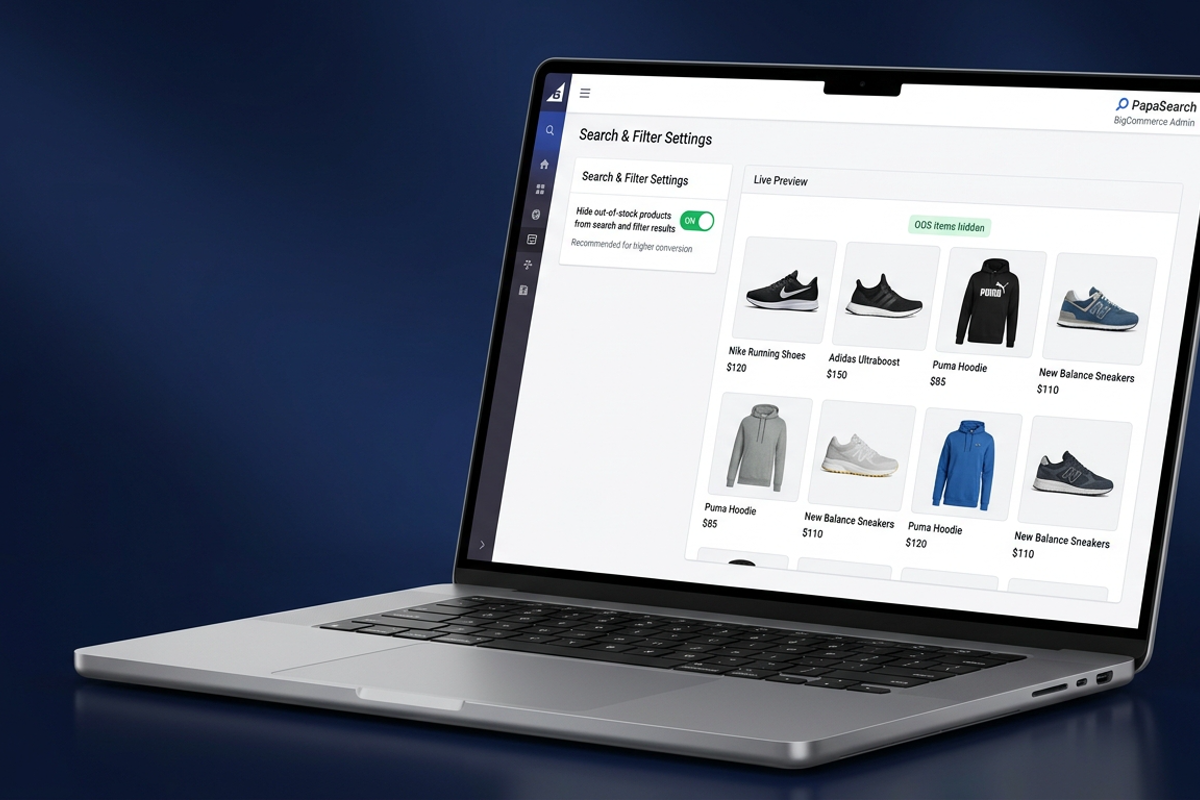
For stores running flash promotions, gift seasons, or any moment where stock turns over fast, this combination is the lowest-effort way to make sure your search experience is always pointing customers at products they can actually buy.
If you sell across multiple regions or warehouses where stock availability varies, the default-checked filter is also a good way to nudge shoppers toward whatever is locally available without forcing the choice on them. They still have full control — the filter is right there in the sidebar — but the default lines up with the most useful experience for the majority of visits.
Stability & Fixes
v1.2.0 also resolves a few targeted issues:
- PayPal validation — fixed an edge case where PayPal validation could behave unexpectedly under specific configurations. Stores running PayPal as a payment option should not see this issue in v1.2.0.
- Search popup layout — the zero-state UI fix described above also closes a related layout report.
- General stability — additional small reliability improvements across the search and indexing pipeline. These are the kind of fixes that keep your search responsive and your dashboard snappy.
None of these change how PapaSearch works for shoppers — they make sure the experience holds up consistently across every BigCommerce store on the platform.
How to Get the Update
If you are already running PapaSearch on your BigCommerce store, you do not need to do anything. v1.2.0 is rolled out automatically across all hosted installations. Open your PapaSearch dashboard and you should see the new default-checked option on your stock filter, plus the cleaner search popup behavior on your storefront.
If you want to take advantage of the new default in-stock filter on day one, head into your filter configuration, open the stock filter, and toggle the default checked option on. Save your changes and confirm the new behavior on a category page or by triggering the search popup on your storefront. We recommend testing on a category with a mix of in-stock and out-of-stock products so you can see the filter at work right away.
There is no version pinning required and no migration script to run — every store on PapaSearch is now on v1.2.0. For the full release notes and a running history of every PapaSearch update, the PapaSearch changelog is the source of truth.
Get Started with PapaSearch
PapaSearch is the AI-powered search and filter app built specifically for BigCommerce — fast, relevance-tuned, and designed for the kind of catalog complexity real merchants run into every day. v1.2.0 makes it noticeably better at the two things that matter most: showing the right products and keeping up with your inventory.
If you are not yet running PapaSearch, explore the demo and pricing to see how it fits your store. If you are already a customer, the upgrade is live — log in, take the new in-stock filter for a spin, and let us know what you think.
We have more upcoming improvements on the same theme: extending default-checked filters to category, price, brand, and custom attributes, plus continuing to tighten the indexing path. Stay tuned, and thanks for being part of the PapaSearch community.
Ready to Cut Out-of-Stock Friction From Your Search?
Drop in PapaSearch, flip on the new default in-stock filter, and let your shoppers see what they can actually buy — without the click-back-and-forth that costs you conversions.
Start Your Free 14-Day Trial → Read the Full Changelog →