


How to Speed Up Your BigCommerce Store: The Ultimate 2026 Performance Guide
Performance-Optimized Themes
Launch a Faster Store with PapaThemes
44+ BigCommerce themes built for speed, SEO, and conversions
Browse Fast Themes →
A one-second delay in page load time can cost you seven percent of your conversions. In 2026, that number matters more than ever. With Google placing increasing weight on Core Web Vitals for search rankings and mobile shoppers expecting near-instant page loads, BigCommerce store speed optimization is no longer optional — it is essential for survival.
Whether you run a small boutique or a high-volume enterprise store, this guide walks you through every actionable step to make your BigCommerce store faster. From quick wins you can implement today to advanced techniques like headless commerce, you will learn exactly what to do and why it matters.
Why Store Speed Matters More Than Ever in 2026
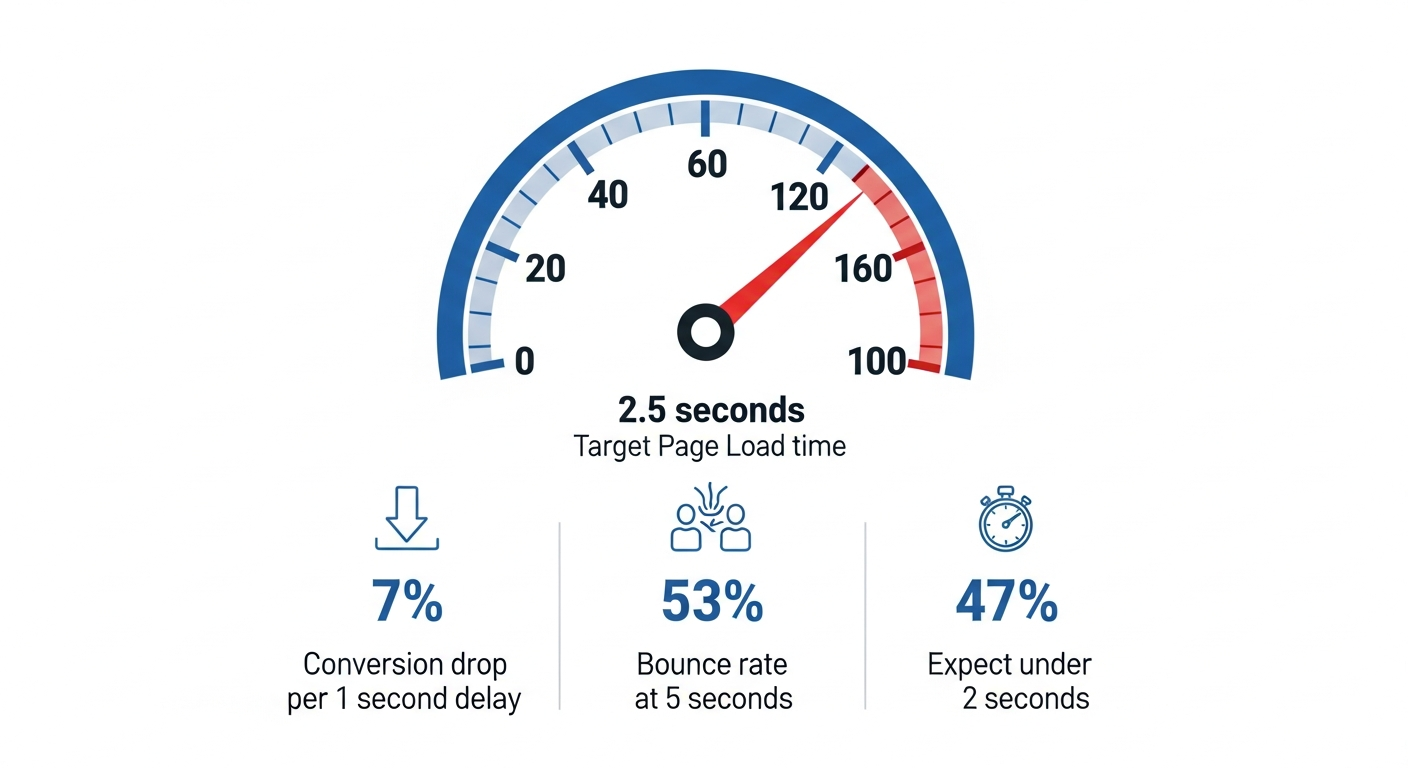
The relationship between speed and revenue is backed by hard data. According to research from Google and Deloitte, here is what happens when your store loads slowly:
- Conversion drop: A one-second delay reduces conversions by up to seven percent. For a store earning ten thousand dollars per day, that is over two hundred fifty thousand dollars lost per year.
- Bounce rate spike: Pages that take five seconds to load see a fifty-three percent bounce rate on mobile.
- SEO ranking loss: Google uses Core Web Vitals as a confirmed ranking signal. Slow stores get pushed down in search results.
- Customer trust: Forty-seven percent of shoppers expect a page to load in two seconds or less. Slower than that, and they question your professionalism.
In 2026, the bar is even higher. With AI-powered shopping experiences becoming mainstream at events like eTail Palm Springs (happening this week), customers expect seamless, instant interactions. A slow store does not just lose sales — it loses credibility.
The Business Case: Speed Equals Money
Consider a real-world scenario. A BigCommerce store with one hundred thousand monthly visitors and a two percent conversion rate averages two thousand orders per month. If improving speed by one second increases conversions by seven percent:
- Before: 2,000 orders/month
- After: 2,140 orders/month
- Annual gain: 1,680 additional orders
At an average order value of seventy-five dollars, that is one hundred twenty-six thousand dollars in extra revenue — just from being one second faster.
How to Measure Your BigCommerce Store's Performance
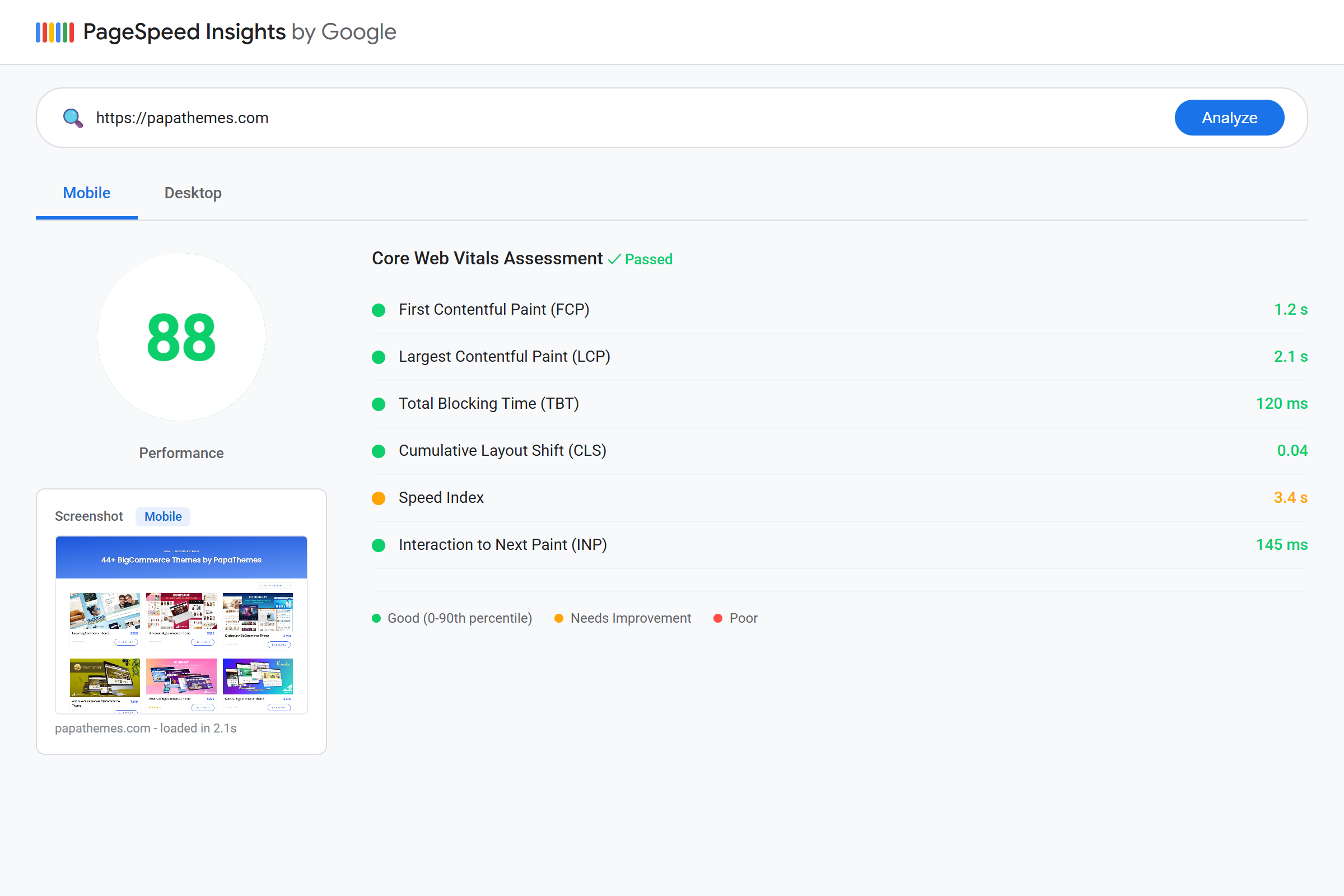
Before you optimize, you need a baseline. Here are the essential tools for measuring your BigCommerce store speed:
Google PageSpeed Insights
Visit pagespeed.web.dev and enter your store URL. You will get scores for both mobile and desktop, plus specific recommendations. Focus on:
- Performance score: Aim for 90+ on desktop, 70+ on mobile
- Largest Contentful Paint (LCP): Should be under 2.5 seconds
- First Input Delay (FID) / Interaction to Next Paint (INP): Should be under 200 milliseconds
- Cumulative Layout Shift (CLS): Should be under 0.1
GTmetrix
GTmetrix provides a detailed waterfall chart showing exactly what loads and when. Pay attention to:
- Total page size (aim for under 3 MB)
- Number of HTTP requests (fewer is better)
- Time to First Byte (TTFB)
Google Search Console
Your real-world Core Web Vitals data lives in Google Search Console under "Core Web Vitals" in the left sidebar. This uses actual user data (Chrome User Experience Report), making it the most accurate measure of how your store performs for real shoppers.
Quick Benchmark Test
Run your store through all three tools and record your scores. We will revisit these numbers after implementing the optimizations below.
Image Optimization: The Biggest Quick Win
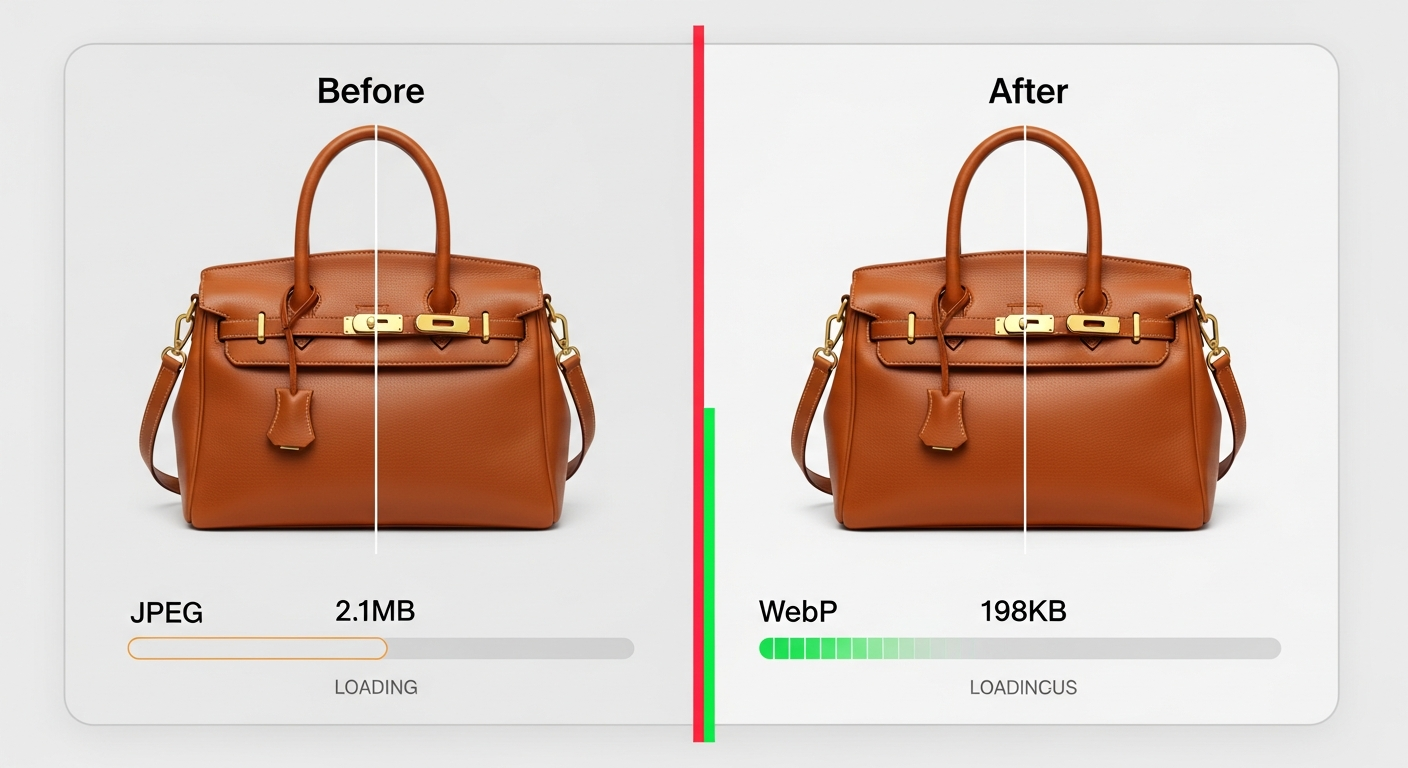
Images typically account for sixty to seventy percent of a page's total weight. Optimizing them is the fastest way to improve your BigCommerce store speed.
Use WebP or AVIF Format
Modern image formats compress better than JPEG or PNG without losing quality:
- WebP: thirty percent smaller than JPEG at the same quality
- AVIF: fifty percent smaller than JPEG (newer, growing browser support)
BigCommerce's built-in Akamai CDN automatically serves WebP to supported browsers, but you should still upload optimized source images.
Resize Before Uploading
Never upload a 4000-pixel-wide image when your product grid shows it at 500 pixels. Resize images to the maximum display size:
- Product thumbnails: 500 x 500 pixels
- Product detail images: 1280 x 1280 pixels
- Hero banners: 1920 x 700 pixels (or your theme's specific dimensions)
- Category banners: 1200 x 400 pixels
Implement Lazy Loading
Lazy loading defers offscreen images until the user scrolls to them. Most modern BigCommerce themes support this natively. Check your theme settings for a "Lazy Load Images" option.
If your theme does not support it, you can add the loading="lazy" attribute to image tags in your custom HTML sections.
Compress Without Quality Loss
Use tools like TinyPNG, Squoosh, or ImageOptim to compress images before uploading. Target:
- Product images: under 200 KB each
- Hero banners: under 300 KB
- Background images: under 150 KB
Pro Tip: Audit Your Existing Images
Go to your BigCommerce admin panel, navigate to "Storefront > Image Manager," and review your uploaded files. Look for images over 1 MB — those are your biggest optimization targets.
Choosing the Right Theme: Your Foundation for Speed
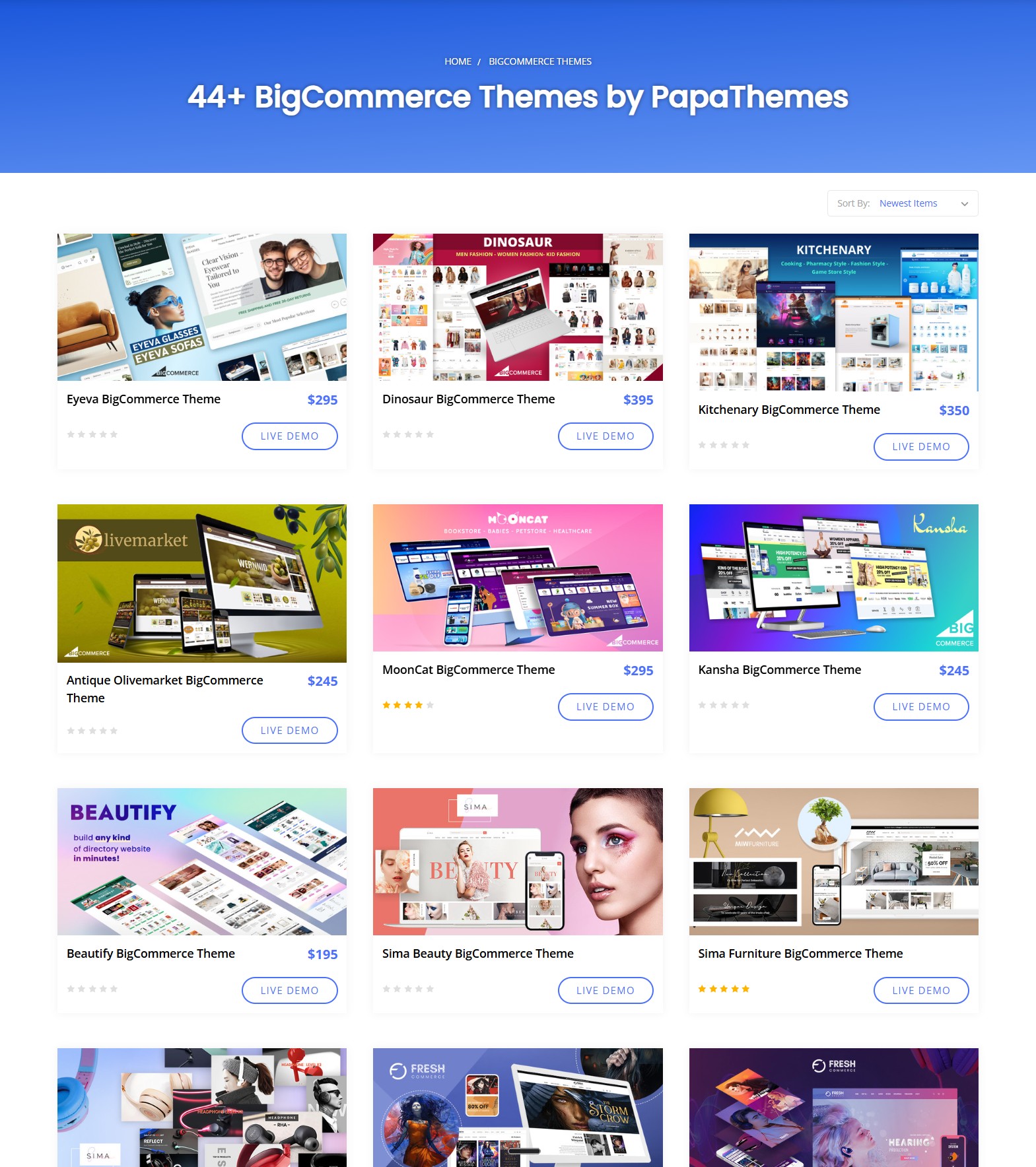
Your BigCommerce theme is the foundation of your store's performance. A poorly coded theme with excessive JavaScript, render-blocking CSS, and unoptimized assets will be slow no matter what else you optimize.
What Makes a Theme Fast?
Look for these technical indicators when choosing a BigCommerce theme:
- Minimal JavaScript: Under 500 KB of total JS (compressed)
- Critical CSS inlining: Above-the-fold styles load immediately
- Efficient DOM structure: Fewer nested elements means faster rendering
- Optimized Handlebars templates: Clean partials without redundant loops
- Lazy-loaded components: Heavy sections load on demand
- Modern asset pipeline: Minified, tree-shaken bundles
PapaThemes: Built for Performance
PapaThemes offers 44+ BigCommerce Stencil themes designed with performance as a core principle. Key advantages:
- Optimized asset loading: JavaScript and CSS are minified and split by page type
- Lazy loading built-in: Images, iframes, and heavy widgets load on demand
- Responsive images: Automatic srcset for different screen sizes
- Clean code architecture: No bloated third-party libraries
- Regular updates: Performance improvements in every release (like Chiara v2.7.0 with optimized quick search)
Popular performance-focused themes include:
| Theme | Best For | Price |
|---|---|---|
| Beautify | Multi-purpose | $195 |
| Eyeva | Fashion / Eyewear | $295 |
| Kitchenary | Food / Kitchen | $350 |
| Kansha | Sports / Active | $245 |
Theme Speed Test
Before committing to a theme, test its demo store:
- Visit the theme's live demo
- Run it through PageSpeed Insights
- Check mobile performance (this is where cheap themes usually fail)
- Look at the network waterfall — how many requests? What is the total size?
JavaScript and CSS Optimization
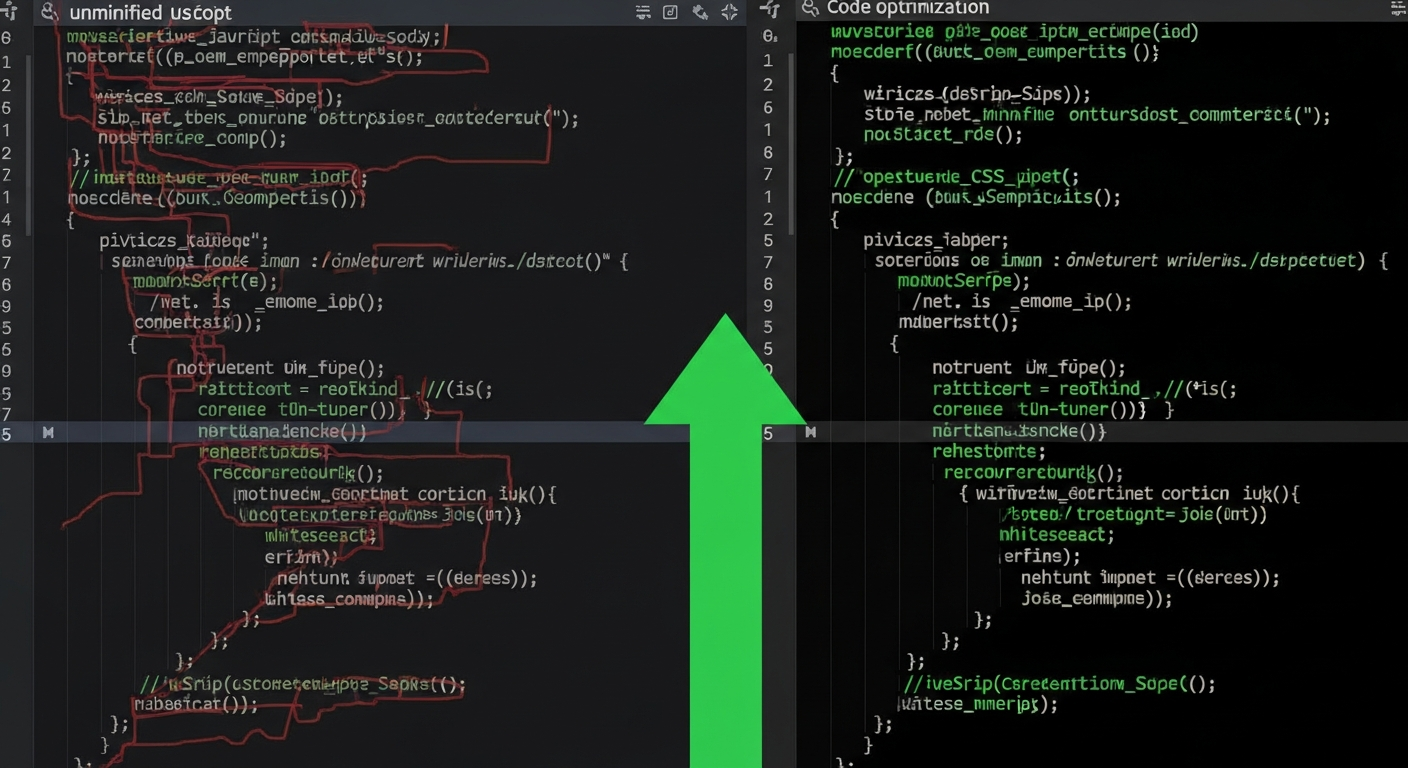
After images, JavaScript and CSS are the next biggest performance bottlenecks. Here is how to tame them.
Audit Your Scripts
Open Chrome DevTools (F12), go to the "Coverage" tab, and reload your page. This shows you how much of each script file is actually used. Files with high unused percentages are candidates for removal or optimization.
Minimize Third-Party Scripts
Every app you install on BigCommerce adds JavaScript to your store. Common offenders include:
- Live chat widgets: Some add 500 KB+ of JavaScript
- Analytics tools: Multiple tracking scripts stack up
- Pop-up / notification apps: Often load heavy libraries
- Social media embeds: Facebook, Instagram widgets are notoriously heavy
Action steps:
- List all installed apps in your BigCommerce admin
- Remove any you are not actively using
- For essential apps, check if they offer a "performance mode" or async loading option
- Consider replacing heavy third-party tools with lighter alternatives
Defer Non-Critical JavaScript
Add the defer or async attribute to scripts that do not need to run immediately:
<!-- Defer: runs after HTML parsing -->
<script src="analytics.js" defer></script>

<!-- Async: runs as soon as downloaded -->
<script src="chat-widget.js" async></script>
Optimize CSS Delivery
- Inline critical CSS: The styles needed for above-the-fold content should be in the
<head>tag, not in an external file - Defer non-critical CSS: Load stylesheets for below-the-fold content asynchronously
- Remove unused CSS: Tools like PurgeCSS can strip unused styles from your stylesheets
Using PapaThemes AI Widgets Instead of Heavy Apps
Instead of installing multiple heavy third-party apps for popups, forms, and page sections, consider PapaThemes AI Widgets. It provides:
- 25+ widgets with 337+ ready-made section templates (replaces page builder apps)
- AI-powered code generator — describe what you want, get the code (replaces standalone popup apps, form plugins, and more)
- Drag-and-drop in BigCommerce Page Builder, no coding required
- All in one lightweight package that uses native BigCommerce APIs
One integrated solution is always faster than five separate apps competing for resources.
CDN, Caching, and Server-Side Optimization
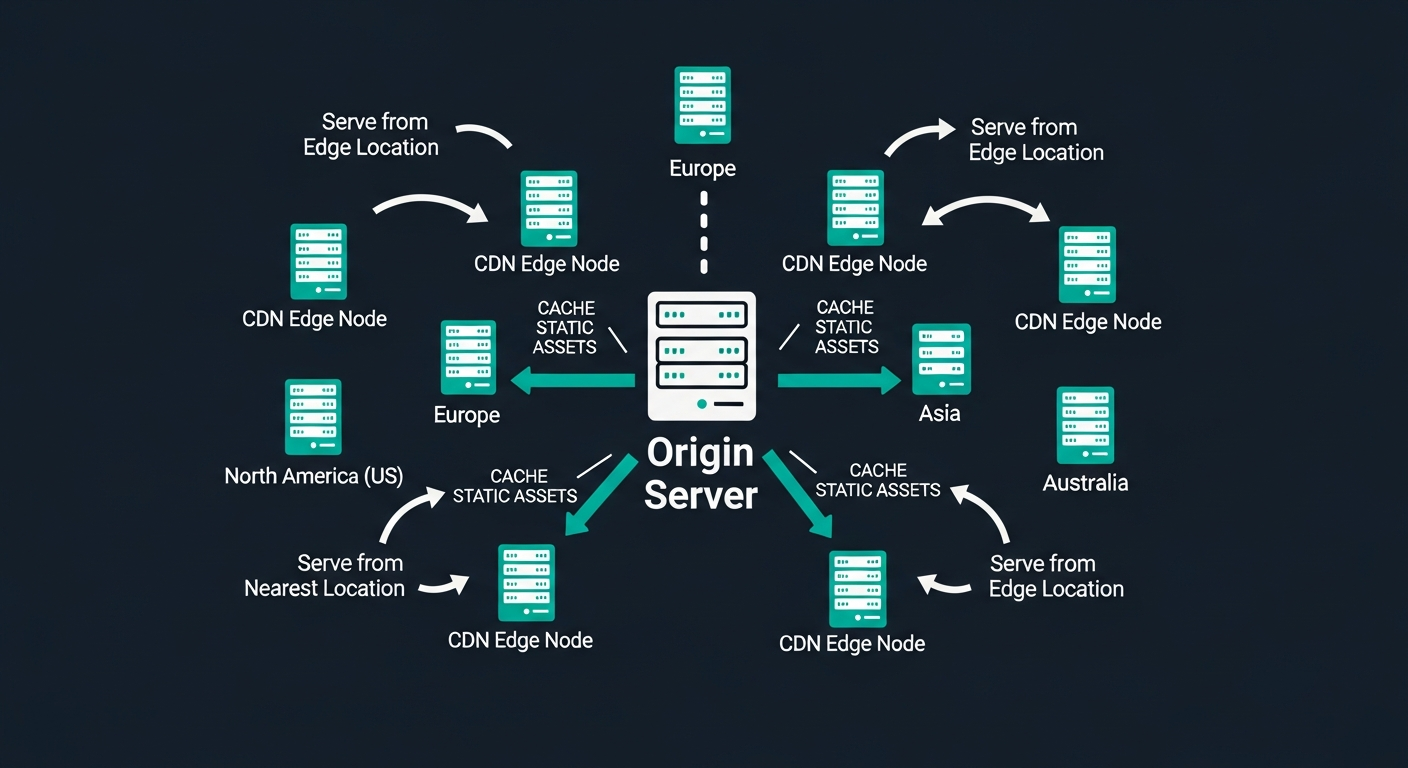
BigCommerce handles most server-side optimization for you (that is one advantage of a hosted platform), but there are still things you can control.
BigCommerce's Built-In CDN
Every BigCommerce store uses Akamai's global CDN. Your static assets (images, CSS, JavaScript) are automatically cached at edge locations worldwide. To maximize CDN effectiveness:
- Use consistent image URLs (avoid query string cache-busting unless needed)
- Let BigCommerce handle image transformations
- Do not serve images from external domains when the CDN can host them
Browser Caching Headers
BigCommerce sets cache headers automatically for static assets, but check that your custom scripts respect caching. Custom HTML/JavaScript added via Script Manager should use versioned filenames to enable long-term caching:
my-custom-script-v2.js  ✓ (cacheable)
my-custom-script.js?v=2  ✓ (also works)
Reduce Server Requests
Every HTTP request adds latency. Reduce them by:
- Combining small CSS files into one
- Using CSS sprites for small icons (or better, SVG icon fonts)
- Removing unnecessary font files (do you really need five font weights?)
- Loading web fonts from BigCommerce's CDN instead of Google Fonts
Database Query Optimization
While you cannot directly optimize BigCommerce's database queries, you can reduce the data your pages request:
- Limit products per page to 12-24 (not 48 or 100)
- Use pagination instead of infinite scroll for large catalogs
- Keep your category tree clean — deeply nested categories create more queries
- Remove unused product custom fields and options
Headless Commerce with Catalyst: Maximum Performance
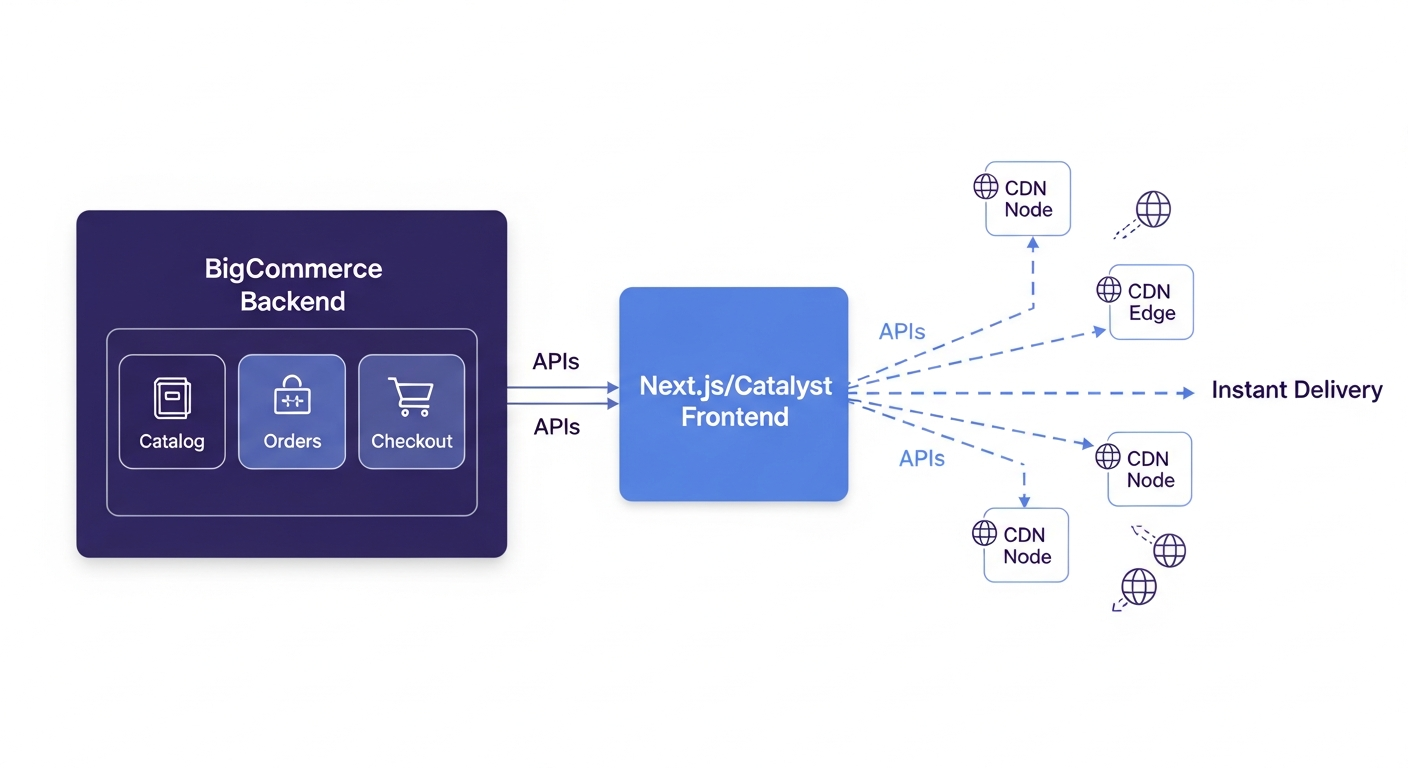
For stores that need the absolute fastest possible performance, headless commerce is the answer. BigCommerce's Catalyst framework decouples your frontend from the backend, enabling:
- Static page generation: Pages pre-built at deploy time, served instantly
- Edge rendering: Content rendered at CDN edge locations, milliseconds from users
- Optimal JavaScript: Only the code needed for each page ships to the browser
- Perfect Lighthouse scores: 95+ performance scores are the norm, not the exception
What Is Catalyst?
Catalyst is BigCommerce's official headless storefront framework built on Next.js. It provides:
- Pre-built commerce components (product cards, cart, checkout)
- Automatic code splitting and tree shaking
- Image optimization with Next.js Image component
- Incremental Static Regeneration (ISR) for near-real-time content updates
Who Should Consider Headless?
Headless commerce is ideal for:
- High-traffic stores that need sub-second load times
- Multi-channel brands serving web, mobile apps, and in-store kiosks
- Content-heavy sites that blend editorial content with commerce
- International stores needing localized experiences with maximum speed
PapaThemes and Catalyst
PapaThemes is actively developing tools for the Catalyst ecosystem, including the Catalyst Launcher for simplified headless deployment — deploy your headless BigCommerce store in under 5 minutes with no coding required. This means you get the performance benefits of headless with the design quality PapaThemes is known for.
Mobile Performance: Where It Matters Most
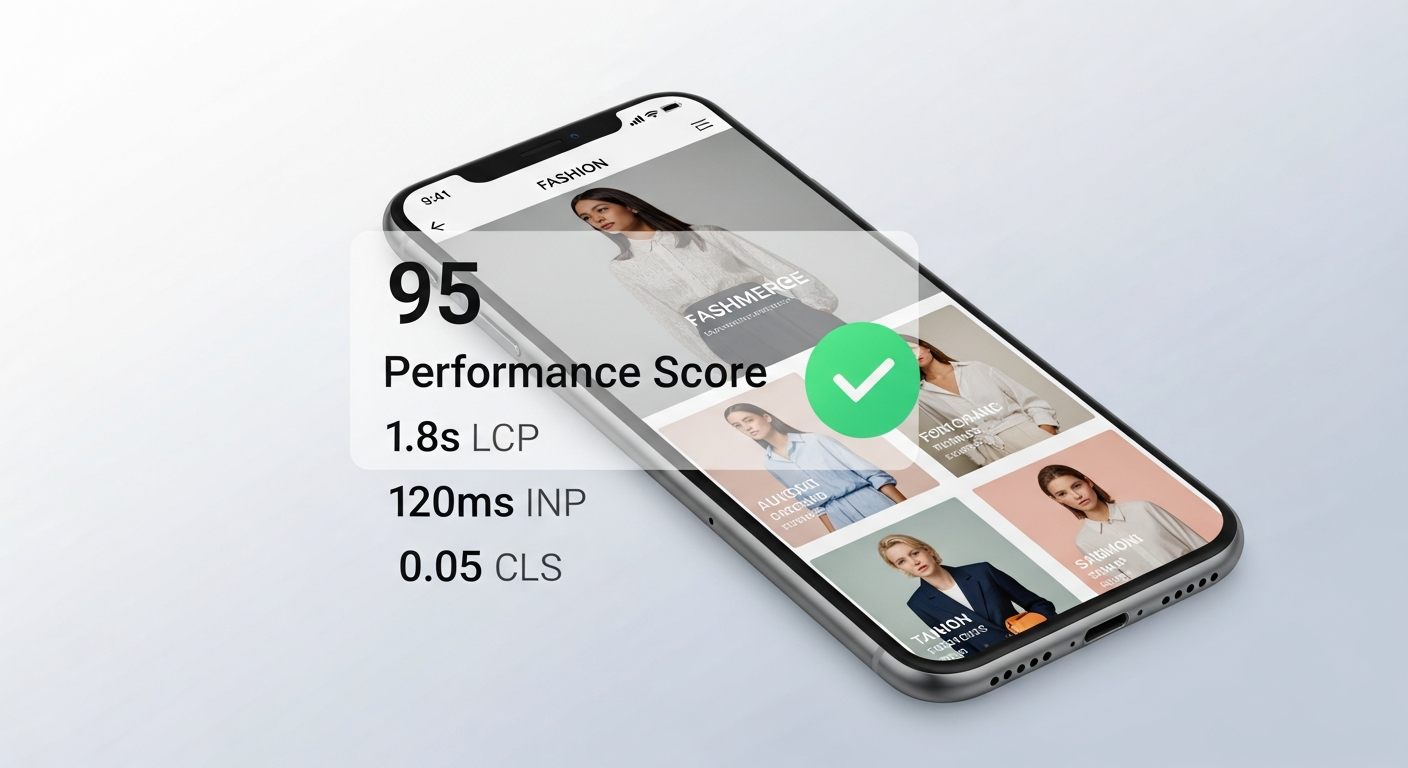
Over sixty percent of ecommerce traffic now comes from mobile devices, yet mobile performance scores are consistently 20-30 points lower than desktop. Here is how to close that gap.
Mobile-First Image Strategy
- Serve smaller images to mobile devices using
srcsetandsizesattributes - Use portrait-oriented hero images on mobile instead of landscape crops
- Implement blur-up placeholders for product images (shows a tiny blurred preview while the full image loads)
Touch-Optimized Interactions
Fast perceived performance is about more than load time. Make sure:
- Buttons and links have a minimum 44x44 pixel touch target
- Navigation menus open instantly (no 300ms delay)
- Forms use appropriate input types (
tel,email,number) for faster mobile keyboards - Checkout fields auto-fill with browser-saved data
AMP Alternatives
While AMP (Accelerated Mobile Pages) has fallen out of favor, the principles still apply:
- Keep mobile page weight under 1.5 MB
- Minimize above-the-fold render-blocking resources
- Use the
font-display: swapCSS property to prevent invisible text during font loading
Test on Real Devices
Emulators do not tell the whole story. Test your store on:
- A mid-range Android phone (where most of your mobile traffic likely comes from)
- An iPhone SE or similar smaller device
- A slow 3G connection (Chrome DevTools can simulate this)
Core Web Vitals Deep Dive
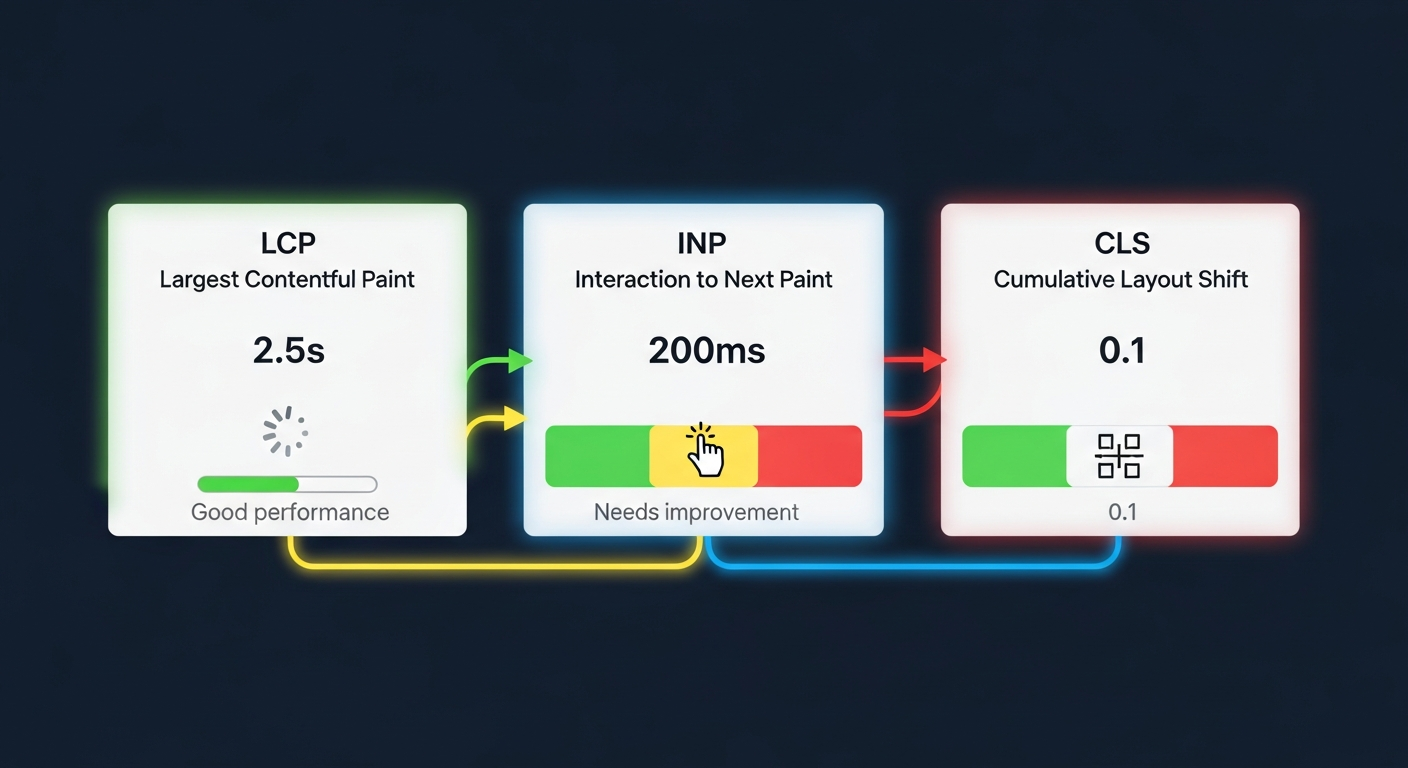
Google's Core Web Vitals are three specific metrics that directly impact your search rankings. Let us break each one down with BigCommerce-specific solutions.
Largest Contentful Paint (LCP) — Target: Under 2.5 Seconds
LCP measures how long it takes for the largest visible element (usually your hero image or main product image) to fully render.
How to improve LCP on BigCommerce:
- Preload your hero image: Add
<link rel="preload">for your largest above-the-fold image - Use optimal image format and size: WebP, properly sized, compressed
- Remove render-blocking resources: Defer non-critical CSS and JavaScript
- Upgrade your theme: Modern themes from providers like PapaThemes optimize LCP as a priority
Interaction to Next Paint (INP) — Target: Under 200ms
INP replaced First Input Delay (FID) in March 2024. It measures how quickly your page responds to user interactions (clicks, taps, key presses) throughout the entire page visit.
How to improve INP on BigCommerce:
- Reduce JavaScript execution time: Remove unused scripts, break up long tasks
- Optimize event handlers: Make sure click handlers do not trigger expensive calculations
- Use
requestAnimationFrame: For visual updates triggered by user interaction - Avoid layout thrashing: Do not read and write DOM properties in rapid succession
Cumulative Layout Shift (CLS) — Target: Under 0.1
CLS measures unexpected layout shifts — when elements move around as the page loads. Nothing frustrates a shopper more than clicking "Add to Cart" and having a banner push it down right before their tap.
How to improve CLS on BigCommerce:
- Set explicit dimensions on images and videos: Always include
widthandheightattributes - Reserve space for ads and banners: Use CSS to pre-allocate space for dynamically loaded content
- Avoid inserting content above existing content: New elements should appear below or beside, not above
- Use CSS
aspect-ratio: For responsive containers that maintain their shape during loading
Advanced: PapaSearch for Faster Product Discovery
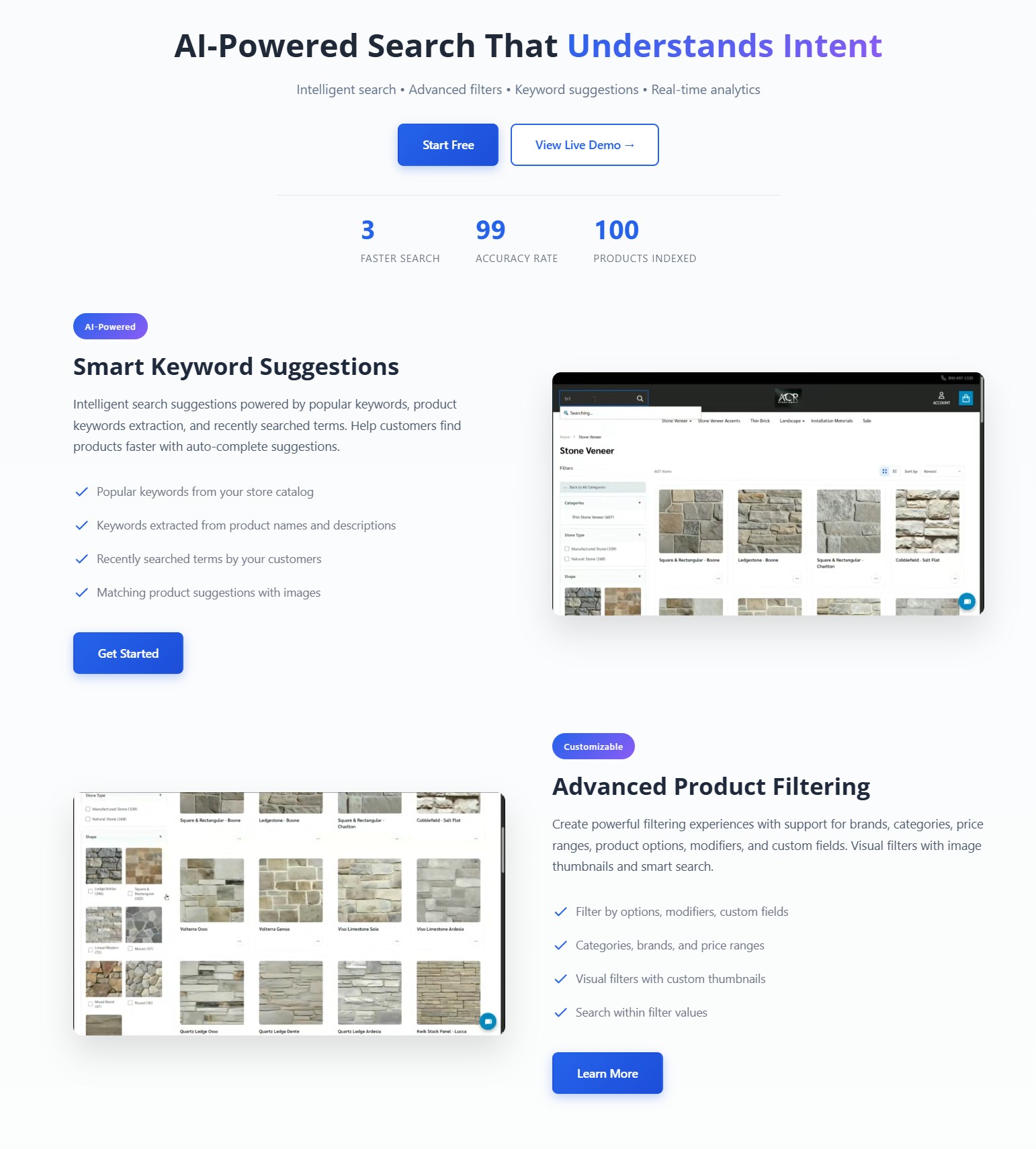
Speed is not just about page loading — it is about how quickly shoppers find what they want. PapaSearch is PapaThemes' AI-powered search and filtering app that dramatically improves product discovery:
- Instant search results: Results appear as you type, no page reload needed
- Semantic understanding: Searches for "blue summer dress" find relevant products even if titles do not match exactly
- Smart filters: Dynamic faceted navigation narrows results without full page loads
- Lightweight integration: Designed to add minimal JavaScript overhead to your store
A fast store that helps customers find products instantly converts dramatically better than a fast store with poor search.
Your Speed Optimization Checklist
Before you close this guide, here is a prioritized action list:
Quick Wins (Do Today)
- Run PageSpeed Insights and record your baseline scores
- Compress all product images over 200 KB
- Remove any unused BigCommerce apps
- Enable lazy loading in your theme settings
- Check that your hero/banner images are properly sized
Medium Effort (This Week)
- Audit third-party scripts with Chrome DevTools Coverage tab
- Defer non-critical JavaScript and CSS
- Reduce products per page to 12-24
- Add explicit
widthandheightto all images - Test mobile performance on a real device
Strategic (This Month)
- Evaluate your current theme's performance — consider switching to a performance-optimized PapaThemes theme
- Install PapaSearch for faster product discovery
- Replace multiple heavy apps with PapaThemes AI Widgets
- Explore headless commerce with Catalyst for maximum speed
- Set up monthly performance monitoring with Google Search Console
Conclusion
Speed is the foundation everything else is built on — your SEO rankings, your conversion rates, your customer trust. In 2026, with mobile-first indexing fully in effect and AI-driven shopping raising customer expectations, a fast BigCommerce store is not a luxury. It is the minimum viable experience.
The good news? Every optimization in this guide is achievable. Start with the quick wins, work through the medium-effort items, and plan your strategic improvements. Even small gains compound over time.
Ready for a Faster BigCommerce Store?
Explore 44+ performance-optimized themes with lifetime licenses starting at $119
Explore Fast Themes → Try PapaSearchFrequently Asked Questions
How fast should my BigCommerce store load?
Aim for under two and a half seconds for your Largest Contentful Paint. Ideally, your full page should load in under three seconds on a mobile device. Google considers LCP under 2.5 seconds as "good" for Core Web Vitals, which directly impacts your search rankings.
Does BigCommerce provide a CDN?
Yes. Every BigCommerce store includes Akamai's global CDN at no extra cost. Your static assets like images, CSS, and JavaScript are automatically cached at edge servers worldwide, reducing latency for international customers. This is one advantage of BigCommerce's hosted platform compared to self-hosted solutions.
Will switching themes improve my store speed?
It can make a significant difference. A well-coded theme from a reputable provider like PapaThemes can be thirty to fifty percent faster than a poorly optimized theme. Look for themes with minimal JavaScript, lazy loading, and critical CSS inlining. Always test a theme's live demo with PageSpeed Insights before purchasing.
What is headless commerce and is it worth it for speed?
Headless commerce separates your store's frontend (what customers see) from the backend (where data lives). BigCommerce's Catalyst framework uses Next.js to deliver pre-built pages at CDN speed, often achieving Lighthouse scores above 95. It is worth considering if you have high traffic, need sub-second load times, or want a fully custom frontend experience.
How many BigCommerce apps is too many for performance?
There is no magic number, but each app adds JavaScript and potentially CSS to your store. Audit your apps quarterly — if an app adds more than 100 KB of JavaScript and you could live without it, remove it. Replace multiple single-purpose apps with comprehensive solutions like PapaThemes AI Widgets to reduce total script overhead.


