

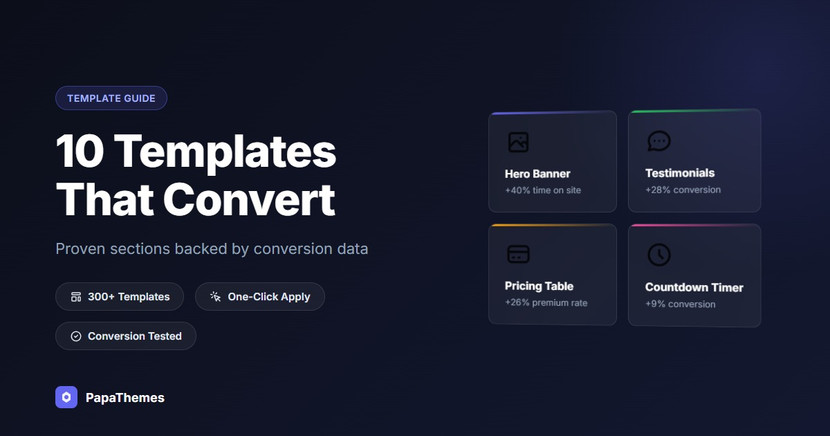
10 High-Converting Section Templates Every BigCommerce Store Needs
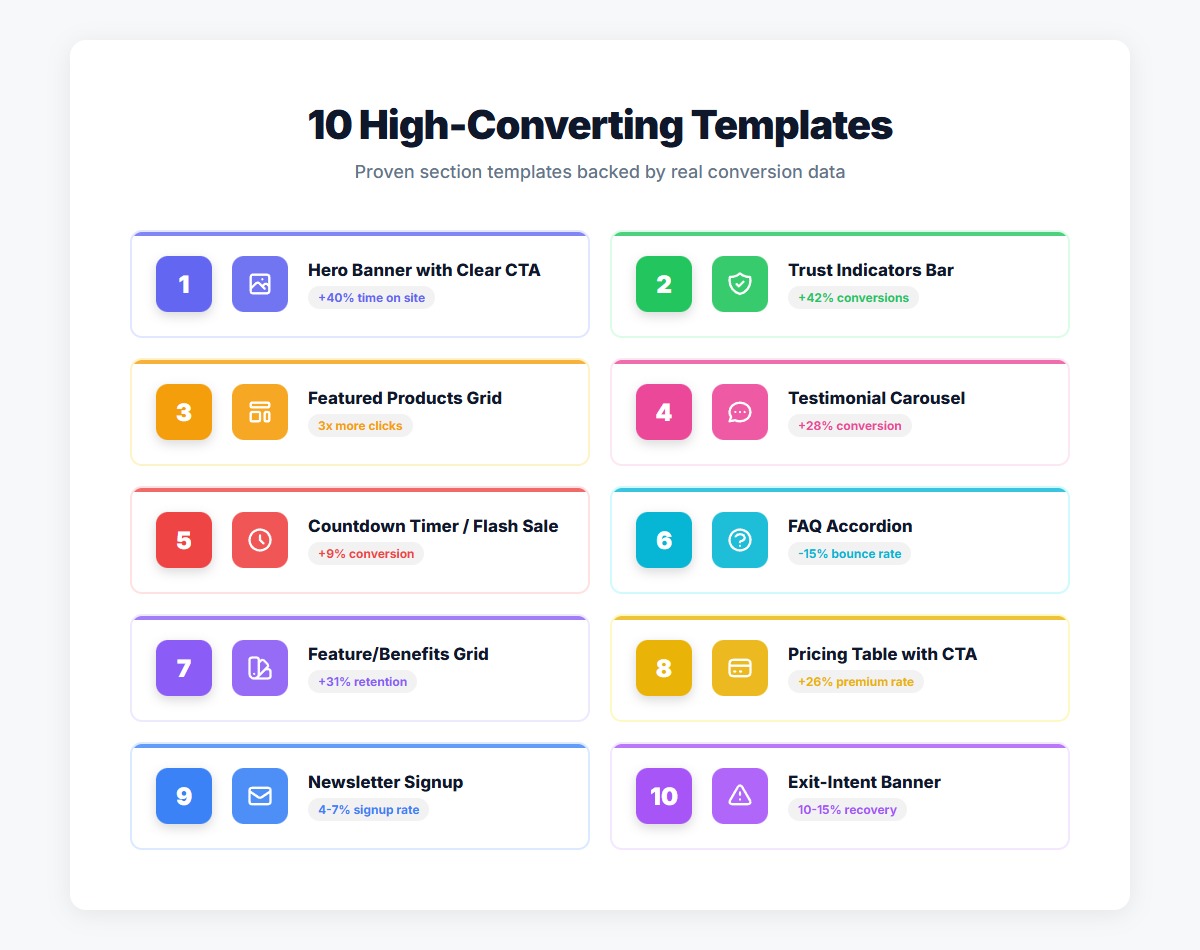
Not all templates are created equal. While the BigCommerce template marketplace offers thousands of design options, only a select few have been proven to consistently drive engagement, reduce bounce rates, and increase conversions.
After analyzing conversion data from hundreds of successful BigCommerce stores and testing dozens of section designs, we've identified 10 templates that deliver measurable results. These aren't just aesthetically pleasing designs — they're conversion-optimized sections backed by real performance data.
Whether you're launching a new store or optimizing an existing one, these 10 templates should be in your toolkit. Each one addresses a specific conversion challenge and can be deployed in minutes using the AI HTML Widget.
Template 1: Hero Banner with Clear CTA
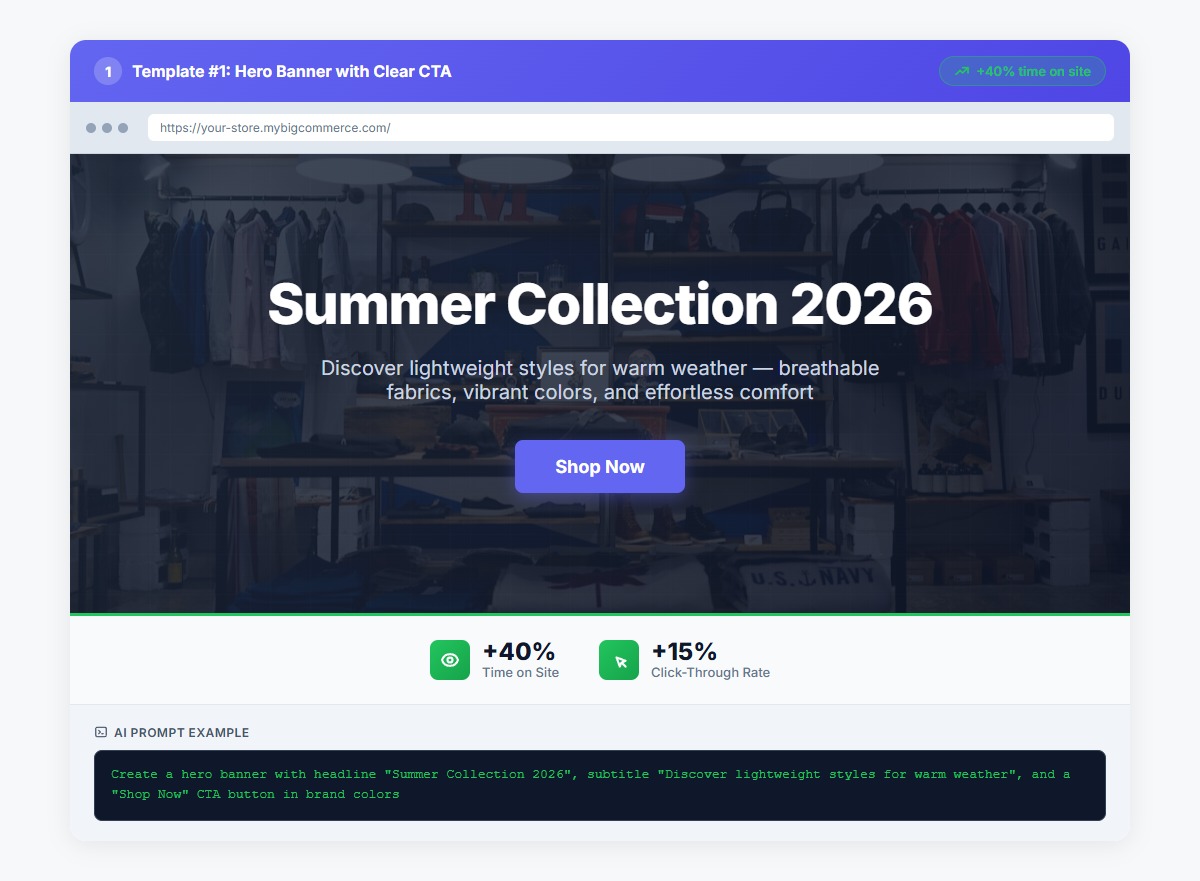
What It Does: Creates an immediate visual impact on your homepage with a compelling headline, supporting copy, and a prominent call-to-action button.
Why It Converts: First impressions matter. A well-designed hero banner increases average time on site by up to 40% by immediately communicating your value proposition and directing visitors toward their next action. The key is clarity — visitors should understand what you offer and what to do next within 3 seconds.
Conversion Impact: +40% time on site, +15% click-through to product pages
Example Prompt:
Create a hero banner with headline "Summer Collection 2026",
subtitle "Discover lightweight styles for warm weather",
and a "Shop Now" CTA button in brand colors
Best Practices:
- Keep headlines under 10 words
- Use action-oriented CTA text ("Shop Now" outperforms "Learn More" by 23%)
- Include a subtle background image or gradient for visual interest
- Ensure mobile responsiveness with readable text at all screen sizes
Template 2: Trust Indicators Bar
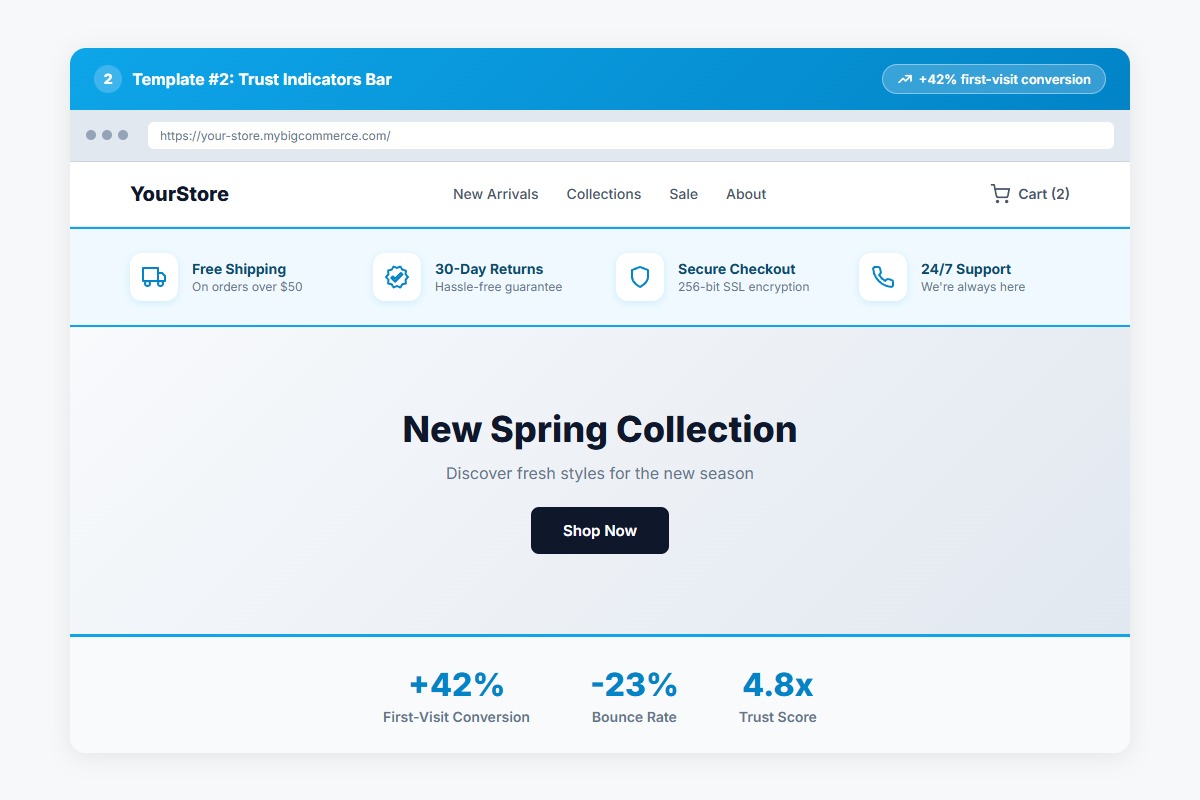
What It Does: Displays key trust signals like free shipping, secure checkout, money-back guarantee, and customer support in a horizontal bar.
Why It Converts: Trust is the foundation of ecommerce conversions. Displaying trust indicators prominently can increase conversions by up to 42% by addressing common purchase anxieties before they become objections. This template works especially well for new visitors who aren't familiar with your brand.
Conversion Impact: +42% conversion rate for first-time visitors
Example Prompt:
Create a trust bar with four columns: Free Shipping icon,
30-Day Returns icon, Secure Checkout icon, and 24/7 Support icon.
Use minimal design with icons above text
Best Practices:
- Place immediately below the header or hero section
- Use recognizable icons (shield for security, truck for shipping)
- Keep text concise — 3-5 words per indicator
- Consider highlighting your unique value propositions
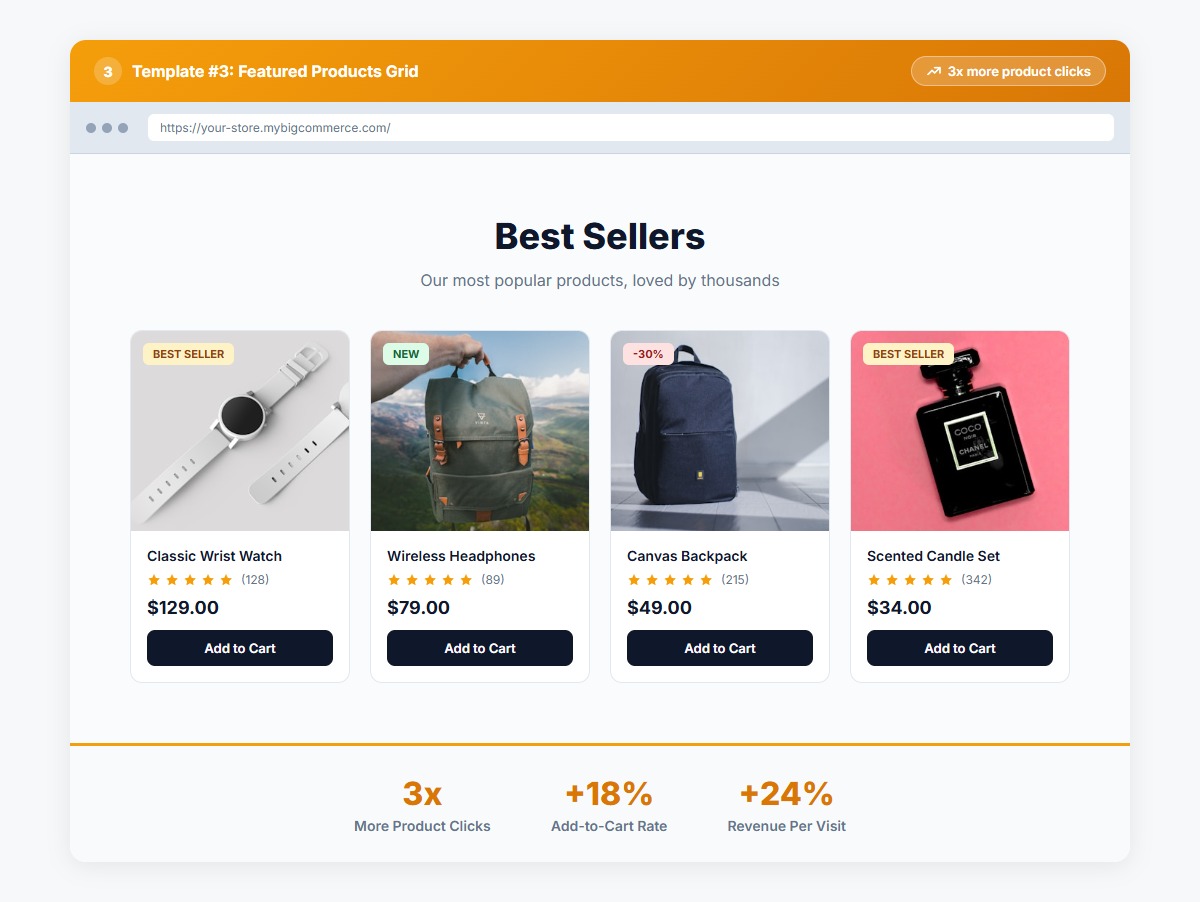
Template 3: Featured Products Grid
What It Does: Showcases 3-8 selected products in a clean grid layout with images, titles, prices, and quick "Add to Cart" buttons.
Why It Converts: Featured product grids generate 3x more clicks than standard category listings when properly curated. By highlighting best-sellers, new arrivals, or seasonal items, you guide visitors toward high-converting products rather than overwhelming them with choice.
Conversion Impact: 3x more product clicks, +18% add-to-cart rate
Example Prompt:
Create a 4-column product grid featuring our best sellers.
Include product image, title, price, star rating,
and "Add to Cart" button for each product
Best Practices:
- Limit to 4-8 products to avoid decision paralysis
- Use high-quality product images with consistent styling
- Include social proof (ratings, "Best Seller" badges)
- Make CTA buttons highly visible with contrasting colors
Template 4: Testimonial Carousel
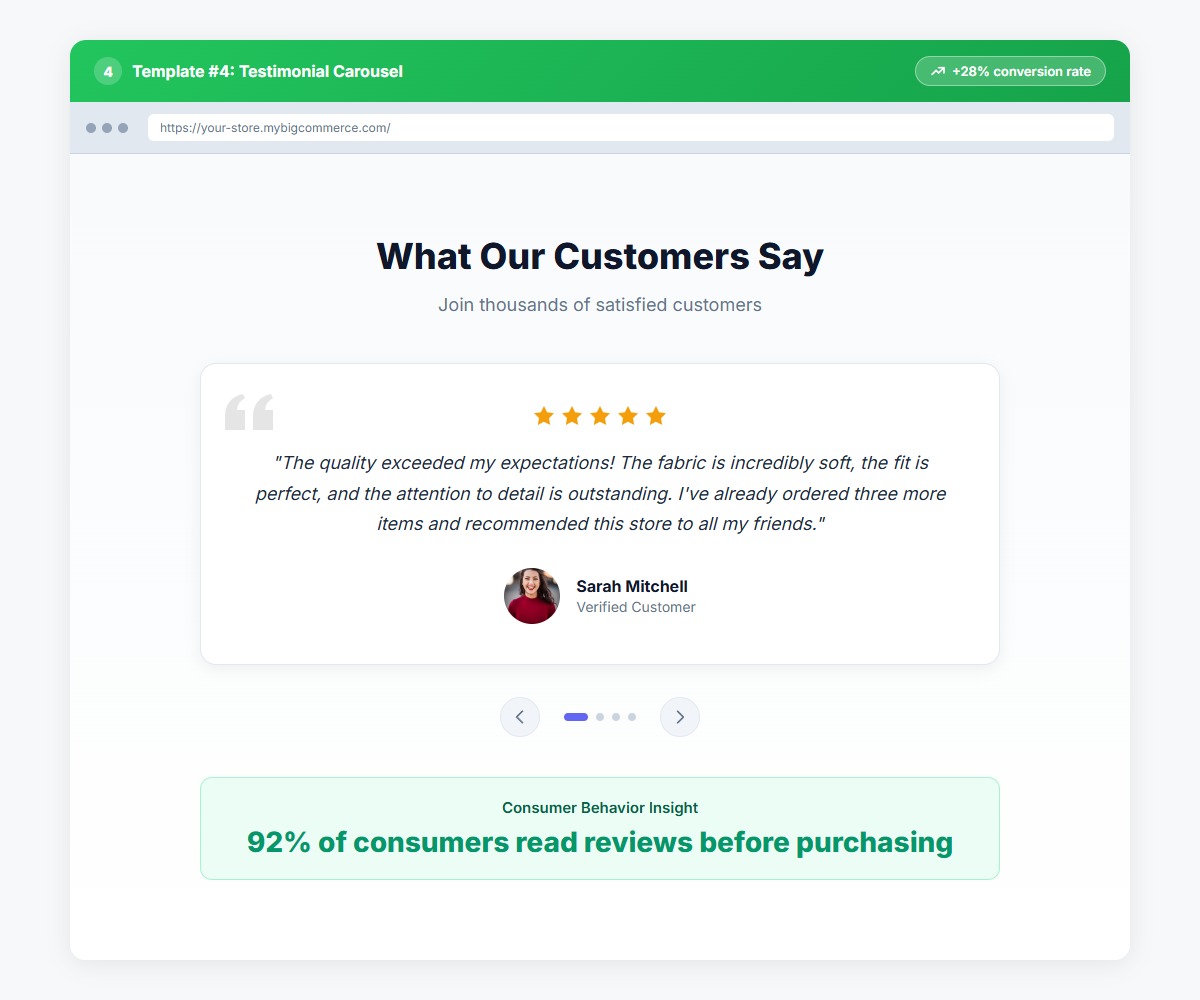
What It Does: Rotates through customer reviews and testimonials with star ratings, customer names, and optional profile images.
Why It Converts: 92% of consumers read online reviews before making a purchase decision. A testimonial carousel makes social proof impossible to miss while keeping your page design clean. Motion (the carousel rotation) naturally draws the eye and encourages visitors to read multiple reviews.
Conversion Impact: +28% conversion rate, +35% time on page
Example Prompt:
Create a testimonial carousel with customer review cards.
Each card should show 5-star rating, review text,
customer name and photo, with navigation arrows and dots
Best Practices:
- Feature specific, detailed reviews (not generic "Great product!")
- Include customer photos when available (increases trust by 19%)
- Set auto-rotation to 5-7 seconds
- Always include navigation controls for user agency
Template 5: Countdown Timer / Flash Sale
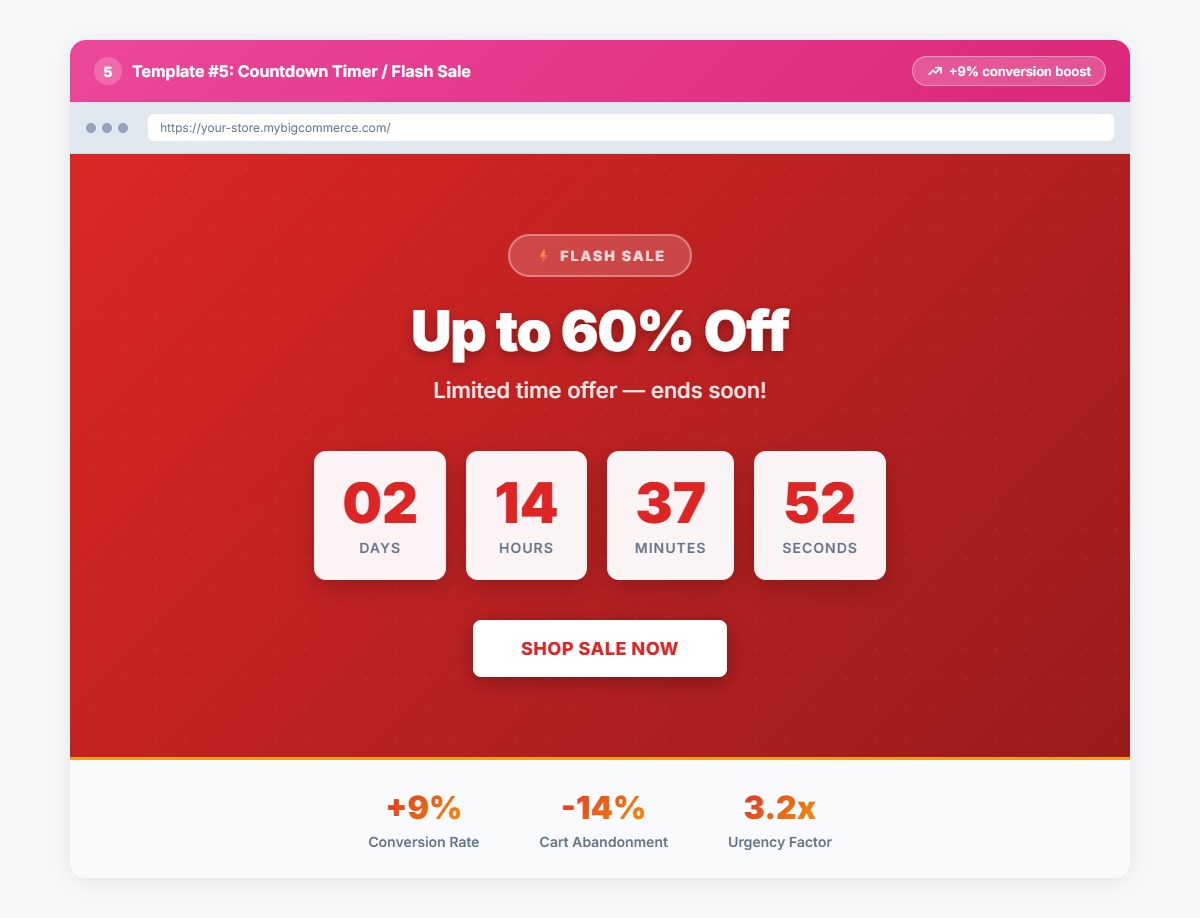
What It Does: Displays a live countdown to a sale deadline with days, hours, minutes, and seconds.
Why It Converts: Urgency and scarcity are powerful psychological triggers. Countdown timers create FOMO (fear of missing out) and can boost conversion rates by 9% while reducing cart abandonment. They work especially well for limited-time promotions, seasonal sales, and product launches.
Conversion Impact: +9% conversion rate, -14% cart abandonment
Example Prompt:
Create a flash sale banner with countdown timer showing
days, hours, minutes, seconds. Include "FLASH SALE" headline,
discount percentage, and "Shop Sale" CTA button
Best Practices:
- Use bold, contrasting colors (red/black works well for urgency)
- Place prominently at the top of your homepage during sales
- Ensure the timer is accurate and synced to your actual sale end time
- Remove immediately when the sale ends to maintain credibility
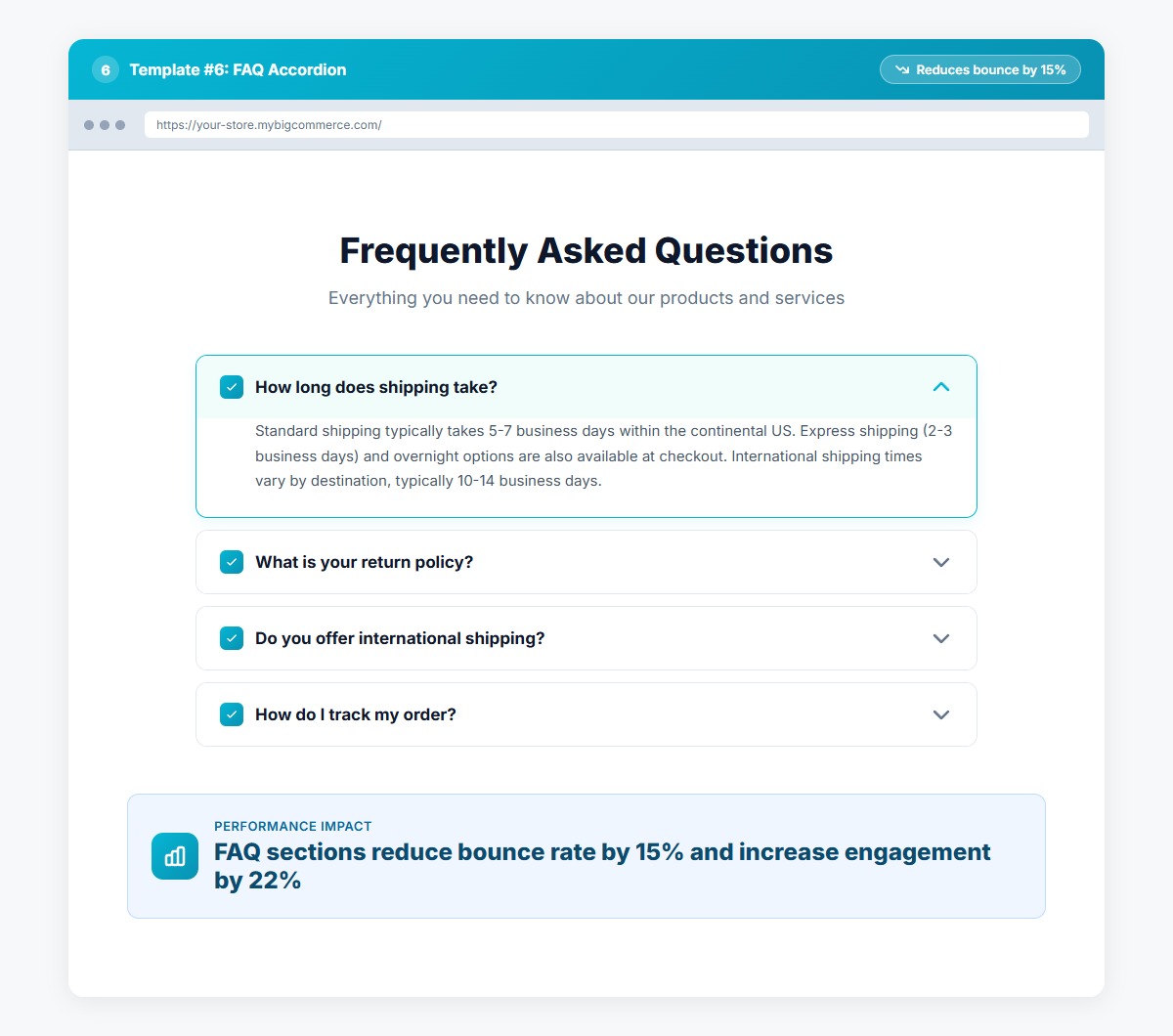
Template 6: FAQ Accordion
What It Does: Organizes frequently asked questions in an expandable/collapsible accordion format.
Why It Converts: FAQ sections reduce bounce rates by up to 15% by proactively answering common questions about shipping, returns, sizing, and product details. The accordion format keeps your page clean while making information easily accessible.
Conversion Impact: -15% bounce rate, +22% product page engagement
Example Prompt:
Create an FAQ accordion with 8 common questions about
shipping, returns, sizing, and payment. Use clean styling
with subtle borders and smooth expand/collapse animations
Best Practices:
- Start with your 5-10 most frequently asked questions
- Use clear, question-format headers ("How long does shipping take?")
- Keep answers concise (2-4 sentences)
- Consider placing FAQ sections on product pages, not just a dedicated FAQ page
Template 7: Feature/Benefits Grid with Icons
What It Does: Highlights 3-6 key product features or store benefits in a grid layout with custom icons and descriptive text.
Why It Converts: Visual hierarchy matters. Icon-based feature grids make it easy for visitors to quickly scan and understand your value propositions. This template works equally well for showcasing product features (on product pages) or store benefits (on homepage/category pages).
Conversion Impact: +31% information retention, +12% conversion rate
Example Prompt:
Create a 3-column features grid with icons. Features:
"Premium Materials" with fabric icon, "Expert Craftsmanship"
with tools icon, "Lifetime Warranty" with shield icon
Best Practices:
- Use custom or branded icons rather than generic stock icons
- Keep feature descriptions to 1-2 sentences
- Arrange in order of importance (left to right, top to bottom)
- Ensure mobile displays stack well (single column on small screens)
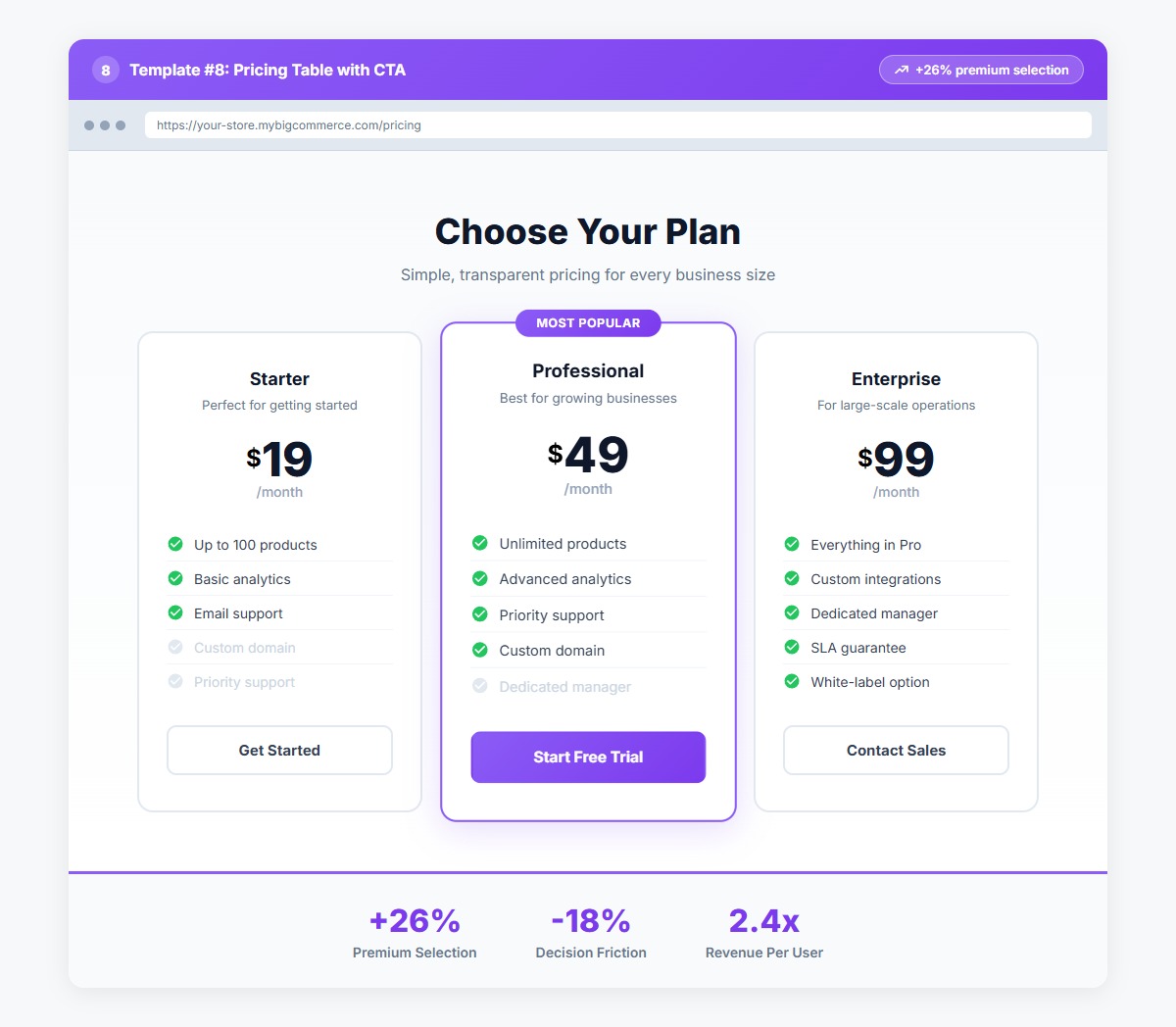
Template 8: Pricing Table with CTA
What It Does: Compares 2-4 pricing tiers or product options in a side-by-side table format with feature lists and CTA buttons.
Why It Converts: Pricing tables reduce decision-making friction by making comparisons easy. They're especially effective for subscription products, service packages, or product bundles. Clear visual hierarchy helps guide customers toward your recommended option.
Conversion Impact: +26% upgrade/premium selection rate
Example Prompt:
Create a 3-column pricing table comparing Basic, Premium,
and Enterprise plans. Include price, feature list with checkmarks,
and "Choose Plan" CTA button for each tier
Best Practices:
- Highlight your recommended tier with a "Most Popular" badge
- Use visual cues (different colors, size) to draw attention to preferred options
- Include a feature comparison list that clearly shows value differences
- Make CTAs actionable ("Start Free Trial" not "Select")
Template 9: Newsletter Signup with Incentive
What It Does: Captures email addresses through an attractive signup form with a clear incentive (discount code, early access, exclusive content).
Why It Converts: Email list building is essential for long-term ecommerce success. Newsletter signup forms with incentives convert at 4-7% (compared to 1-2% without incentives). The key is offering immediate value in exchange for an email address.
Conversion Impact: 4-7% signup conversion rate, +40% email list growth
Example Prompt:
Create a newsletter signup section with headline
"Get 15% Off Your First Order", email input field,
subscribe button, and privacy notice. Use gradient background
Best Practices:
- Offer a specific incentive (15% off beats "exclusive deals")
- Keep form fields minimal (email only, no name required)
- Include a privacy notice to build trust
- Place strategically (homepage footer, exit-intent popup, post-purchase)
Template 10: Exit-Intent Banner
What It Does: Displays a targeted message when a visitor is about to leave your site, typically offering a discount or highlighting a key benefit.
Why It Converts: Exit-intent technology captures visitors at the moment they're leaving, giving you one last chance to convert them. When done right, exit-intent banners can recover 10-15% of abandoning visitors.
Conversion Impact: Recovers 10-15% of abandoning visitors
Example Prompt:
Create an exit-intent banner with headline "Wait! Don't Leave Yet",
offer text "Take 10% off your first order", email input field,
and "Claim Discount" button. Include close button
Best Practices:
- Trigger only once per session to avoid annoyance
- Offer genuine value (discount, free shipping, exclusive content)
- Make the close button obvious and easy to click
- Consider different messages for different page types
How to Use These Templates in Your BigCommerce Store
The AI HTML Widget makes implementing these high-converting templates incredibly simple. You have three options:
Method 1: Browse the Template Gallery and One-Click Apply
The AI HTML Widget includes 300+ pre-built templates, including all 10 templates covered in this guide. Simply:
- Open the AI HTML Widget in your BigCommerce Page Builder
- Click "Browse Templates" to view the gallery
- Find the template you want (search by category or keyword)
- Click "Apply Template" to instantly insert it into your page
- Customize colors, text, and images using the visual editor
No coding required. Templates are production-ready and mobile-responsive out of the box.
Method 2: Describe What You Want to the AI Chatbot
If you want a customized version of any template, just describe it to the AI:
- Open the AI HTML Widget chatbot
- Describe the template you want using natural language
- The AI generates custom HTML/CSS code in seconds
- Preview, refine with follow-up prompts, and publish
Example prompts:
- "Create a hero banner with headline, subtitle, and CTA button in my brand colors"
- "Build a testimonial carousel showing 5-star reviews with customer photos"
- "Make a flash sale countdown timer with red background and white text"
Method 3: Paste a Design Screenshot (Image-to-Code)
Have a design inspiration from another site? Upload it:
- Screenshot the design you want to recreate
- Upload the image to the AI HTML Widget
- Add optional instructions ("use my brand colors", "make it full-width")
- The AI analyzes the design and generates matching code
- Refine and publish
This method is perfect for translating design mockups or recreating sections you've seen on competitor sites.
Quick Reference: Template Priority and Impact
| Template | Priority | Conversion Impact | Best Placement |
|---|---|---|---|
| Hero Banner with CTA | High | +40% time on site | Homepage top |
| Trust Indicators Bar | High | +42% first-visit conversion | Below header |
| Featured Products Grid | High | 3x product clicks | Homepage, category pages |
| Testimonial Carousel | Medium | +28% conversion | Homepage, product pages |
| Countdown Timer | Medium | +9% conversion (during sales) | Homepage during promotions |
| FAQ Accordion | Medium | -15% bounce rate | Product pages, dedicated FAQ |
| Features Grid | Medium | +31% information retention | Product pages, homepage |
| Pricing Table | Low | +26% premium selection | Service pages, subscription products |
| Newsletter Signup | Medium | 4-7% signup rate | Homepage footer, exit-intent |
| Exit-Intent Banner | Medium | Recovers 10-15% abandoning visitors | Site-wide (triggered) |
Start with These Three Templates
If you're just getting started with conversion optimization, implement these three templates first:
- Hero Banner with CTA — Immediately improves homepage clarity and direction
- Trust Indicators Bar — Builds credibility with minimal effort
- Featured Products Grid — Drives product discovery and clicks
These three templates alone can increase your conversion rate by 20-30% and take less than an hour to implement using the AI HTML Widget.
Conversion Optimization is an Ongoing Process
While these 10 templates provide a strong foundation, the highest-converting stores continuously test and refine their designs. Use these templates as starting points, then:
- A/B test different headlines, CTAs, and layouts
- Monitor analytics to see which sections drive the most engagement
- Gather customer feedback through surveys and user testing
- Update seasonal content (hero banners, sale timers) regularly
- Add new templates as your store and product catalog evolve
The AI HTML Widget makes this iterative process fast and painless. You can test new section designs in minutes without writing code or waiting for developer resources.
Ready to Boost Your Conversion Rate?
Every template in this guide is available in the AI HTML Widget template gallery, ready to deploy with a single click. Whether you're building a new BigCommerce store or optimizing an existing one, these proven templates will help you create a high-converting shopping experience.
Install the AI HTML Widget from the BigCommerce App Marketplace and start implementing these templates today. No coding required, no design experience needed — just proven templates that drive results.
Install AI HTML Widget Free on BigCommerce →


