

Break Free from Developer Bottlenecks: 5 Store Updates You Can Make Yourself
How many times have you emailed your developer this month?
If you're like most BigCommerce store owners, the answer is probably "too many." You need a new hero banner for your summer sale. Your FAQ section is outdated. You want to add customer testimonials to your homepage. Each request is simple, but each one means:
- Sending an email explaining what you need
- Waiting 2-5 days for a quote
- Waiting another 1-2 weeks for the work to be done
- Paying $150-500 per update
- Going through revision rounds if it's not quite right
By the time your summer banner goes live, it's already August.
There's a better way. Most store updates don't require a developer at all — you just need the right tools.
The Developer Dependency Trap
Let's look at what "simple" updates actually cost when you hire a developer:
New hero banner for seasonal promotion:
- Cost: $150-300
- Timeline: 5-7 days
- What you're paying for: 30 minutes of coding, wrapped in scheduling overhead
Add an FAQ section to your product pages:
- Cost: $300-500
- Timeline: 2 weeks
- What you're paying for: HTML structure and accordion JavaScript you could generate in 10 minutes
Create a testimonial section for your homepage:
- Cost: $200-400
- Timeline: 1-2 weeks
- What you're paying for: A layout template that exists in 100 other stores
Build a promotional banner with countdown timer:
- Cost: $250-500
- Timeline: 1-2 weeks
- What you're paying for: Timer JavaScript available in every template library
Add a newsletter signup section:
- Cost: $150-250
- Timeline: 3-5 days
- What you're paying for: A form that takes 5 minutes to generate
Annual cost of these "simple" updates: $5,000-15,000+
The real cost isn't just money — it's opportunity. While you wait two weeks for a banner, your competitor launches their promotion today. While you budget for an FAQ section, customers are emailing support with the same questions over and over.
The Solution: Take Control of Your Storefront
Here's what most BigCommerce store owners don't realize: you don't need to code to customize your store. The BigCommerce Page Builder already lets you add custom HTML sections anywhere. The missing piece has been creating that HTML.
Until now, your options were:
- Hire a developer (expensive, slow)
- Learn to code yourself (months of learning)
- Copy templates from the internet (rarely fits your brand)
But there's a fourth option: use AI to generate the exact section you need, in seconds.
Let's walk through five updates you can make today — no developer required.
5 Store Updates You Can Make Yourself (Without Code)
Update 1: Refresh Your Hero Banner
Why it matters: Your hero banner is the first thing visitors see. It's your #1 conversion driver. Seasonal updates keep your store feeling fresh and relevant.
The traditional way:
- Email your developer with banner specs
- Wait 5-7 days
- Pay $150-300
- Hope they match your vision
The DIY way:
Open the AI HTML Widget in your BigCommerce admin and describe what you want:
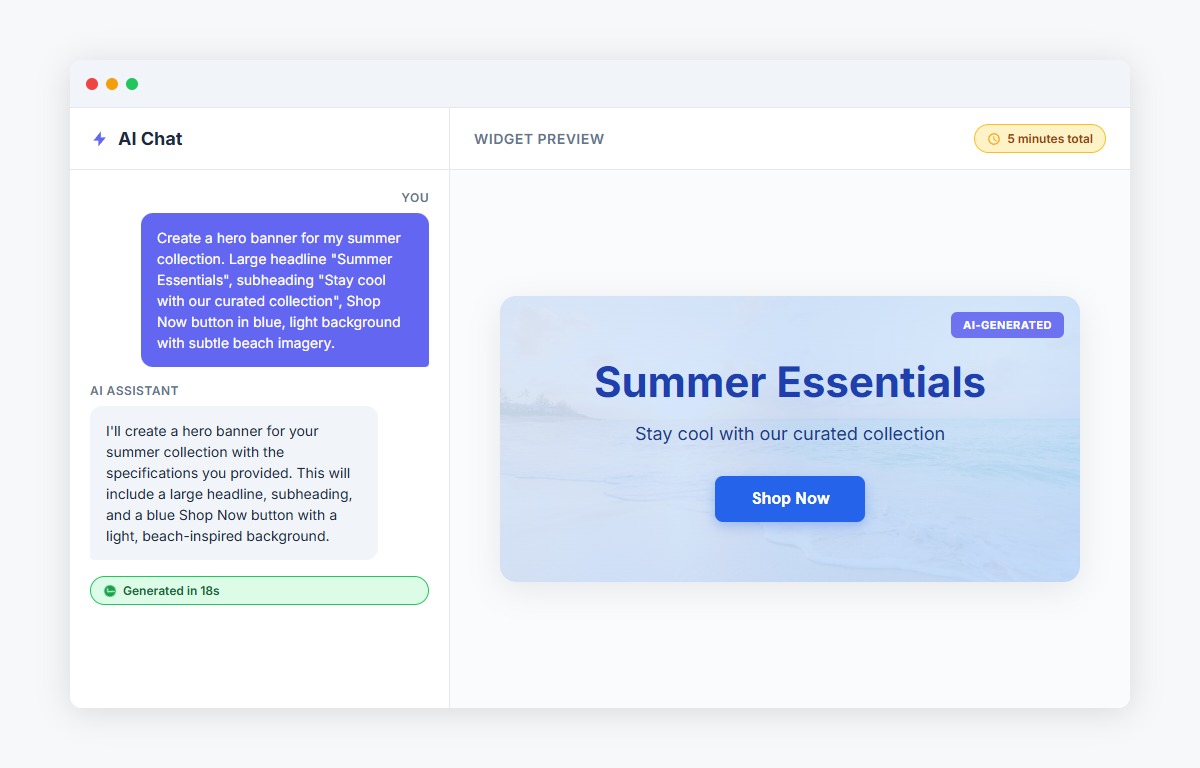
"Create a hero banner for my summer collection. Large headline 'Summer Essentials', subheading 'Stay cool with our curated collection', Shop Now button in blue, light background with subtle beach imagery."
Or paste an image of a banner design you like and say:
"Create a hero banner matching this design but for my summer collection."
The AI generates production-ready HTML in 18 seconds. Preview it, make tweaks through conversation ("make the button larger", "change to coral color"), then copy to your Page Builder.
Time investment: 5 minutes Cost: $0 Developer wait time: 0 days
Update 2: Add an FAQ Section
Why it matters: A well-designed FAQ section can reduce support tickets by up to 30%. Every question answered on the page is one less email your team has to handle.
The traditional way:
- Document all FAQ questions and answers
- Email your developer
- Wait 2 weeks for accordion design
- Pay $300-500
The DIY way:
Tell the AI what you need:
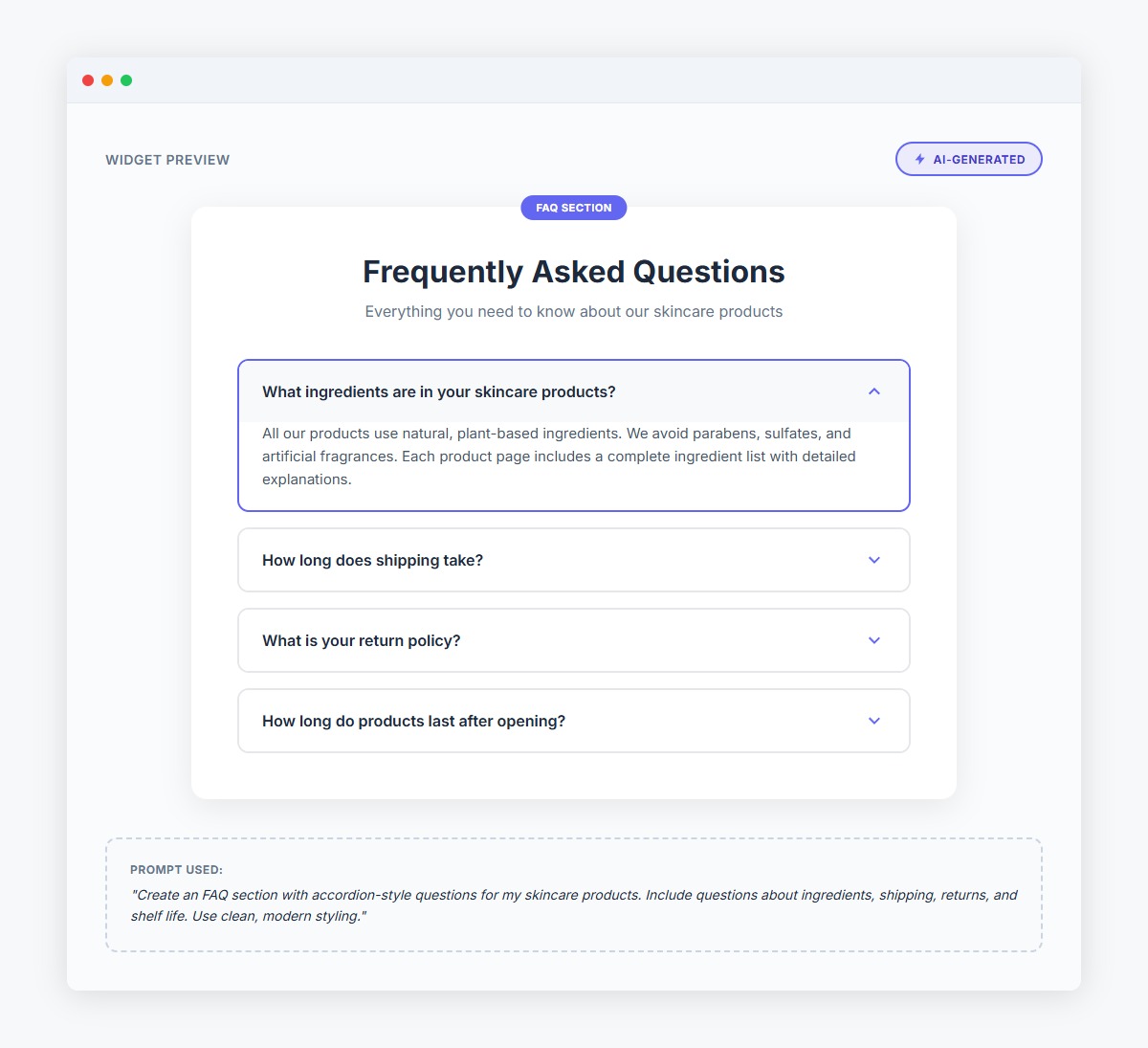
"Create an FAQ section with accordion-style questions for my skincare products. Include questions about ingredients, shipping, returns, and shelf life. Use clean, modern styling."
The AI generates a fully functional accordion with expand/collapse functionality. You can:
- Edit the questions and answers directly in the chat
- Adjust colors and spacing
- Add or remove questions
- Match your brand style
Paste into Page Builder and you're done.
Time investment: 10 minutes Cost: $0 Developer wait time: 0 days
Update 3: Create a Testimonial Section
Why it matters: 92% of consumers read online reviews before making a purchase. Social proof directly impacts conversion rates.
The traditional way:
- Collect testimonials
- Find reference designs
- Email your developer
- Wait 1-2 weeks
- Pay $200-400
The DIY way:
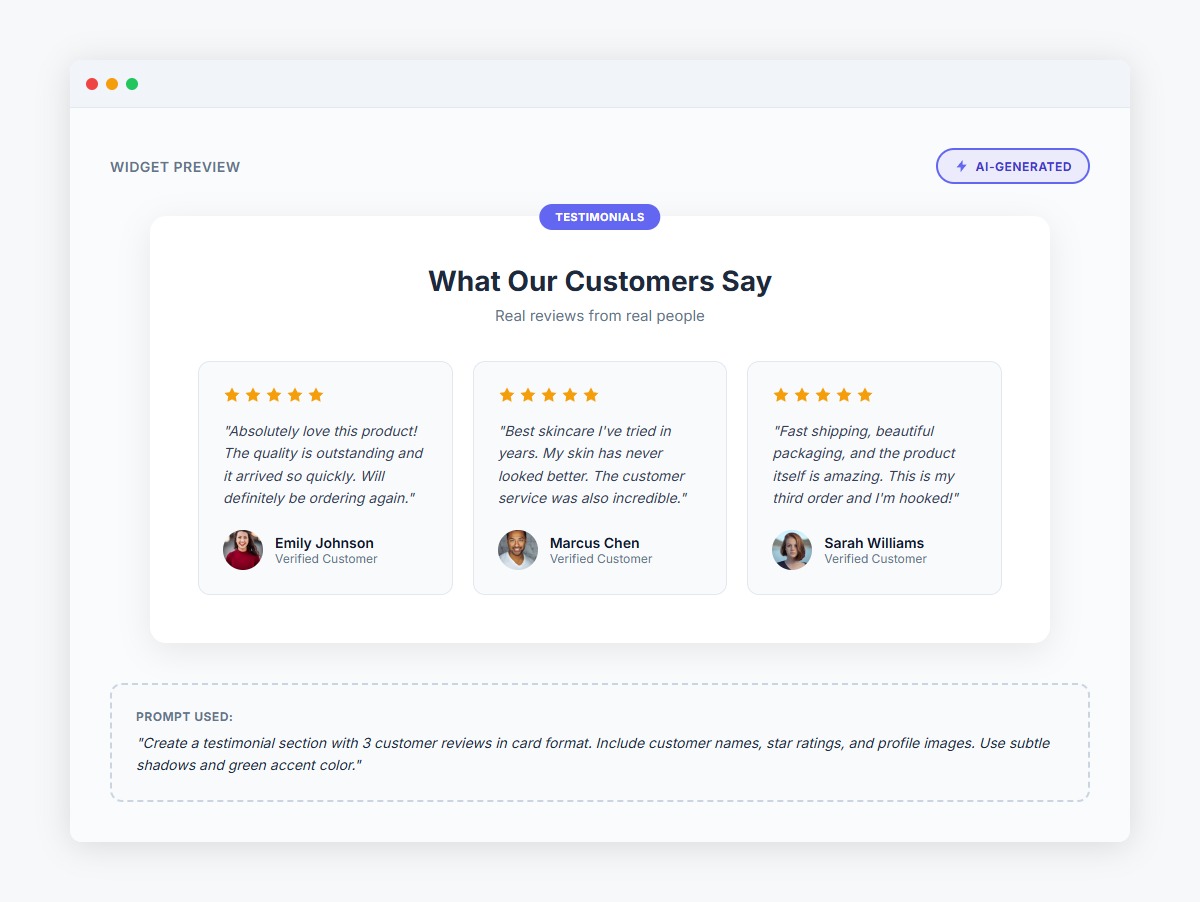
Browse the AI widget's template gallery for testimonial designs, or describe what you want:
"Create a testimonial section with 3 customer reviews in card format. Include customer names, star ratings, and profile images. Use subtle shadows and green accent color."
The AI generates the complete section. You can:
- Swap in your actual testimonials
- Change the layout (grid, carousel, single column)
- Adjust styling to match your brand
- Add or remove testimonials
Time investment: 5 minutes Cost: $0 Developer wait time: 0 days
Update 4: Build a Promotional Banner
Why it matters: Limited-time offers create urgency and drive immediate sales. Flash sales, holiday promotions, and countdown timers can increase conversion rates by 20-30%.
The traditional way:
- Design promotional banner
- Email your developer for countdown timer
- Wait 1-2 weeks
- Pay $250-500
- Rush fee if you need it faster
The DIY way:
Describe your promotion:
"Create a promotional banner for Black Friday. Large text '50% OFF EVERYTHING', countdown timer to November 25th midnight, red and black color scheme, Shop Now button."
The AI generates a banner with a working countdown timer. You can:
- Adjust the end date and time
- Change colors and fonts
- Modify the urgency message
- Test different layouts
Launch your promotion the same day you think of it.
Time investment: 10 minutes Cost: $0 Developer wait time: 0 days
Update 5: Add a Newsletter Signup Section
Why it matters: Email marketing has an average ROI of $42 for every $1 spent. Building your email list is one of the highest-value activities you can do.
The traditional way:
- Design signup form concept
- Email your developer
- Wait 3-5 days
- Pay $150-250
The DIY way:
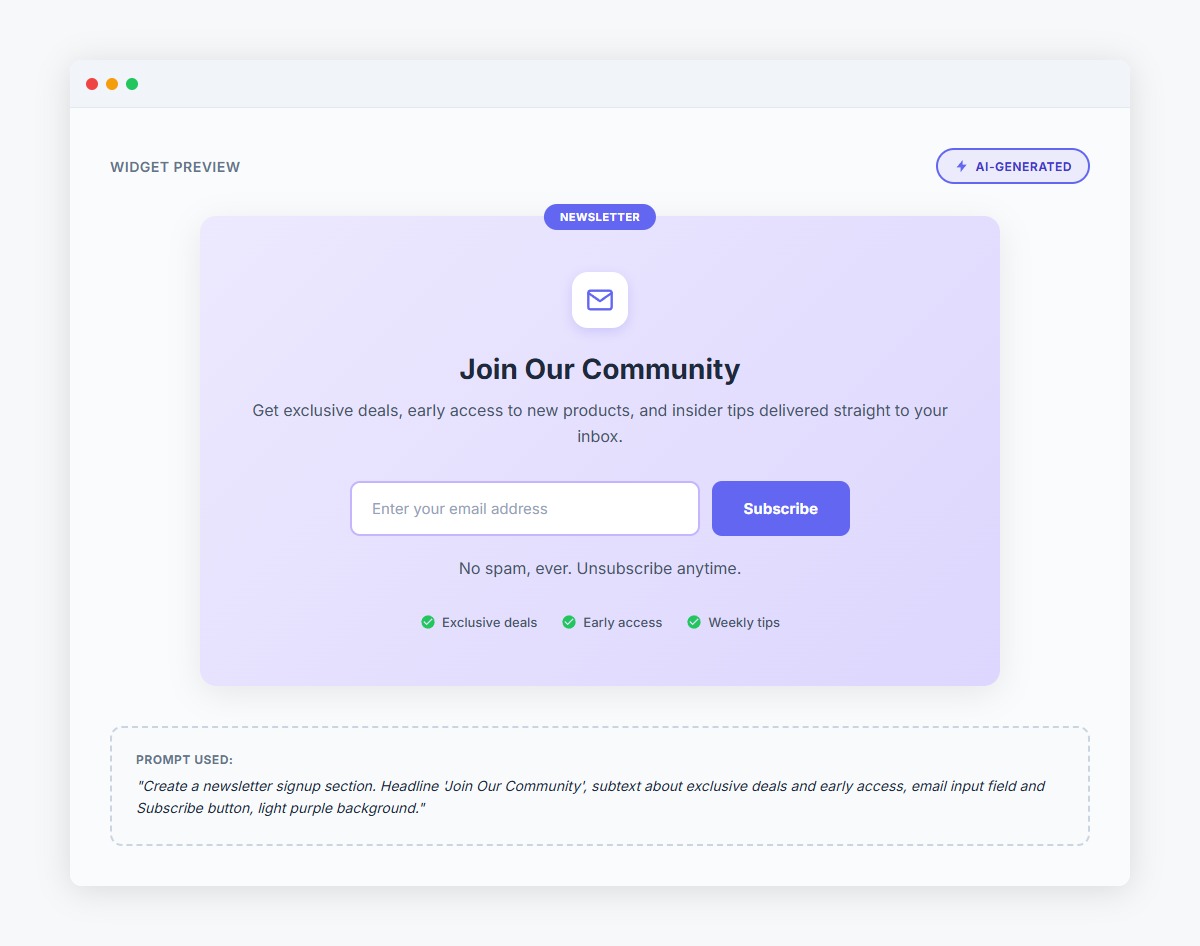
Tell the AI what you need:
"Create a newsletter signup section. Headline 'Join Our Community', subtext about exclusive deals and early access, email input field and Subscribe button, light purple background."
The AI generates a styled form that connects to your existing email provider. You can:
- Match your brand colors
- Add benefit bullets
- Adjust the layout
- Include privacy text
Time investment: 5 minutes Cost: $0 Developer wait time: 0 days
The Math: DIY vs Developer
Here's the real comparison:
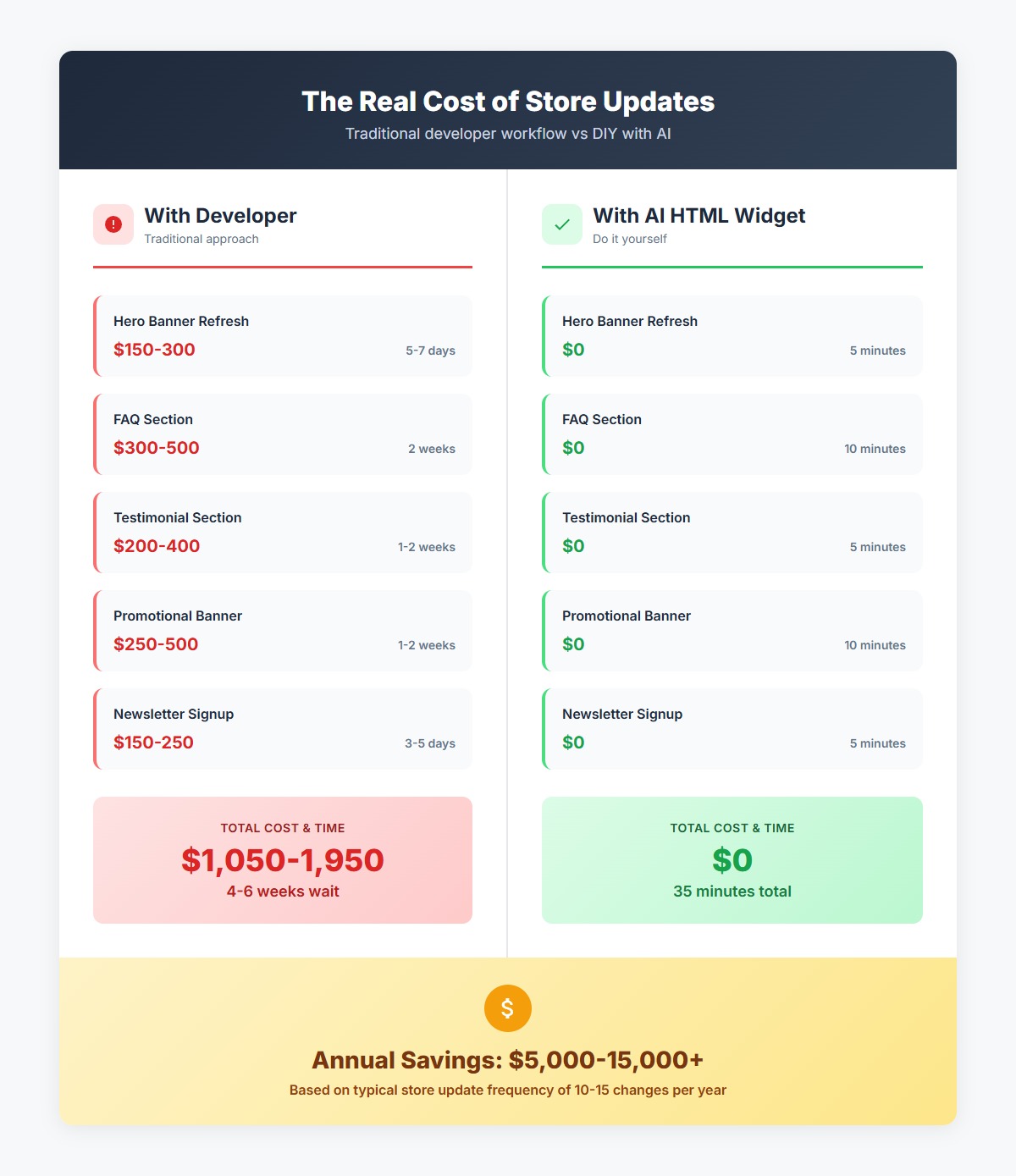
With a developer:
- Hero banner refresh: $150-300 + 5-7 days
- FAQ section: $300-500 + 2 weeks
- Testimonial section: $200-400 + 1-2 weeks
- Promotional banner: $250-500 + 1-2 weeks
- Newsletter signup: $150-250 + 3-5 days
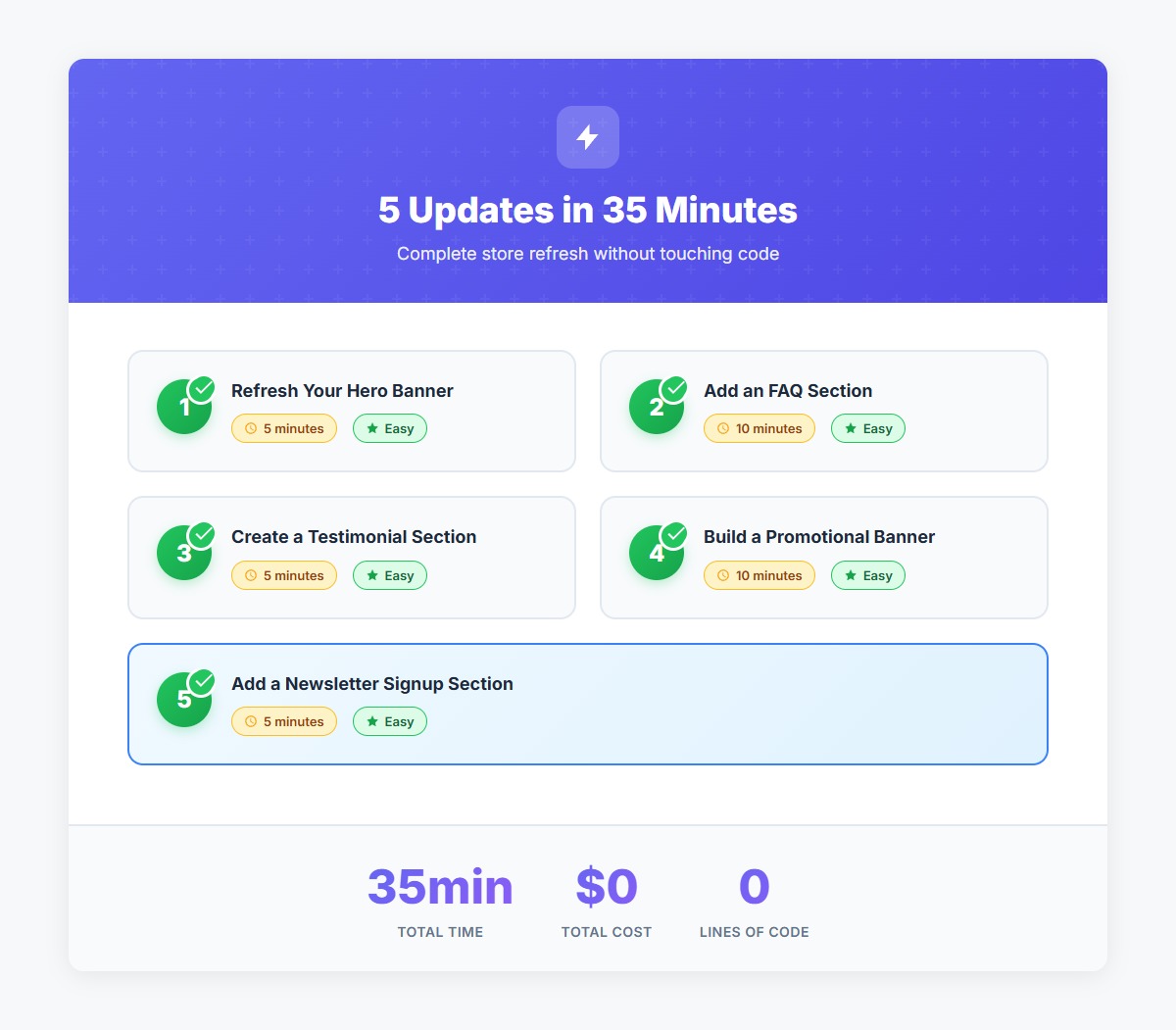
Total: $1,050-1,950 and 4-6 weeks
With AI HTML Widget:
- Hero banner refresh: $0 + 5 minutes
- FAQ section: $0 + 10 minutes
- Testimonial section: $0 + 5 minutes
- Promotional banner: $0 + 10 minutes
- Newsletter signup: $0 + 5 minutes
Total: $0 and 35 minutes
That's a savings of over $1,000 and 6 weeks of waiting — just for these five updates. Multiply that across all the "small" changes you need throughout the year, and you're looking at $5,000-15,000 in annual savings.
More importantly, you're no longer constrained by developer availability. You can:
- Test new section designs on Monday and launch on Tuesday
- Update seasonal promotions the same day you think of them
- A/B test different hero banners without budget concerns
- Refresh your homepage every month instead of every quarter
- React to market changes and competitor moves immediately
What to Keep Your Developer For
Let's be clear: developers are still essential for complex work. You should still hire developers for:
- Custom theme development — Major design overhauls that touch every page
- Complex integrations — Connecting third-party systems and APIs
- Custom checkout flows — Payment processing and cart customization
- Performance optimization — Speed improvements and technical SEO
- Database and backend work — Anything involving data migration or server-side logic
The difference is focus. Instead of burning your developer's time (and your budget) on simple HTML sections, you can focus their expertise on high-value projects that actually require coding skills.
Your developer will appreciate it too. Most developers would rather build complex integrations than create another promotional banner.
Getting Started: Your First DIY Update
Ready to break free from developer dependency? Here's how to make your first update:
Step 1: Install the AI HTML Widget from the BigCommerce App Marketplace (it's free to start)
Step 2: Choose one of the five updates above — start with something simple like a newsletter signup or testimonial section
Step 3: Open the widget and either:
- Browse the template gallery for pre-built sections
- Describe what you want to the AI
- Paste an image of a design you like
Step 4: Preview the generated section, make any tweaks through conversation
Step 5: Copy the HTML and paste it into a Custom HTML widget in Page Builder
Step 6: Position it on your page and publish
That's it. You've just made your first store update without emailing your developer.
Take Control of Your Storefront Today
The bottleneck isn't your developer's skill — it's the dependency itself. When every small change requires scheduling, quoting, waiting, and paying, you lose agility. You lose opportunities. You lose revenue.
BigCommerce store owners who can make updates themselves have a massive competitive advantage. They can:
- Launch promotions faster than competitors
- Test new designs without budget constraints
- Keep their store fresh and engaging
- Respond to market changes in real-time
- Save thousands of dollars per year
The technology to do this has been available in BigCommerce all along (Page Builder's custom HTML widgets). The missing piece was creating that HTML. Now, with AI, you can generate production-ready sections in seconds — no coding required.
Your developer isn't going anywhere. You'll still need them for complex projects. But for the dozens of simple updates you need every month, you can finally take control.
Stop waiting. Start building.
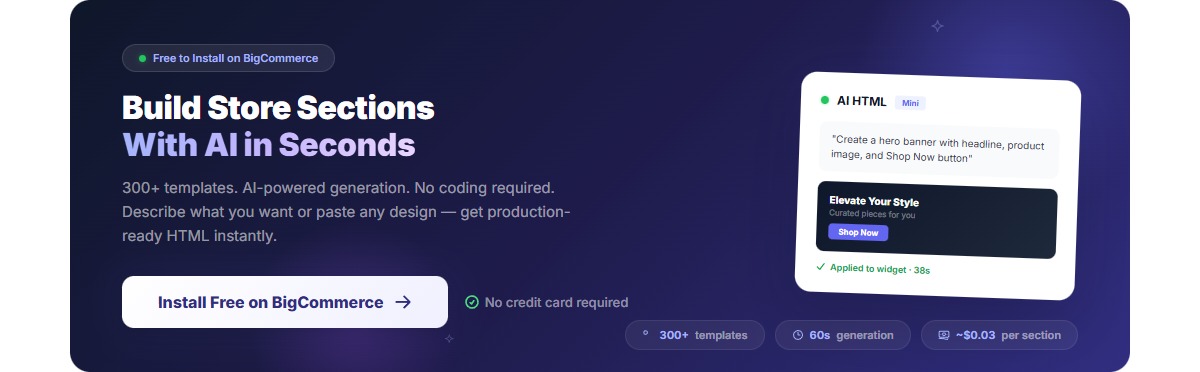
About PapaThemes: We build tools that help BigCommerce store owners take control of their storefronts. The AI HTML Widget is used by thousands of merchants to create custom sections without code. Try it free on the BigCommerce App Marketplace.


