

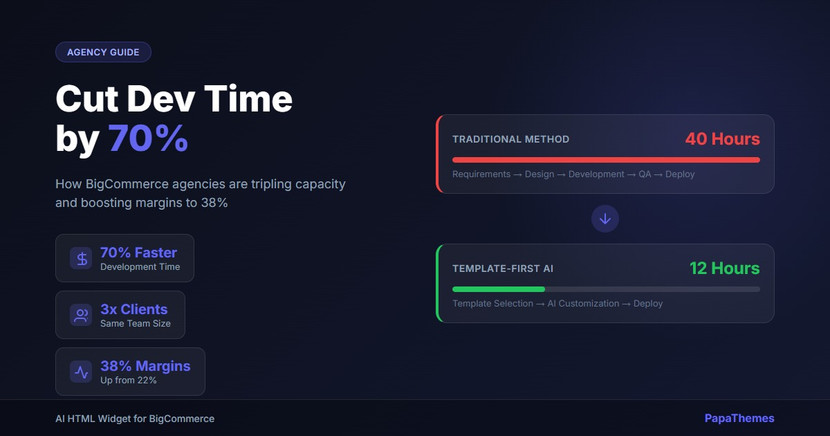
How BigCommerce Agencies Can Cut Development Time by 70%
Every BigCommerce agency faces the same bottleneck: senior developers spending hours building repetitive page sections while new client requests pile up. The result? Projects take weeks when they should take days, margins shrink, and scaling feels impossible.
But what if you could cut section development time from 40 hours to 12? What if your team could handle 28 clients instead of 10, without hiring more senior developers?
Forward-thinking agencies are already doing this. They've discovered a template-first workflow powered by AI that's transforming how BigCommerce sites get built. Here's how they're doing it, and how you can replicate their results.
The Traditional Agency Workflow (And Why It's Killing Your Margins)
Most BigCommerce agencies follow the same development process that's been standard for years:
- Client kickoff and requirements gathering (4-6 hours)
- Design mockups in Figma (8-12 hours)
- Custom section development (24-32 hours)
- QA and revisions (6-8 hours)
- Client review and final adjustments (4-6 hours)
Total time per custom section: 40-60 hours
This workflow creates three critical problems:
Problem 1: Senior Developer Bottleneck Your most experienced (and expensive) developers spend 60-70% of their time building hero sections, feature grids, and testimonial carousels. Work that's repetitive, but requires enough technical knowledge that junior developers struggle with it.
Problem 2: Scaling Requires Linear Hiring To double your client capacity, you need to double your development team. But senior BigCommerce developers are expensive and hard to find. The result? Most agencies plateau at 10-15 active clients.
Problem 3: Margin Compression When development takes longer than estimated (which happens 40% of the time), you either eat the cost or damage the client relationship. Either way, your margins shrink. Most agencies report profit margins of 18-25%, well below the 35-45% that's achievable.
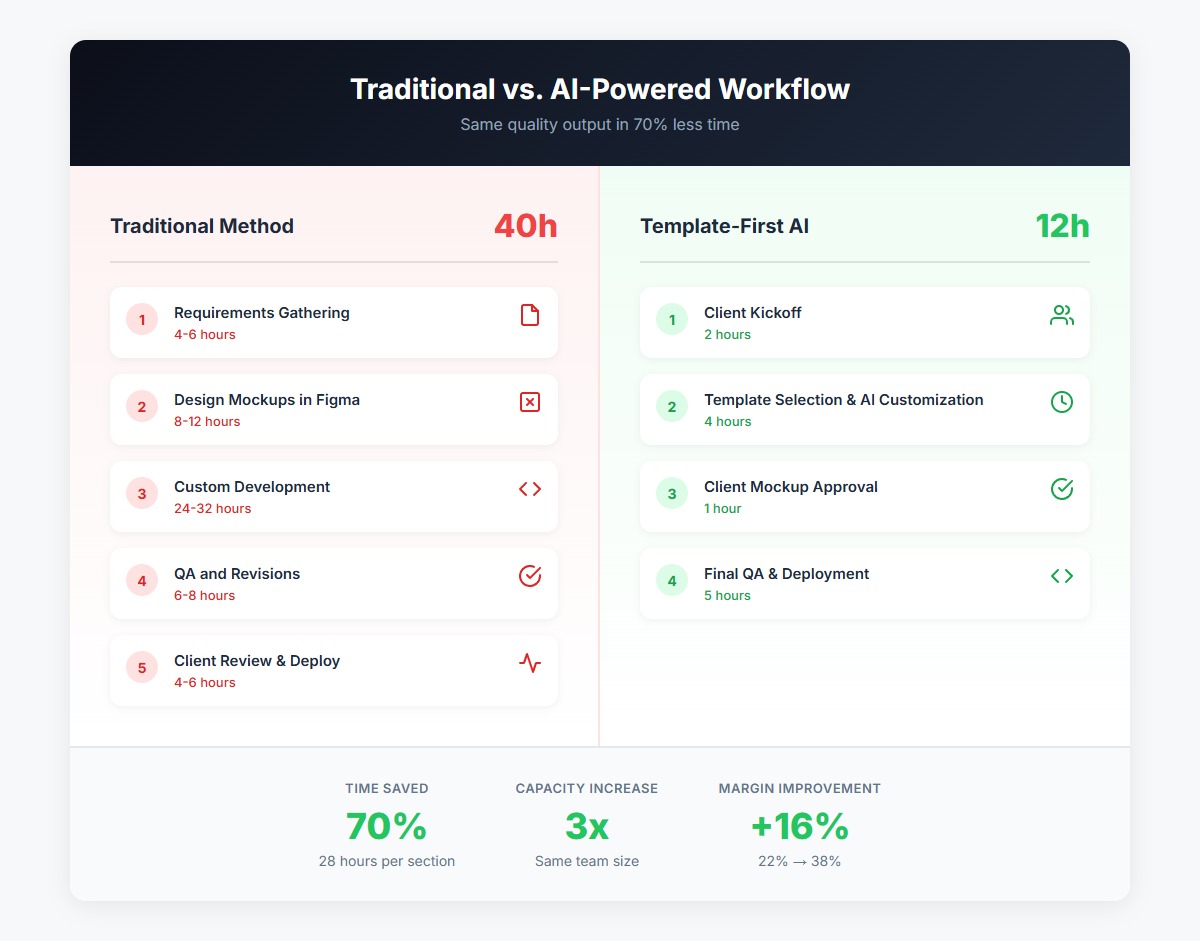 The traditional workflow vs. the template-first approach: Same quality output in 70% less time
The Template-First Approach: How Leading Agencies Work Now
The agencies achieving 70% time savings have fundamentally changed their approach. Instead of building every section from scratch, they start with pre-made, production-ready templates and customize them with AI.
Here's the new workflow:
- Client kickoff (2 hours) - Discuss needs, show relevant templates
- Template selection and AI customization (4 hours) - Choose from 300+ templates, customize with AI prompts
- Client mockup approval (1 hour) - Use Image-to-Code to convert client designs
- Final QA and deployment (5 hours)
Total time per custom section: 12 hours
The difference? You're no longer writing code from scratch. You're orchestrating pre-built components and using AI to handle the customization work that used to require senior developers.
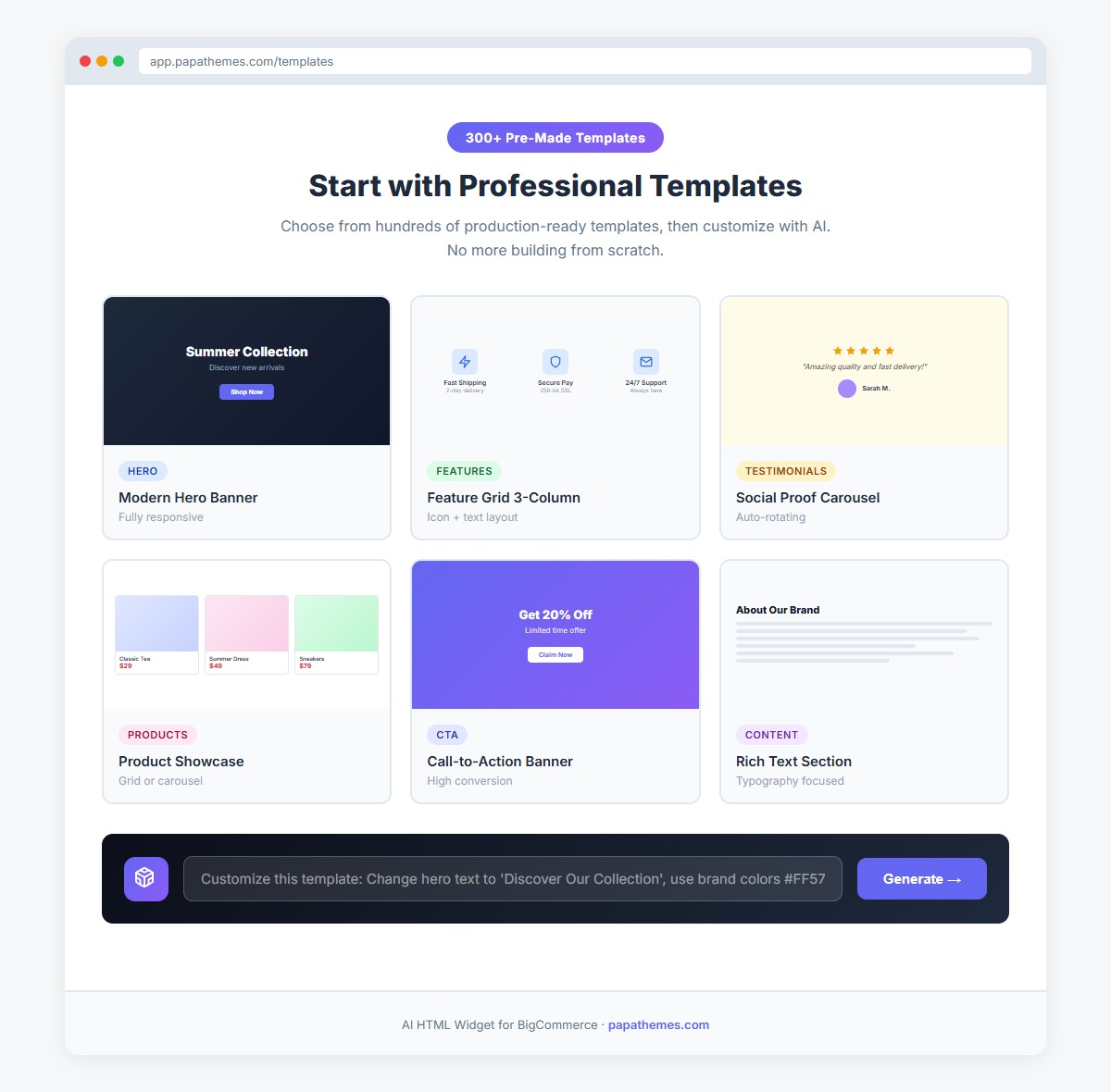 Start with 300+ professional templates instead of blank files
Case Study: From 40 Hours to 12
TechStyle Agency (name changed) is a 12-person BigCommerce development shop in Austin, Texas. Before implementing the template-first workflow, they were stuck at 10 active clients despite consistent demand. Projects routinely ran over budget, and their two senior developers were burning out.
Here's what changed after they adopted the AI HTML Widget:
Before (Traditional Workflow):
- Average section development: 40 hours
- Active client capacity: 10 clients
- Senior developer utilization: 85% (mostly routine work)
- Project estimation accuracy: 60%
- Profit margin: 22%
- Junior developer onboarding time: 3 months
After (Template-First Workflow):
- Average section development: 12 hours
- Active client capacity: 28 clients
- Senior developer utilization: 60% (focused on complex work)
- Project estimation accuracy: 94%
- Profit margin: 38%
- Junior developer onboarding time: 3 weeks
"We went from constantly being behind to actually having bandwidth for new projects," says Sarah Chen, TechStyle's Managing Director. "Our senior developers finally get to do interesting architecture work instead of building the same hero sections over and over."
The financial impact was immediate. With the same team size, TechStyle increased revenue by 180% in six months while improving their profit margin by 16 percentage points.
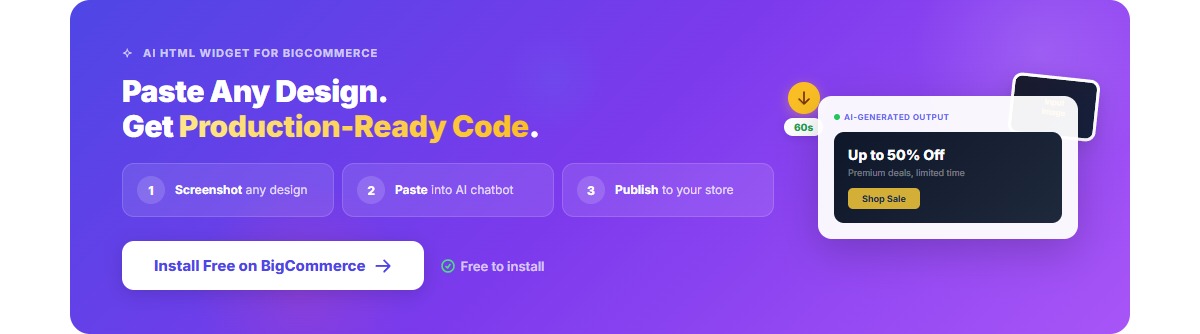
5 Ways Agencies Save Time with Template-First Development
Let's break down exactly how this workflow saves time across different parts of your agency operations:
1. Template-First Project Kickoff (Saves 12-16 Hours Per Project)
Old way: Start every project with blank Figma files. Designers spend 8-12 hours creating mockups, then developers spend another 24-32 hours implementing them.
New way: Start client conversations by showing relevant templates from the library. Most clients select 2-3 templates that are 80% of what they need, then you customize the remaining 20% with AI.
Time saved: Instead of 32-44 hours for design and development, you spend 8-12 hours on customization and refinement.
Real example: TechStyle's project kickoff meetings now include live template browsing. "When clients see professional templates that are already built, they get excited instead of anxious," says Chen. "We close deals faster because clients can visualize the end result immediately."
2. Image-to-Code for Client Presentations (Saves 8-12 Hours Per Section)
Old way: Client sends you a screenshot of a competitor's site or a rough mockup. Your designer recreates it in Figma (4-6 hours), then your developer codes it from scratch (12-16 hours).
New way: Take the client's screenshot, upload it to the Image-to-Code feature, and get working code in 60 seconds. Refine with AI prompts as needed.
Time saved: 16-20 hours reduced to 2-3 hours for refinements.
Real example: "A client sent us a screenshot of a section from a competitor's Shopify store," recalls Chen. "We uploaded it at 2 PM, had working code by 2:15 PM, and sent them a live demo by 3 PM. They approved it that afternoon. That section would have taken us three days in the old workflow."
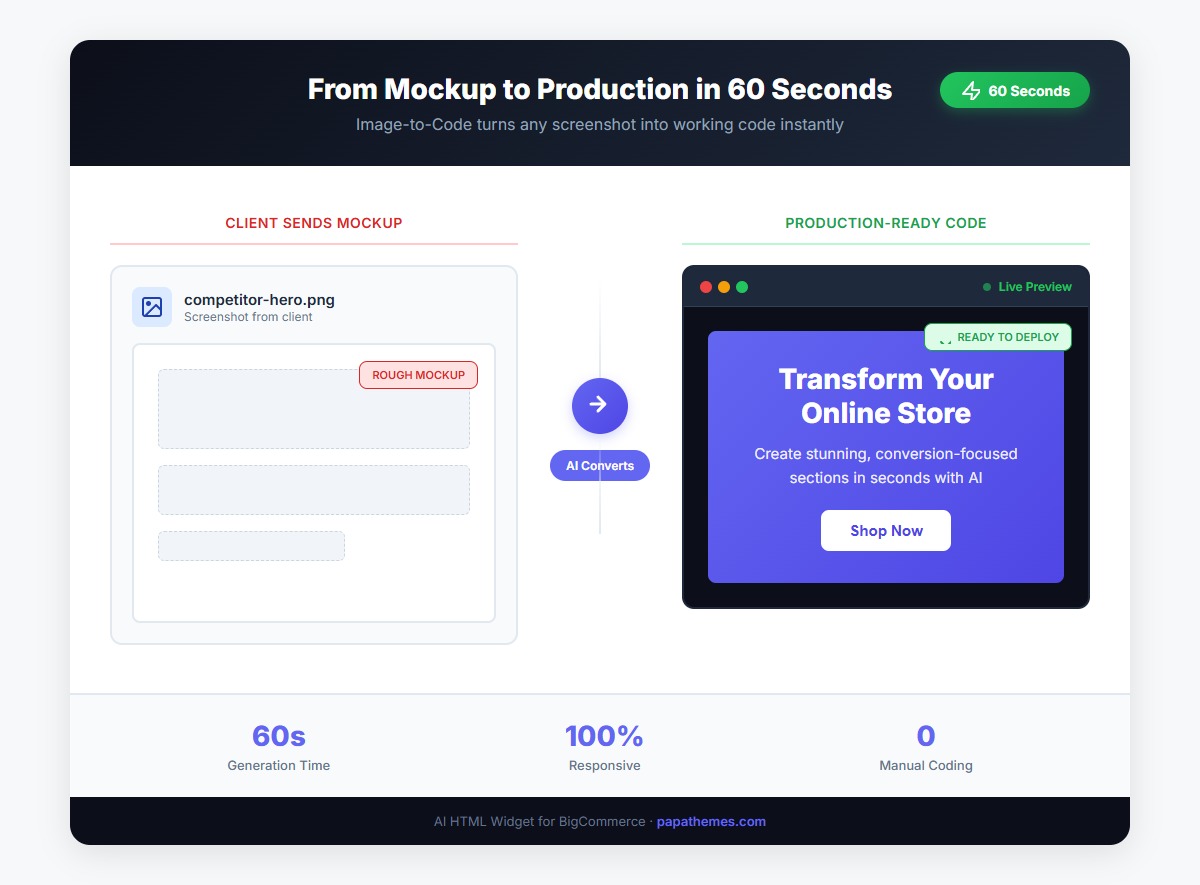 From client mockup to production-ready code in 60 seconds
3. Junior Developer Acceleration (Saves 240+ Hours in Onboarding)
Old way: Junior developers need 3-6 months to become productive on BigCommerce projects. They require constant senior developer supervision, creating a bottleneck that limits scaling.
New way: Junior developers start with templates and use AI to handle customizations. They become productive in 2-3 weeks instead of months.
Time saved: Reduces senior developer supervision from 240 hours to 40 hours per new hire.
Real example: TechStyle hired two junior developers last year. "Instead of shadowing senior devs for months, they were closing real tickets in week three," says Chen. "The templates provide guardrails, and the AI handles the code complexity they're still learning."
4. Standardized Component Library (Saves 4-6 Hours Per Section)
Old way: Every agency builds the same components repeatedly: hero sections, feature grids, testimonial carousels, product showcases. Each project reinvents these wheels.
New way: Build on a library of 300+ production-tested components. Customize them for brand consistency without rebuilding core functionality.
Time saved: 4-6 hours per common section type.
Real example: "We used to debate whether to copy-paste code from previous projects or build fresh," says Chen. "Now we have a reliable starting point that's better than anything we built before. And when we customize it, those improvements get incorporated back into our template library."
5. Rapid Prototyping for Proposals (Win 30% More Bids)
Old way: Send proposals with static mockups or vague descriptions. Clients struggle to visualize the end result, leading to longer sales cycles and lost deals.
New way: Include working prototypes in your proposals using templates customized to the client's brand. Clients see exactly what they're buying.
Time saved: Create proposal prototypes in 1-2 hours instead of 8-12 hours for custom mockups.
Real example: TechStyle's close rate increased from 35% to 58% after including live prototypes in proposals. "Clients don't have to imagine what we'll build," says Chen. "They click through a working demo that already has their logo and brand colors. It completely changes the conversation."
The ROI Calculator: What This Means for Your Agency
Let's run the numbers for a typical agency:
Assumptions:
- 10 active clients
- Average 4 custom sections per client per month
- Time savings: 2.8 hours per section (40 hours → 12 hours = 28 hours saved × 70% efficiency = ~20 hours, conservatively 2.8 hours/section after accounting for learning curve)
- Blended developer rate: $65/hour
Monthly time savings: 10 clients × 4 sections × 2.8 hours = 112 hours/month
Annual value: 112 hours × 12 months × $65/hour = $87,360/year in recovered capacity
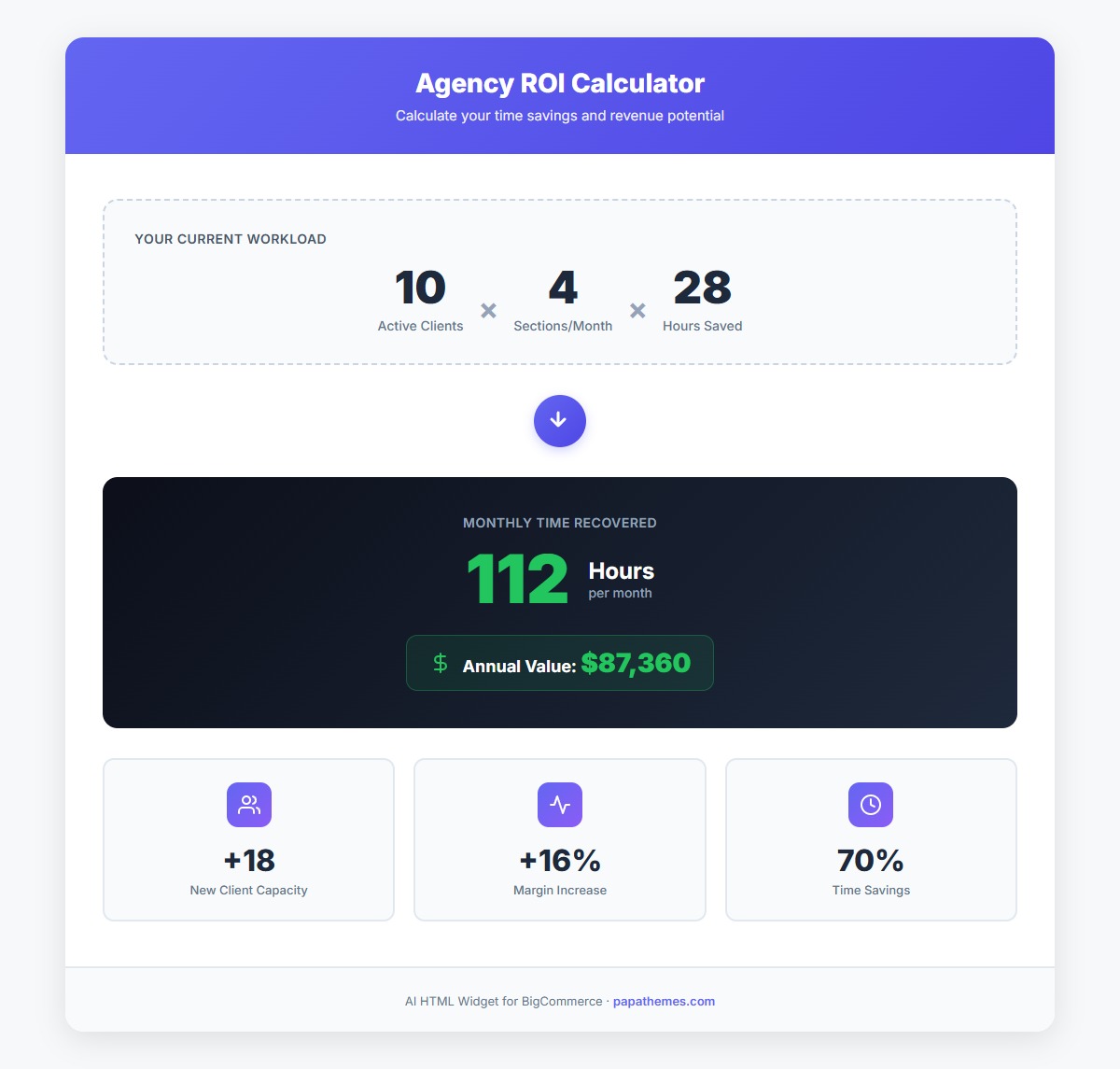 Time savings translate directly to increased capacity and revenue
But the real value isn't just saving money. It's what you can do with those recovered hours:
Option 1: Increase Client Capacity 112 hours/month = 1,344 hours/year. That's enough capacity to add 8-12 new clients without hiring.
Option 2: Improve Service Quality Reinvest those hours into strategic consulting, optimization, and relationship building. Increase retention and upsells.
Option 3: Reduce Team Stress Give your developers breathing room. Stop working weekends. Reduce burnout and turnover.
Most agencies do a combination of all three, which is why their profit margins increase by 10-16 percentage points on average.
Getting Started: The 3-Week Implementation Plan
Here's how TechStyle and other agencies successfully transitioned to the template-first workflow:
Week 1: Audit and Preparation
- Review your last 10 projects
- Identify the 5-8 section types you build most often
- Browse the template library and bookmark 20-30 templates that match your typical work
- Have your team experiment with the AI customization and Image-to-Code features
Week 2: Pilot Project
- Choose one new project to use the template-first approach
- Start with templates instead of blank files
- Document what works and what needs refinement
- Train your team on the AI prompting techniques that work best
Week 3: Standard Operating Procedure
- Update your project templates and estimation spreadsheets
- Create internal documentation for template selection and customization
- Make template-first the default approach for all new projects
- Update your sales process to showcase templates during discovery calls
Common concerns:
"Won't all our sites look the same?" No. The templates are starting points that get heavily customized. Your design vision still drives the final result, but you skip the repetitive setup work.
"What about complex, unique requirements?" Templates handle 70-80% of typical section needs. For truly unique requirements, you still custom code. But that's now 20-30% of your work instead of 100%.
"Will clients pay the same rates?" Yes. Clients pay for results, not hours. Faster delivery is a feature, not a discount. Most agencies maintain or increase their rates while improving margins.
The Competitive Advantage: Speed as a Differentiator
Here's what most agencies miss: speed isn't just about internal efficiency. It's a powerful competitive differentiator.
When you can deliver in days what competitors take weeks to complete, you can:
Win more competitive bids - Faster delivery timeline is a deciding factor for 68% of merchants evaluating agencies.
Command premium pricing - Clients pay more for faster results. TechStyle increased project rates by 15% while closing deals faster.
Handle seasonal rushes - Q4 preparation doesn't require all-hands-on-deck panic anymore. You have the capacity to handle the surge.
Build stronger relationships - Under-promise and over-deliver becomes your standard practice. Client satisfaction scores increase.
The agencies winning in 2026 aren't just faster. They're using speed to provide better service, take on more strategic work, and build more sustainable businesses.
Your Next Steps
The template-first workflow isn't a distant future. It's how leading BigCommerce agencies work right now. The question isn't whether to adopt this approach, but how quickly you can implement it before your competitors do.
Start here:
- Install the AI HTML Widget on a test store (it's free to start)
- Browse the template library and identify 10 templates relevant to your work
- Run a pilot project using the template-first approach
- Measure the time savings and calculate your ROI
- Scale the workflow across your entire team
The agencies that moved first are already seeing the results: 70% faster development, 3x client capacity, and profit margins approaching 40%. The agencies that wait will spend the next year explaining to clients why their competitors can deliver faster and cheaper.
Ready to cut your development time by 70%? Start your free trial of the AI HTML Widget today.
Install AI HTML Widget for BigCommerce →
Want to see the template-first workflow in action? Book a personalized demo with our team to see how it works for agencies like yours.


