

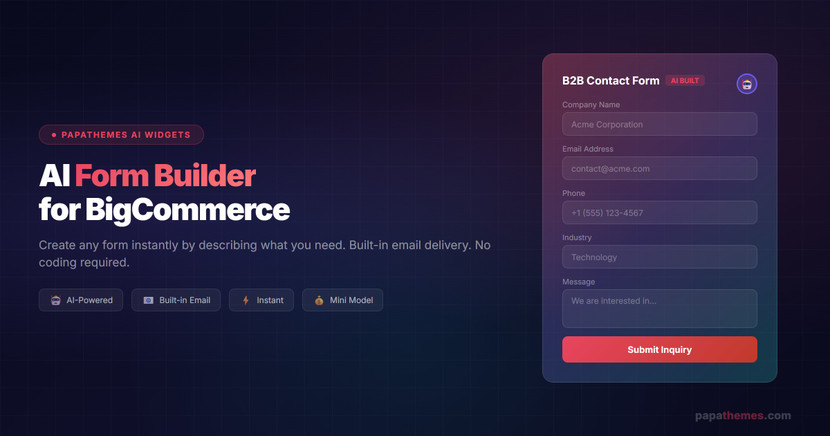
AI Form Builder for BigCommerce: Create Any Form Instantly
Try AI Form Builder — Free to Install
Create any form instantly by describing what you need. No coding required. Built-in email delivery included.
Install Free on BigCommerce Learn MoreBuilding forms for your BigCommerce store used to mean hiring a developer, writing custom code, or wrestling with limited built-in options. What if you could create a professional B2B contact form, a customer survey, or a product inquiry form simply by describing what you need in plain English? That is exactly what the new AI Form Builder in PapaThemes AI Widgets delivers.
In this guide, we will walk you through how the AI Form Builder works, show you a real demo of creating a B2B contact form from scratch, and explain why this feature is a game-changer for BigCommerce store owners.
What Is PapaThemes AI Form Builder?
PapaThemes AI Widgets is a powerful Page Builder app for BigCommerce that lets you add custom widgets to your storefront using drag-and-drop — with 337+ ready-made sections and AI-powered code generation. With the latest update, we have trained the AI with a brand-new skill: Form Building.
The AI Form Builder allows you to create fully functional forms by simply describing what you need. Whether it is a contact form, a quote request form, a B2B inquiry form, or a customer feedback survey, the AI understands your request and generates the complete form with all the necessary fields, validation, and styling.
Key Features at a Glance
- Natural Language Form Creation — Describe your form in plain English and AI builds it instantly
- Built-in Contact Form Sending — Forms work immediately using BigCommerce's built-in contact form feature via GraphQL
- Custom SMTP Support — Configure your own SMTP server for full email delivery control
- Works with Mini Model — Use the cheapest AI model available, keeping costs minimal
- Page Builder Integration — Drag-and-drop into any page using BigCommerce Page Builder
- No Coding Required — Zero developer skills needed to create professional forms
How It Works: Step-by-Step Demo
Watch the full demo video below to see the AI Form Builder in action:
Let us walk through a real example of creating a B2B contact form from scratch. This is exactly what we demonstrated in our video walkthrough.
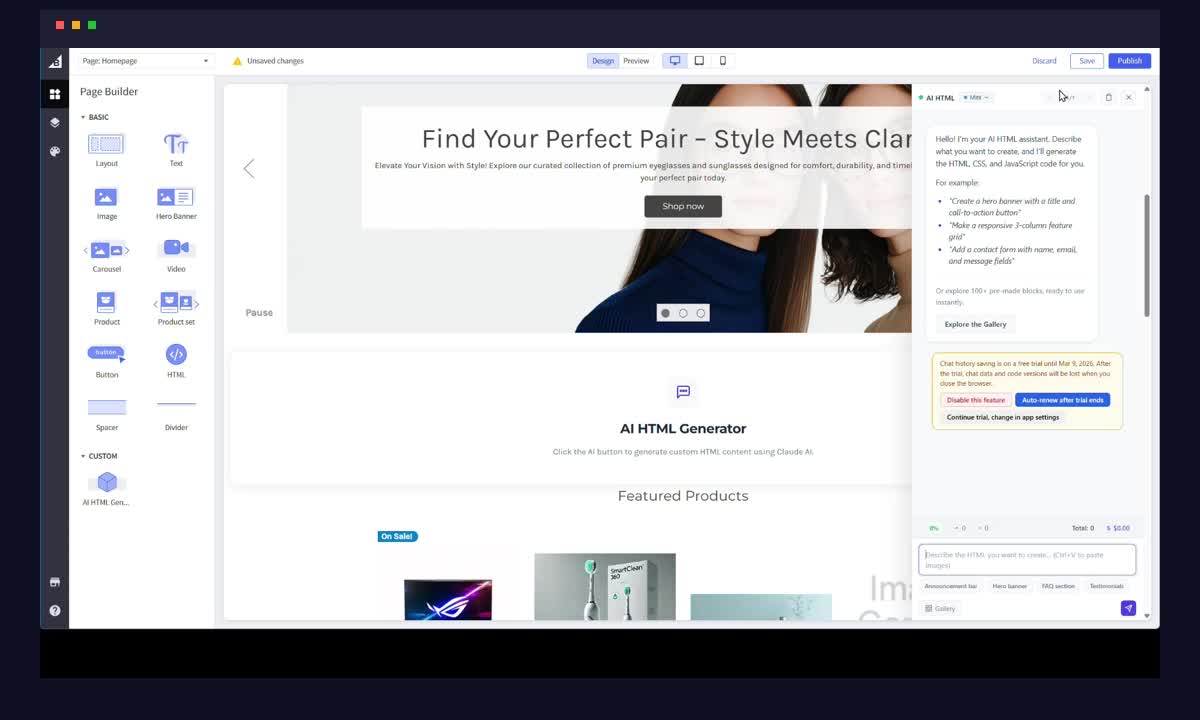
Step 1: Drag the AI HTML Widget into Page Builder
Open your BigCommerce Page Builder and look for the AI HTML Widget in the widget panel. Simply drag it onto your page where you want the form to appear. The widget integrates seamlessly with the standard BigCommerce Page Builder workflow — no special setup or configuration needed.
Step 2: Tell the AI What Form You Need
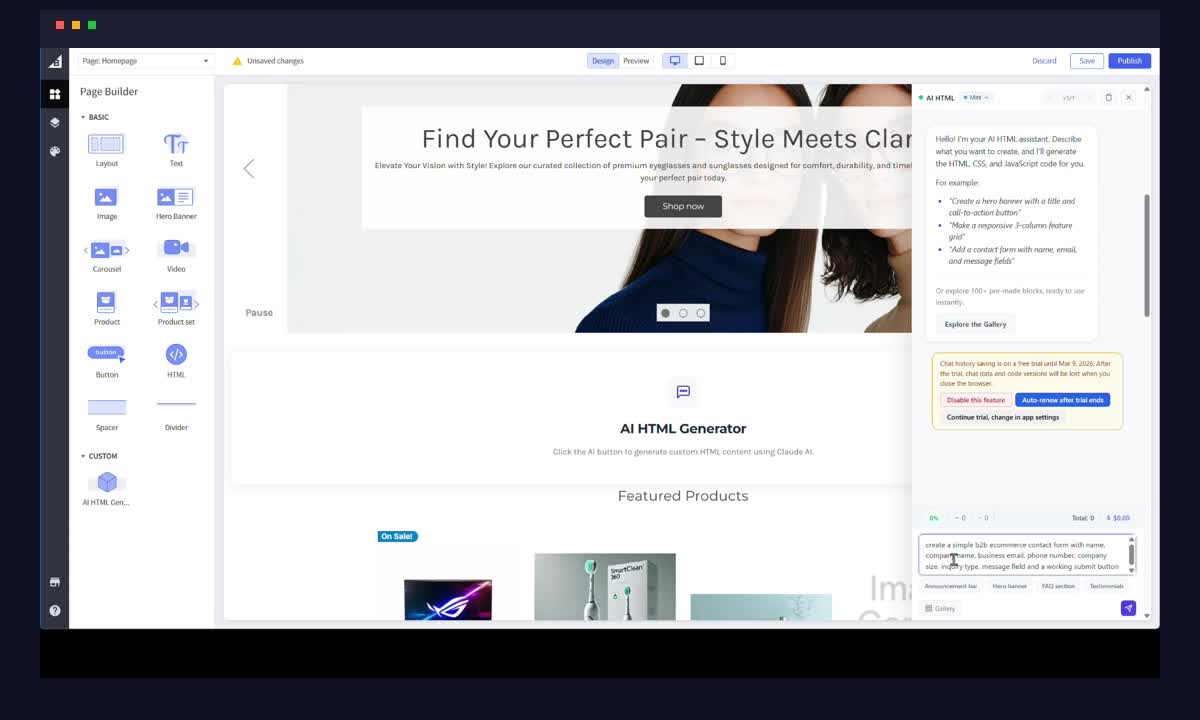
Once the widget is placed, you will see the AI chat interface. This is where the magic happens. Simply type a natural language command describing the form you want. For our demo, we used:
"Create a B2B contact form with fields for company name, contact person, email, phone, industry, company size, and a message field."
The AI understands context and automatically adds appropriate field types, validation rules, and responsive styling.
Pro Tip: You can use the Mini model — the cheapest AI option available — and still get excellent results. This makes the AI Form Builder extremely cost-effective for everyday use.
Step 3: AI Generates the Form Instantly
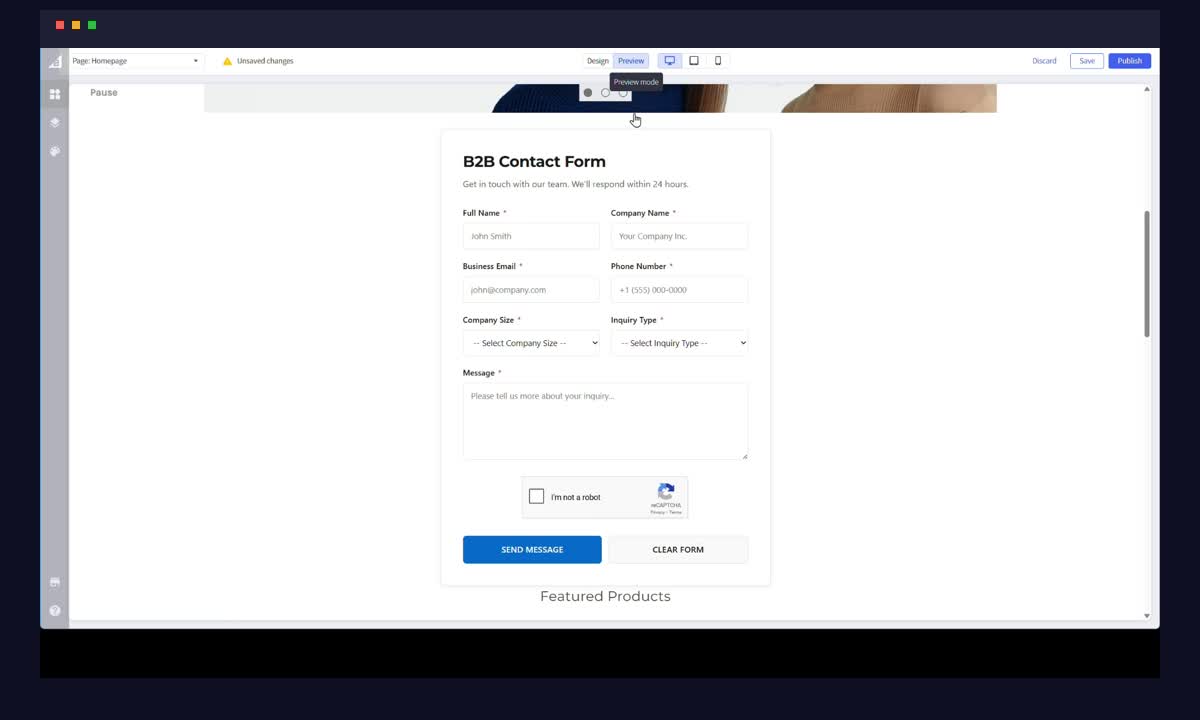
Within seconds, the AI processes your request and generates a complete, professional-looking form. The generated form includes:
- Proper field types — Text inputs, email fields, phone number fields, dropdowns, and textareas
- Form validation — Required fields, email format validation, phone number patterns
- Responsive design — The form automatically adapts to mobile, tablet, and desktop screens
- Professional styling — Clean, modern design that matches your store's aesthetic
- Accessibility — Proper labels, ARIA attributes, and keyboard navigation support
Step 4: Test the Form — Email Delivery Works Instantly
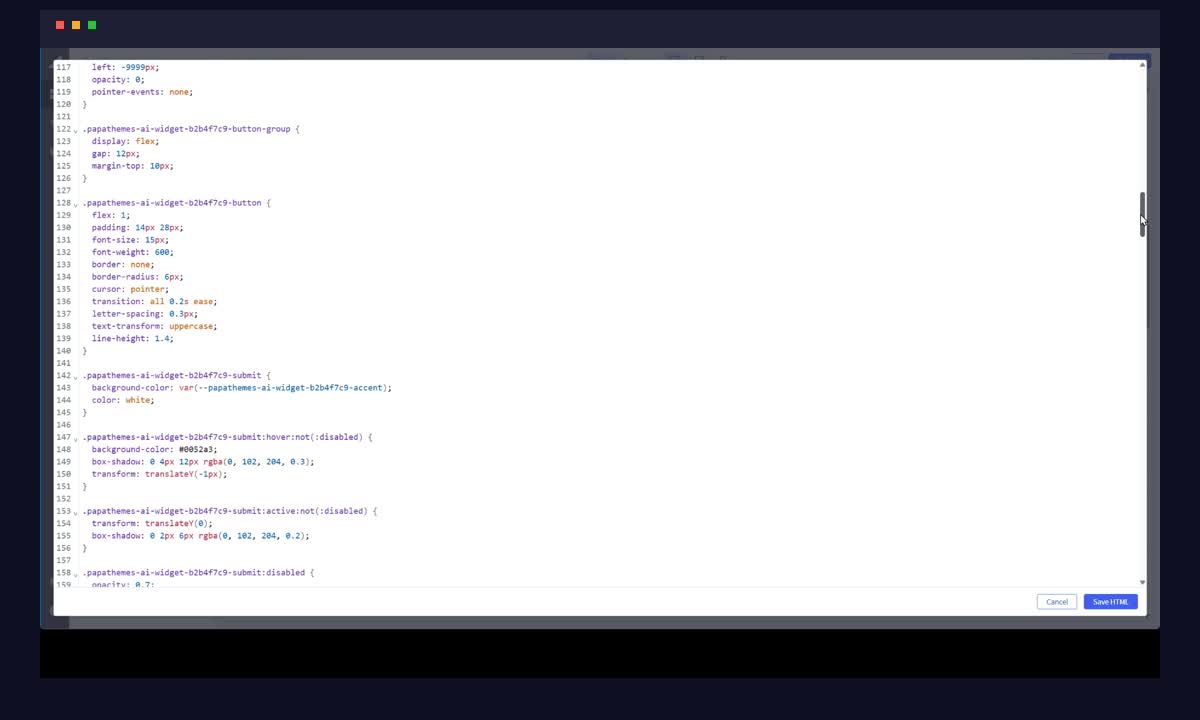
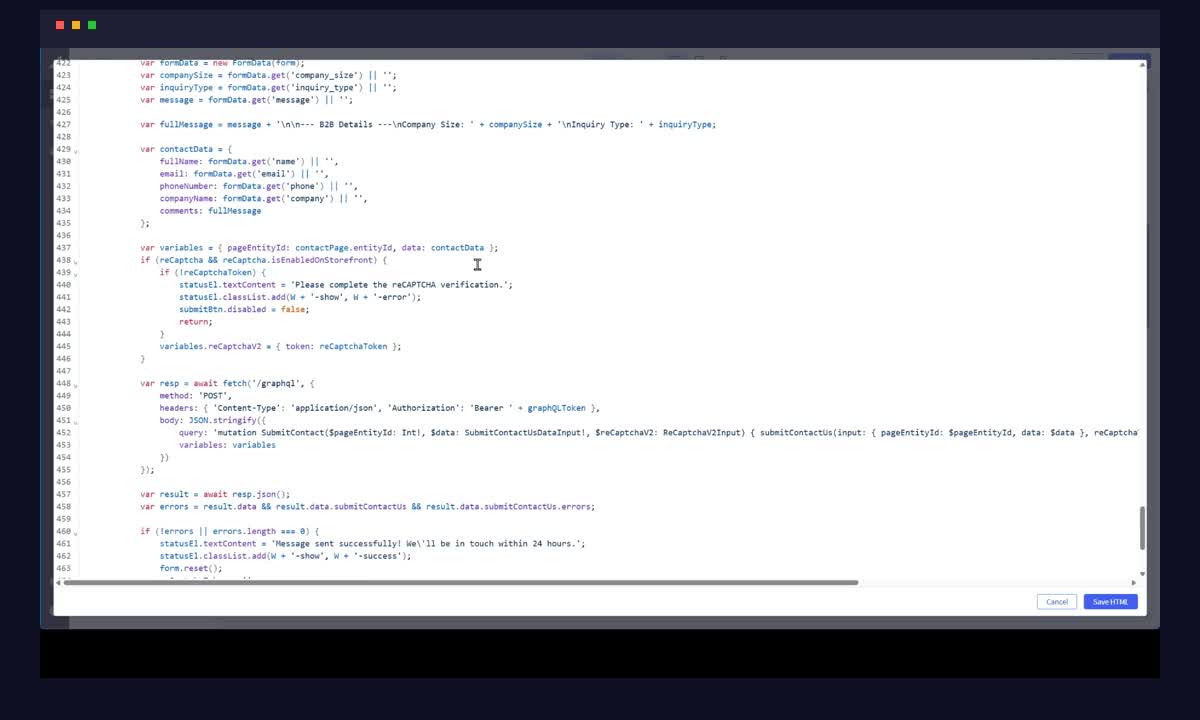
Here is the best part: the form works immediately after creation. When a visitor fills out and submits the form, the email is sent through BigCommerce's built-in contact form feature via GraphQL. No additional configuration needed — no third-party email service, no API keys, no complex setup.
In our demo, we tested the B2B contact form by filling in sample data and clicking submit. The email was delivered successfully through BigCommerce's native contact system. It just works.
Two Email Delivery Options
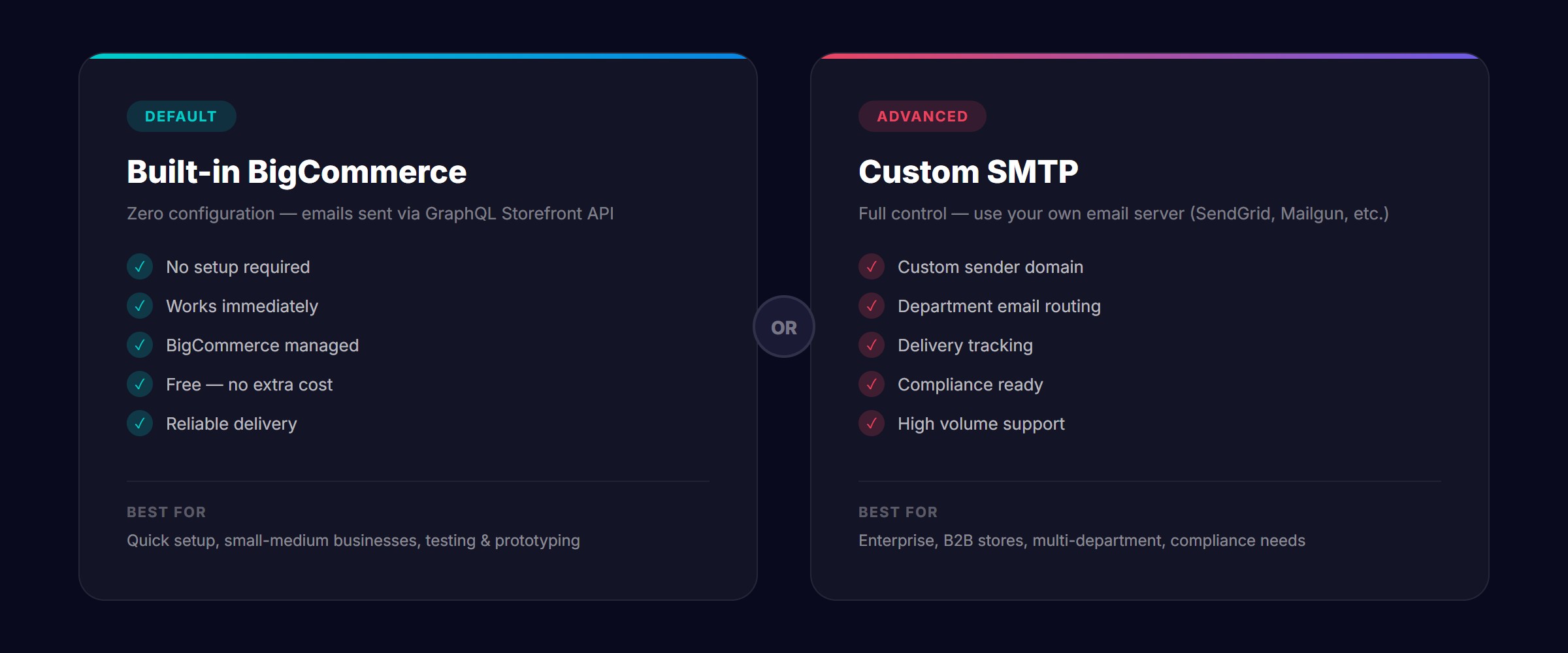
The AI Form Builder gives you flexibility in how form submissions are delivered:
Option 1: Built-in BigCommerce Contact Form (Default)
This is the zero-configuration option. Forms automatically use BigCommerce's native contact form functionality through the GraphQL Storefront API. Emails are sent to the store's configured contact email address.
Best for:
- Quick setup with no additional configuration
- Stores that want everything managed within BigCommerce
- Testing and prototyping forms before a full email integration
- Small to medium businesses with standard contact needs
Option 2: Custom SMTP Configuration
For stores that need more control over email delivery, you can configure your own SMTP server. This gives you:
- Custom sender addresses — Send from your own branded email domain
- Email routing — Direct form submissions to specific departments or team members
- Delivery reliability — Use proven email providers like SendGrid, Mailgun, or Amazon SES
- Email tracking — Monitor delivery rates, open rates, and bounces
- Compliance — Meet specific data handling requirements for your industry
Best for:
- Enterprise and B2B stores with specific email requirements
- Multi-department organizations needing email routing
- Stores with high volume form submissions
- Businesses with strict compliance or data residency requirements
Why Use AI to Build Forms?
Traditional form builders require you to manually drag individual fields, configure each one, set up validation rules, style the layout, and then integrate email delivery. The AI Form Builder collapses all of these steps into a single natural language command.
Time Savings
| Task | Traditional Builder | AI Form Builder |
|---|---|---|
| Create a basic contact form | 15-30 minutes | Under 30 seconds |
| Build a B2B inquiry form with 8+ fields | 30-60 minutes | Under 1 minute |
| Add form validation | 10-20 minutes | Included automatically |
| Style the form | 15-30 minutes | Included automatically |
| Set up email delivery | 15-45 minutes | Zero configuration needed |
| Total | 1-3 hours | Under 2 minutes |
Cost Savings
The AI Form Builder uses the Mini model — the most affordable AI option available. This means creating forms costs just pennies per form, making it accessible for businesses of all sizes. Compare this to hiring a developer at fifty to one hundred fifty dollars per hour for custom form development, and the savings are substantial.
Real-World Use Cases
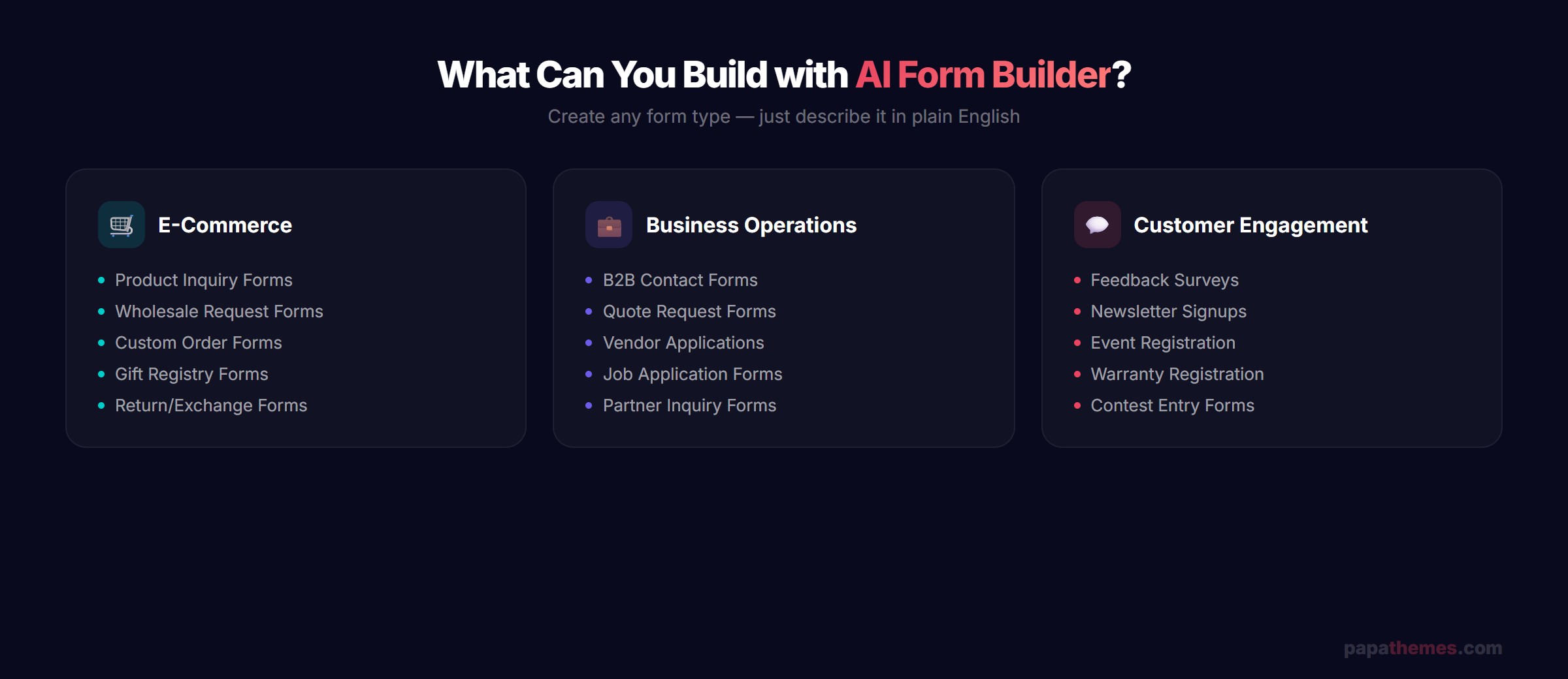
The AI Form Builder is versatile enough to handle a wide range of form types:
E-Commerce Forms
- Product inquiry forms — Let customers ask questions about specific products
- Wholesale request forms — Collect bulk order information from B2B buyers
- Custom order forms — Gather specifications for made-to-order products
- Gift registry forms — Enable customers to create and manage wish lists
Business Operations
- B2B contact forms — Professional inquiry forms for business customers
- Quote request forms — Collect project details for custom pricing
- Vendor application forms — Screen potential suppliers and partners
- Job application forms — Simple recruitment forms for hiring pages
Customer Engagement
- Feedback surveys — Gather customer opinions and satisfaction ratings
- Newsletter signup forms — Custom subscription forms with preference options
- Event registration forms — Collect attendee information for webinars or sales events
- Warranty registration forms — Product registration for post-purchase support
Getting Started with AI Form Builder
Setting up the AI Form Builder takes just a few minutes:
- Install PapaThemes AI Widgets from the BigCommerce App Marketplace
- Open Page Builder on any page where you want to add a form
- Drag the AI HTML Widget onto your page layout
- Type your form description in the AI chat
- Preview and publish — your form is ready to receive submissions
No coding, no complex configuration, no third-party integrations needed. The form works out of the box with BigCommerce's native email system.
Frequently Asked Questions
Does the AI Form Builder work with all BigCommerce plans?
Yes, PapaThemes AI Widgets works with all BigCommerce plans that support Page Builder, including Standard, Plus, Pro, and Enterprise.
How much does it cost to create a form with AI?
The AI Form Builder works with the Mini model, which is the cheapest option available. Creating a form typically costs just a few cents. The PapaThemes AI Widgets app itself offers a free trial so you can test the form builder before committing.
Can I customize the form after AI generates it?
Absolutely. The AI generates clean, well-structured HTML that you can further customize through the widget editor. You can adjust colors, spacing, field labels, and any other aspect of the form.
Do forms work on mobile devices?
Yes, all AI-generated forms are fully responsive and work perfectly on mobile phones, tablets, and desktop computers. The AI automatically includes responsive CSS in the generated code.
Can I use the form builder for multi-language stores?
Yes. Since you describe the form in natural language, you can ask the AI to create forms in any language. The field labels, placeholder text, and validation messages will all be in your specified language. This is particularly useful for stores serving international markets across the USA, Europe, Australia, and Western Asia.
Conclusion
The AI Form Builder in PapaThemes AI Widgets represents a fundamental shift in how BigCommerce store owners create forms. Instead of spending hours building forms manually or paying developers for custom solutions, you can now describe what you need and have a professional, fully functional form ready in seconds.
With built-in email delivery through BigCommerce's GraphQL API and optional custom SMTP support, your forms work immediately — no additional setup required. And since it runs on the most affordable Mini AI model, form creation costs are minimal.
Ready to try AI Form Builder? Install PapaThemes AI Widgets today and create your first form in under a minute. Start with a free trial — no credit card required.
Ready to Transform Your BigCommerce Store?
Join merchants who build beautiful pages faster with AI. Free to install — no credit card required.
Install Free on BigCommerce View All FeaturesFree to use • 337+ templates • AI from $0.02/use • No coding required
PapaThemes is a leading provider of BigCommerce themes, apps, and extensions, helping thousands of online stores worldwide deliver exceptional shopping experiences. Visit papathemes.com to explore our full product lineup.


